Arkel ArLine User Manual V1.24
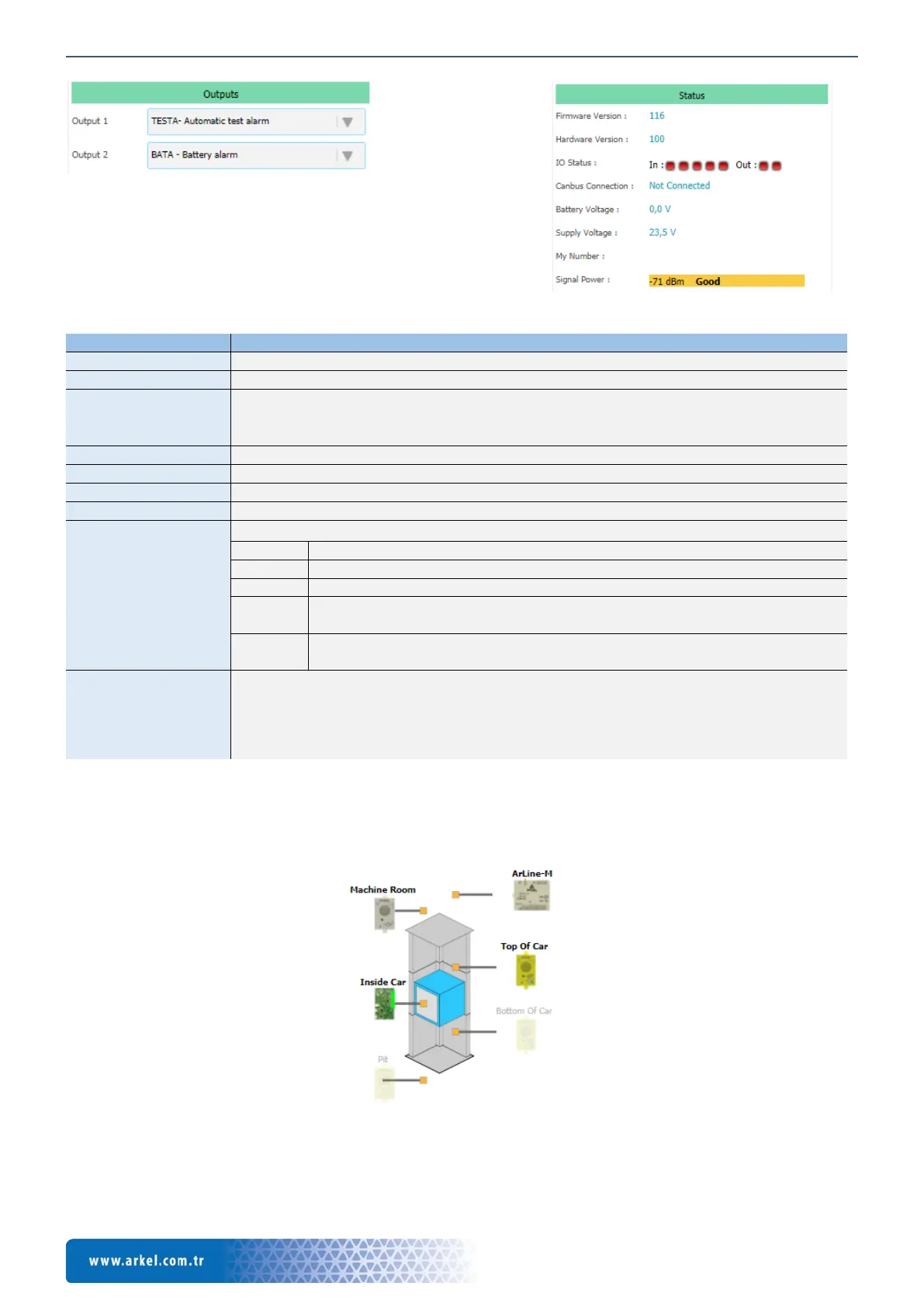
Shows the firmware version of Arkel ArLine-M unit.
Shows the hardware version of Arkel ArLine-M unit.
Shows the status of the input and output signals online:
• The active signal is indicated by a green color.
• The signal in the passive state is shown in red.
Indicates the connection status of the Arkel ArLine-M unit to the CANbus line.
Indicates the voltage of the battery in the Arkel ArLine-M device.
Shows the Arkel ArLine-M input supply voltage.
Shows the SIM card number inserted in the Arkel ArLine-M device.
The signal strength indicators are as follows:
Strong signal strength. Suitable for device usage.
Medium signal strength. The device is sufficient for use but interruptions may occur.
Weak signal strength. The device is not available. Replace the antenna installation
location.
There is no connection. The device is not available. Check the antenna connection
and change the installation location.
This button can be used for the remote alarm termination of the rescue service/personnel in case
of false alarm. Alarm termination in real alarm situations; after the rescue of the
passenger/personnel stuck in the related lift, must be performed by the personnel performing the
recovery (With the help of this button or with the alarm termination methods on the Arkel ArLine
The units connected to the lift can be displayed live via the visual section under the status section. The following example
illustrates:
• With the Arkel ArLine-M device; It is shown that the inside the car, car top and machine room units are connected.
• Bottom and pit alarm units are not connected.
Figure 24 ARKEL Cloud, Connection status image
Figure 22 ARKEL Cloud, Outputs section
Figure 23 ARKEL Cloud, Status section


 To Next Page