EasyManua.ls Logo

ARRI TRINITY - How to Change P;I;D Values

ARRI TRINITY
40 pages
Print Icon
To Next Page IconTo Next Page
To Previous Page IconTo Previous Page
Loading...
!
Most used average camera configuration, can be found within one of these three groups:!
!
!
For example:
If you want to use an ALEXA with a Master Prime and a LMB 25, you have to change the P / I /
D settings to P: 75 / I: 0,09 / D 85.
!
!
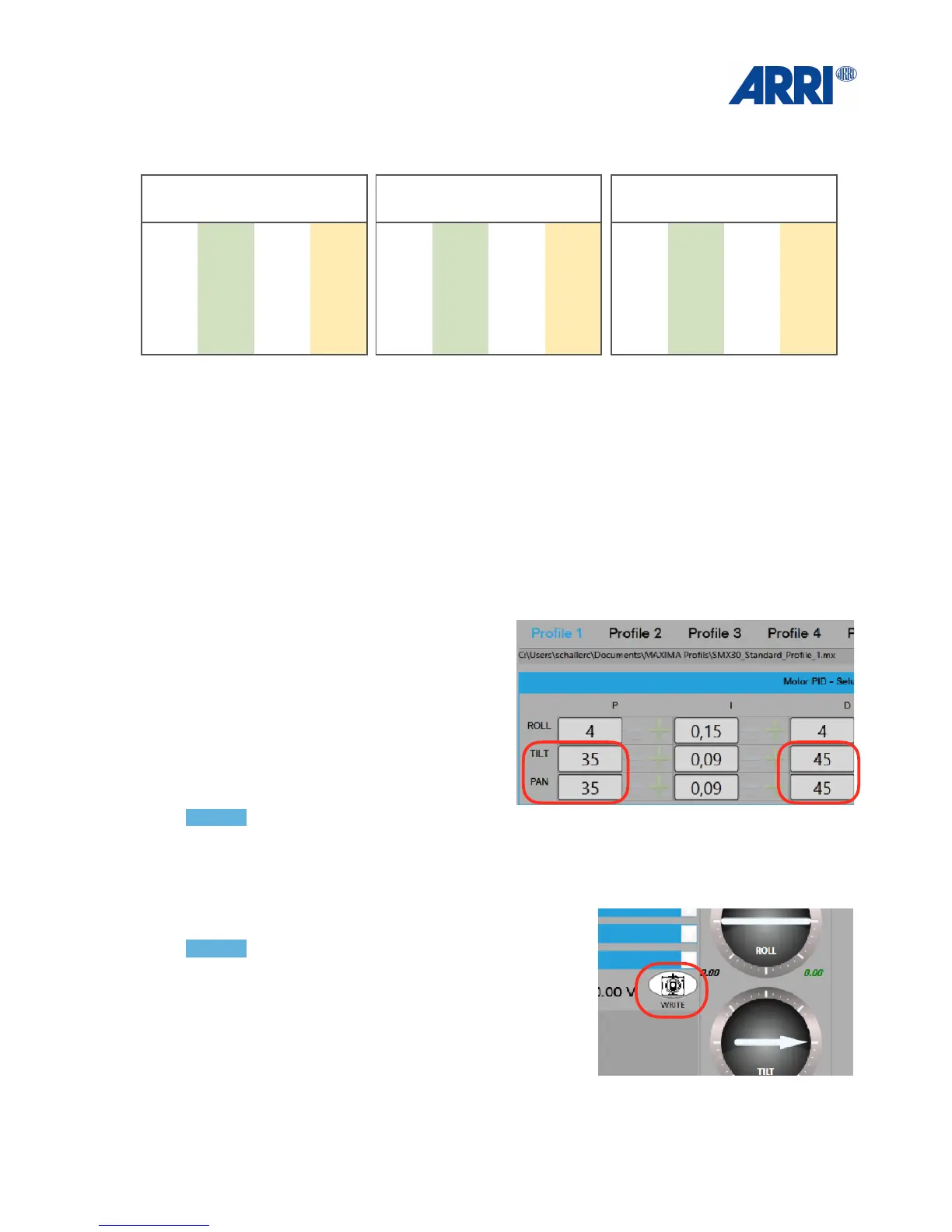
12.1 How to change the values
Move the cursor into the file you like to
edit.
Use the numeric keyboard or +/- button to
change the number
NOTICE!
Always press WRITE (lower right corner) !
after you program the necessary changes.
NOTICE!
The last stored user mode will be the first after the
TRINITY has been switched on, or after changing the
battery.

34
Light-weight Setup
(Camera up to 7 Kg / 15.4lb)
ROLL:
P: 4
I: 0,15
D: 4
TILT:
P: 35
I: 0,09
D: 45
PAN:
P: 35
I: 0,09
D: 45
Mid-weight Setup !
(Camera up to 15 Kg / 33lb)
ROLL:
P: 4
I: 0,15
D: 4
TILT:
P: 55
I: 0,09
D: 65
PAN:
P: 55
I: 0,09
D: 65
Hight-weight Set !
(Camera up to 25 Kg / 55lb)
ROLL:
P: 4
I: 0,15
D: 4
TILT:
P: 75
I: 0,09
D: 85
PAN:
P: 75
I: 0,09
D: 85

Other manuals for ARRI TRINITY

Related product manuals