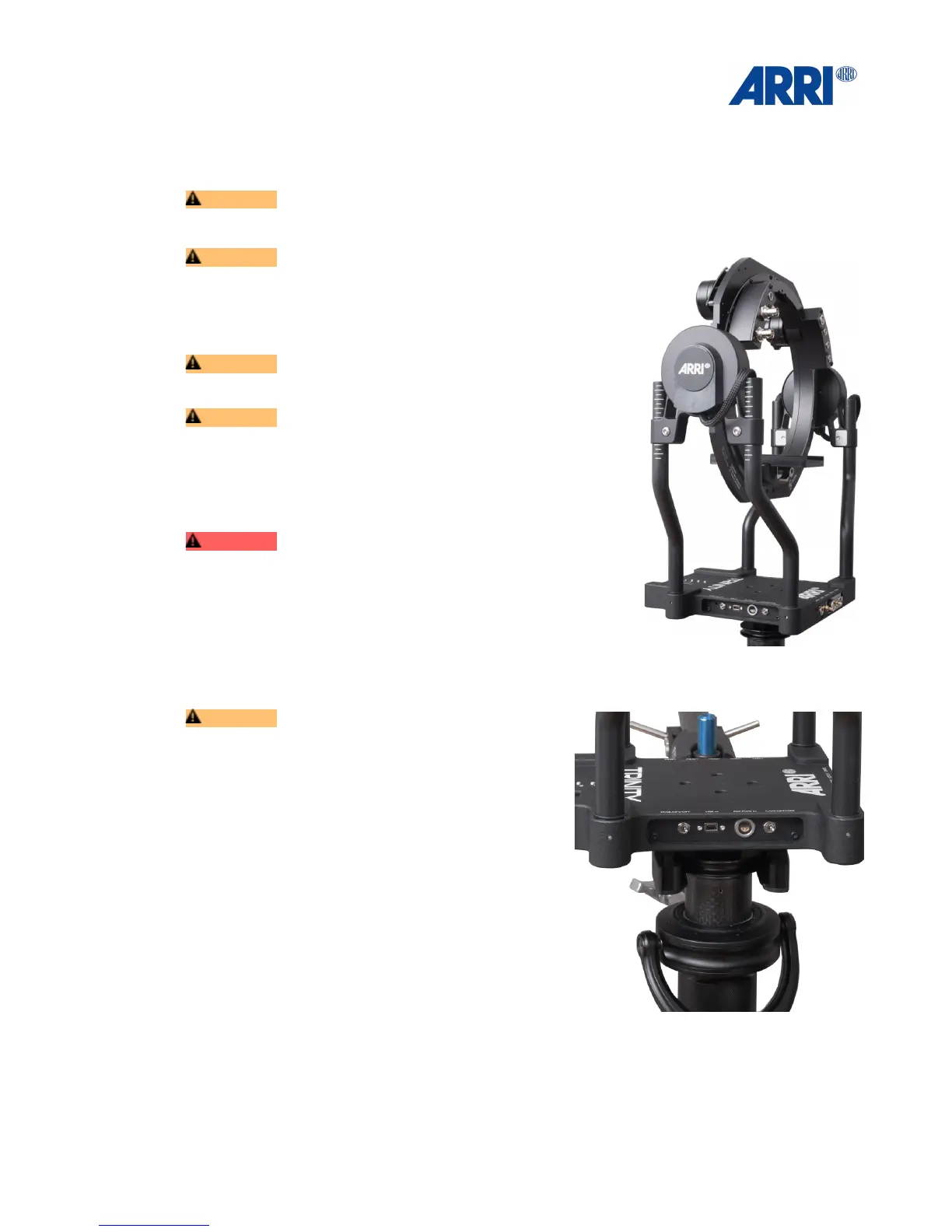
6.2 Mounting the TRINITY Head!
CAUTION!
Ensure that Cam Pwr and STAB Pwr are switched OFF.!
!
CAUTION!
Plug in the Main Cable connector carefully into the Main
socket of the TRINITY head.!
!
Mount the TRINITY head on the top end of the Center Post.!
!
CAUTION !
The ARRI Logo is aligned to the front.!
!
CAUTION!
Use the Post Tool to ensure that the Docking Ring of the
TRINITY head is fully tighten.!
!
!
!
!
DANGER!
Under no circumstances push fingers or other limbs
between the TRINITY Yoke and the inner ring as injuries
can result.!
!
!
!
!
!
!
CAUTION!
Make sure that the yoke of the Docking Bracket is
above the longest leg of the stand. !
!
Securing the stand with sand bags, reduces the risk
of the tripod falling over.
• Park the TRINITY system into the Docking
Bracket.
• Push the Docking Ring ring fully into the yoke of
the Docking Bracket.!
!
!
!
!
!
!
!
!
!


 To Next Page