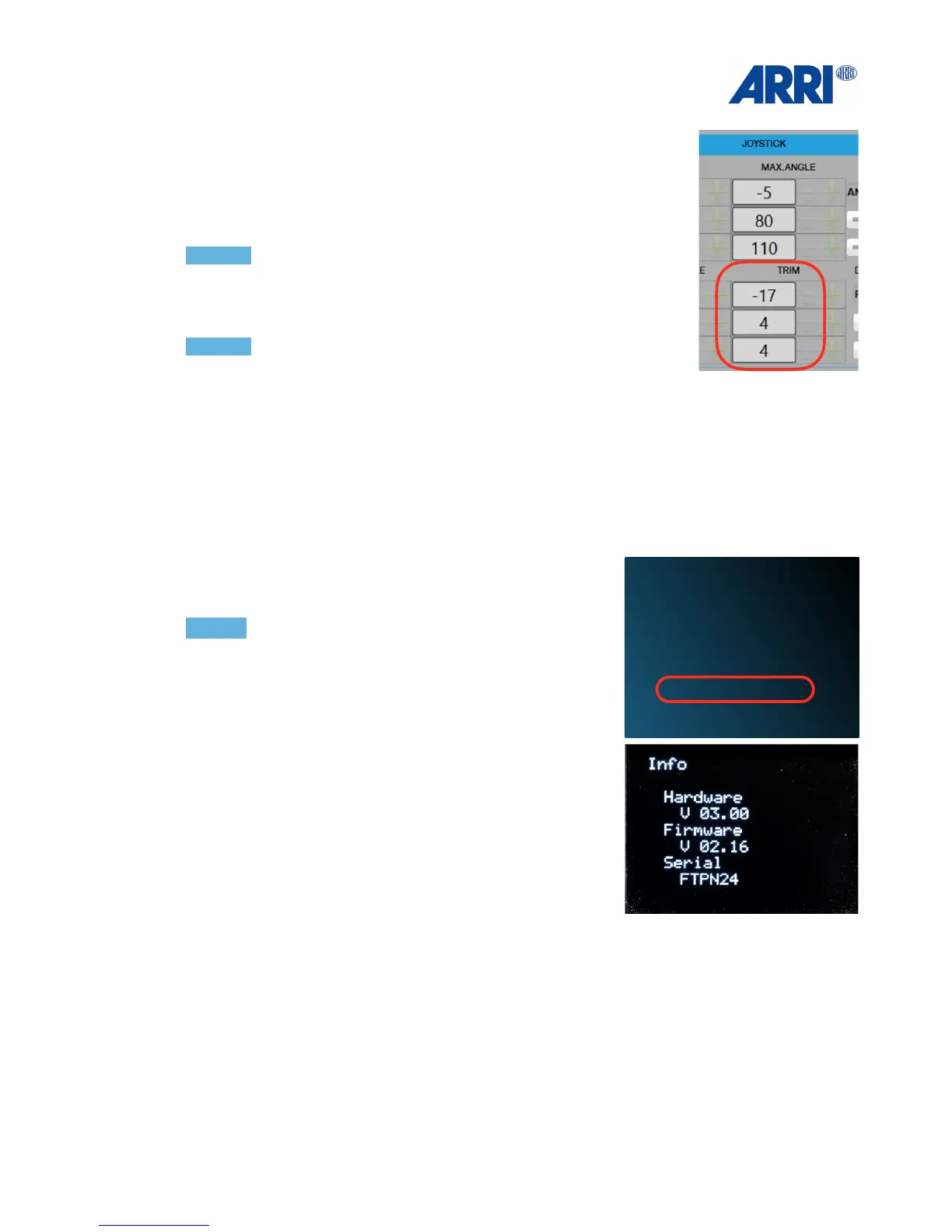
14.0 Trim Adjustment
If the axis is drifting away from its zero position you can
Use the TRIM adjustment in the JOYSTICK section to eliminate the
drift.!
NOTICE !
Start with a high number, just to see if the direction is the right one.
You can use positive as also negative values.
!
!
NOTICE !
Press Write
!
!
!
15.0 Troubleshooting
NOTICE!
Before you contact ARRI service,
please note the serial number of your
TRINITY.!
Firmware version and serial number can be found here:!
• Press the OK key
• Press the DOWN till Info
•
Press the OK!
!
!


 To Next Page