8.1 Balancing Procedure
NOTICE!
The TRINITY is a neutral balanced system every adjustment should be done carefully. Take
your time and do not over adjust any single axes.!
!
Mount the Gimbal Handle onto the balancing pin.
Switch ON the Camera Power and Power ON the TRINITY stabilizer.!
!
NOTICE!
Make sure that you are in preset number 1 the fully free Mode.!
Press the Mode Button once to confirm you are in preset 1.
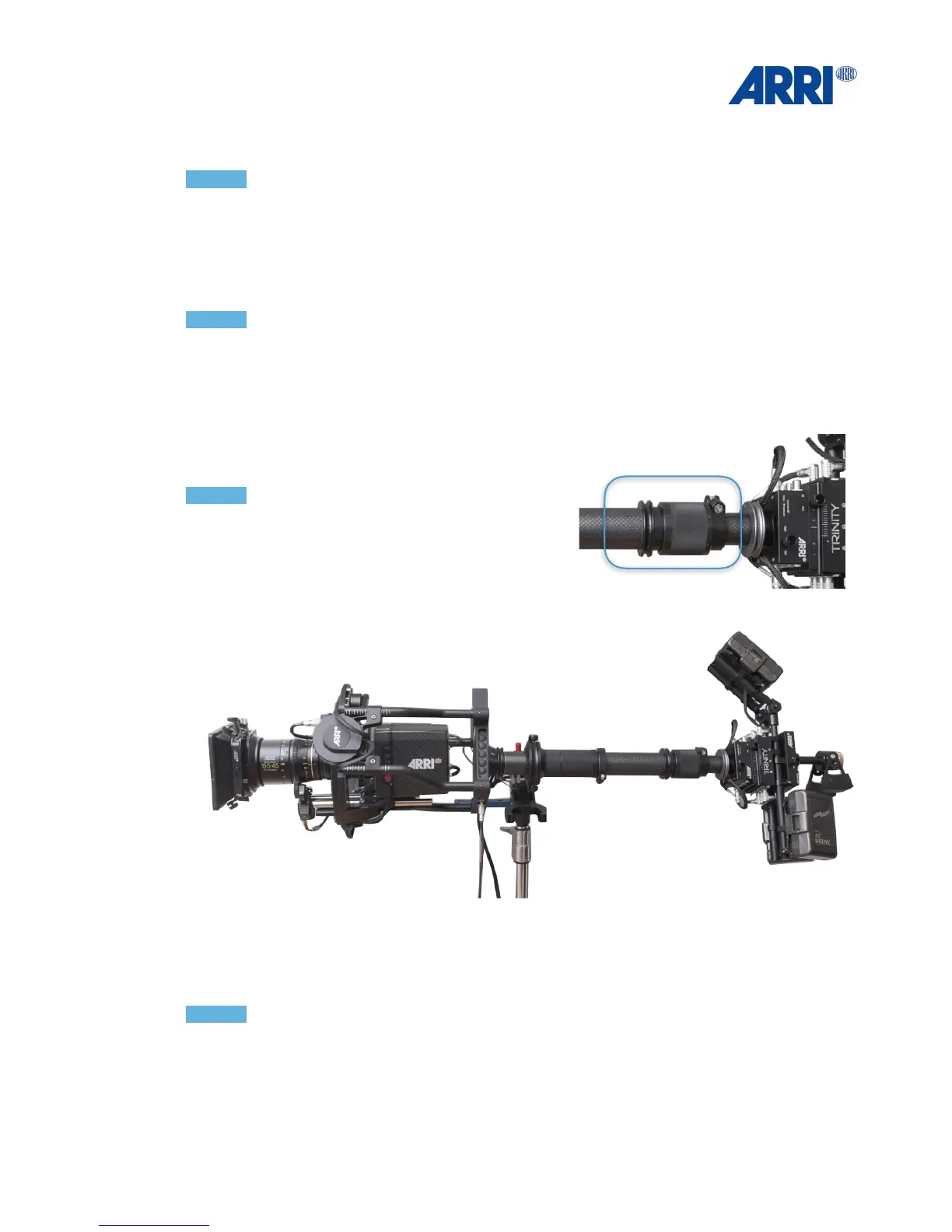
Bring the Trinity system into a horizontal position. !
Check that the power and video cables have enough clearance to pass the yoke of the
TRINITY. If needed tape or strap the cable to the
camera body.!
!
!
NOTICE!
Turn the Fine Trim adjustment on the post to the
middle position.!
!
!
!
Loosen the Gimbal locking clamp and move the Gimbal up and down the post by sliding and
rotating the gimbal on the post to reach a neutral horizontal position. !
!
NOTICE!
Try to keep the Center Post as short as possible. A short Center Post will give the TRINITY a
maximum of agility.
Turn the Fine Trim adjustment on the post to set the rig at absolute horizontal and !
neutral balance.!
!
!


 To Next Page