!
Direction:
The direction can be changed in the lower right corner.
NOTICE!
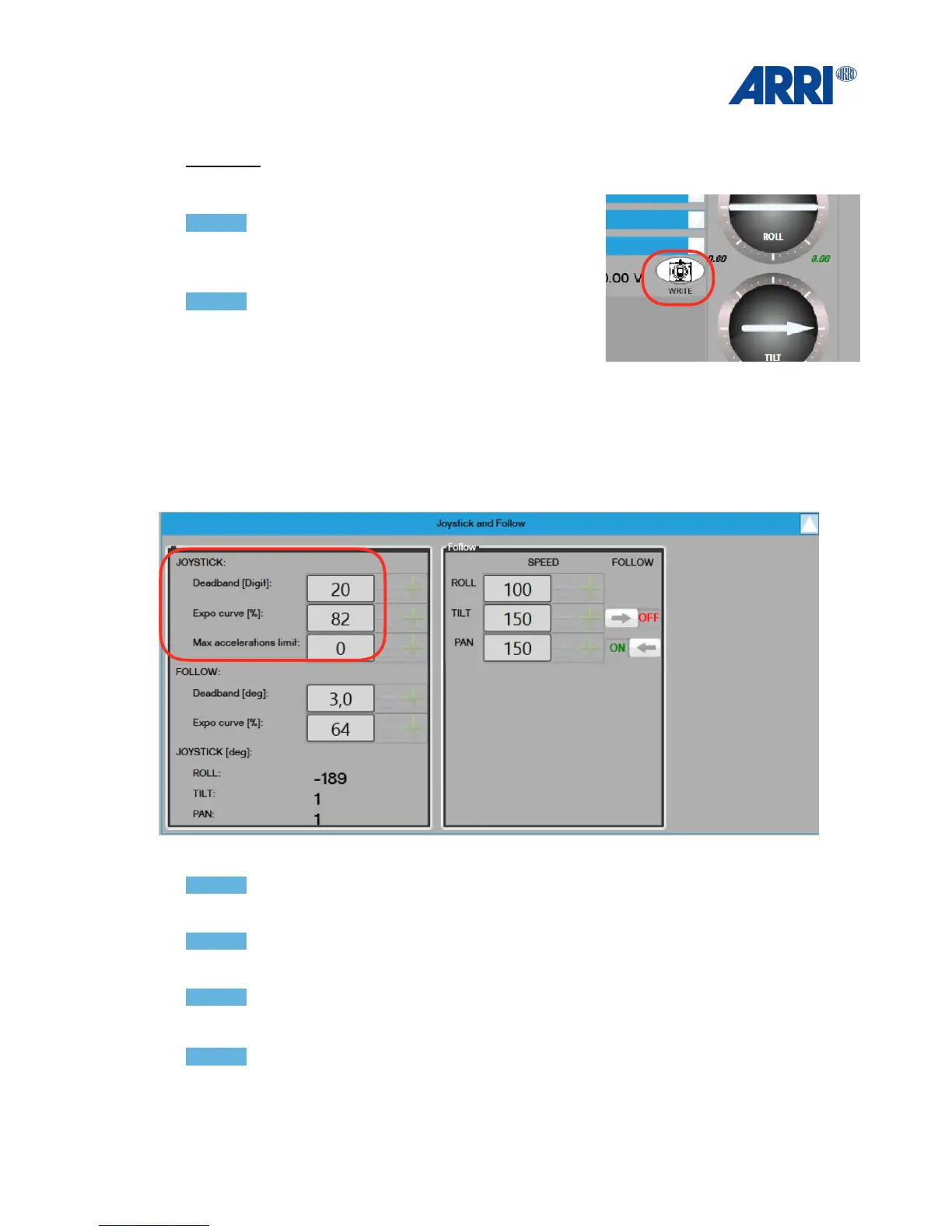
Always press WRITE (lower right corner) !
after you program the necessary changes..
NOTICE!
The last stored user mode will be the first after the
MAXIMA has been switched on or after changing the
battery.
!
12.4 Damping and Ramp
NOTICE!
Increasing the Deadband value will add more delay before the joystick takes effect.
NOTICE!
Increasing the Expo Curve value will add more ramp to the joystick behaviour.
NOTICE
To a d d a Ramp to the Joystick, lower the Expo Curve to 50 and reduce the Speed 30 - 80.
NOTICE
If the focal length is over 100mm, lower speed to 5 - 20.


 To Next Page