CYC5000 User Guide www.arrow.com
Page | 39 March 2023
5.2.6 Create and Configure the Multiplexer
The next step is to create a mux component. This mux will be used along with a push button on
the CYC5000 board to control the speed of the counter, where the counter outputs will be seen
on the LEDs.
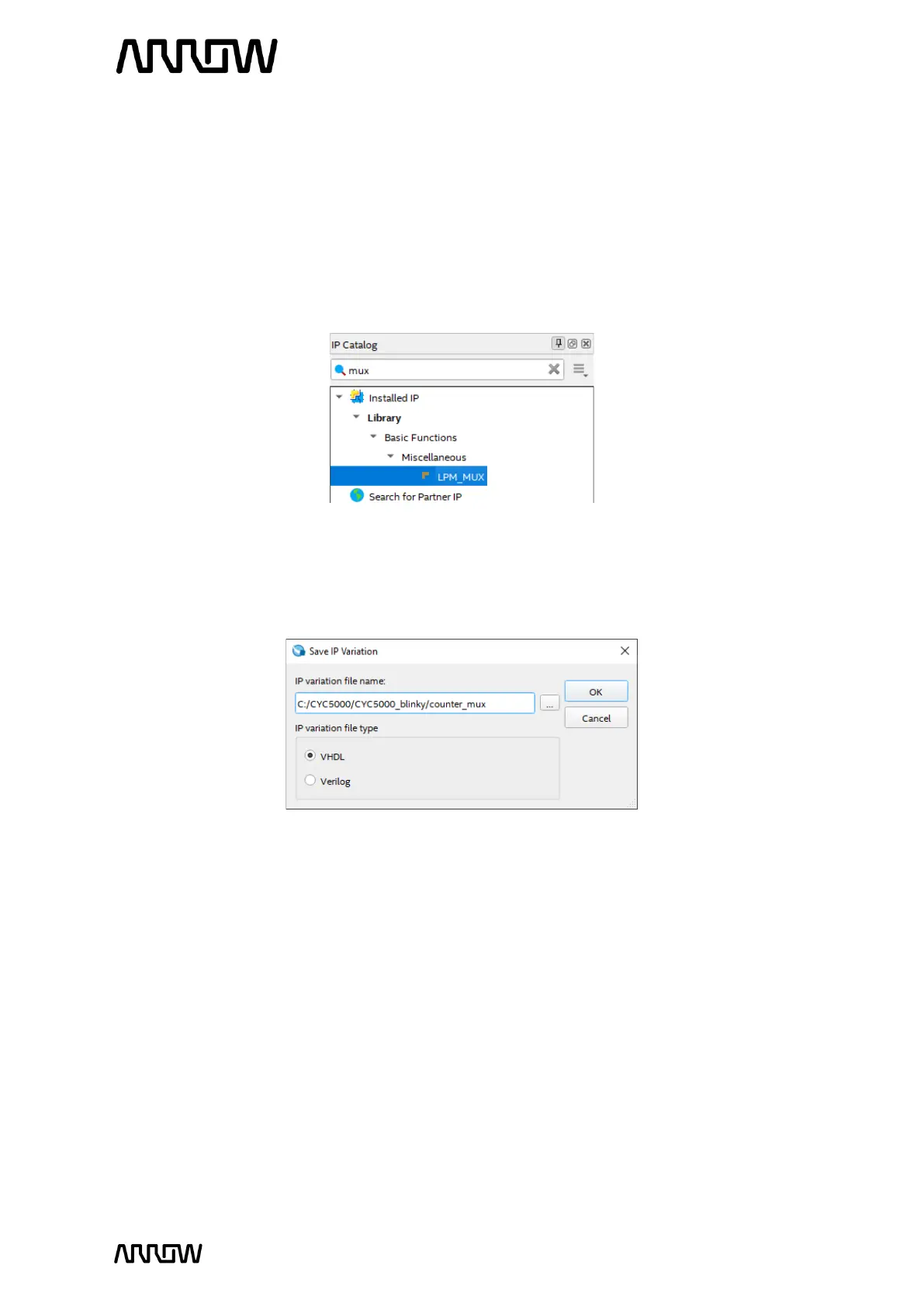
5.2.6.1 To create this mux, select IP Catalog and expand Basic Functions → Miscellaneous and
select LPM_MUX or type mux in the search field.
5.2.6.2 Click “Add”.
5.2.6.3 Enter the name of the “counter_mux” and the file type to be VHDL.
5.2.6.4 Click “OK”.
5.2.6.5 Select 2 data inputs and the width of the input to be 8 bits. The reason for 8 bits is that
there are 8 LEDs to be toggled (showing count values).
The screen should look like this now:



 To Next Page