CYC5000 User Guide www.arrow.com
Page | 41 March 2023
5.2.7 Adding the Components to the Schematic
The next step would be to connect all three components together.
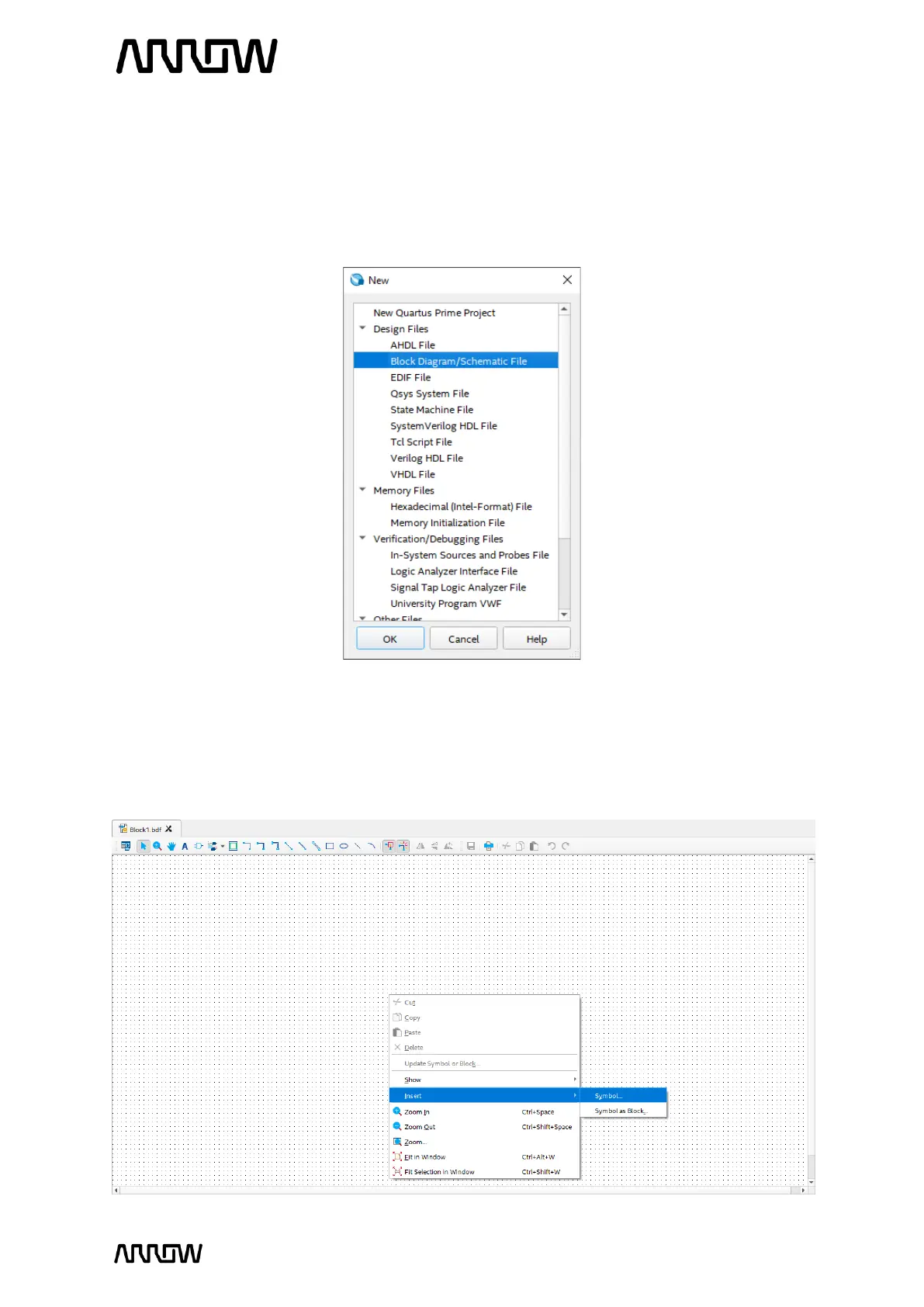
5.2.7.1 To do so, select File menu, then click on New and select Block Diagram/Schematic File.
5.2.7.2 Click “OK”.
A new schematic will be created, where the components can be added.
5.2.7.3 Right click on the schematic page and select Insert → Symbol… as seen below.



 To Next Page