CYC5000 User Guide www.arrow.com
Page | 57 March 2023
Configuring the CYC5000
After successfully compiling your project, there should new files be generated. In case of Cyclone
V devices, only the .sof file is generated automatically.
6.1 Configure the FPGA in JTAG mode
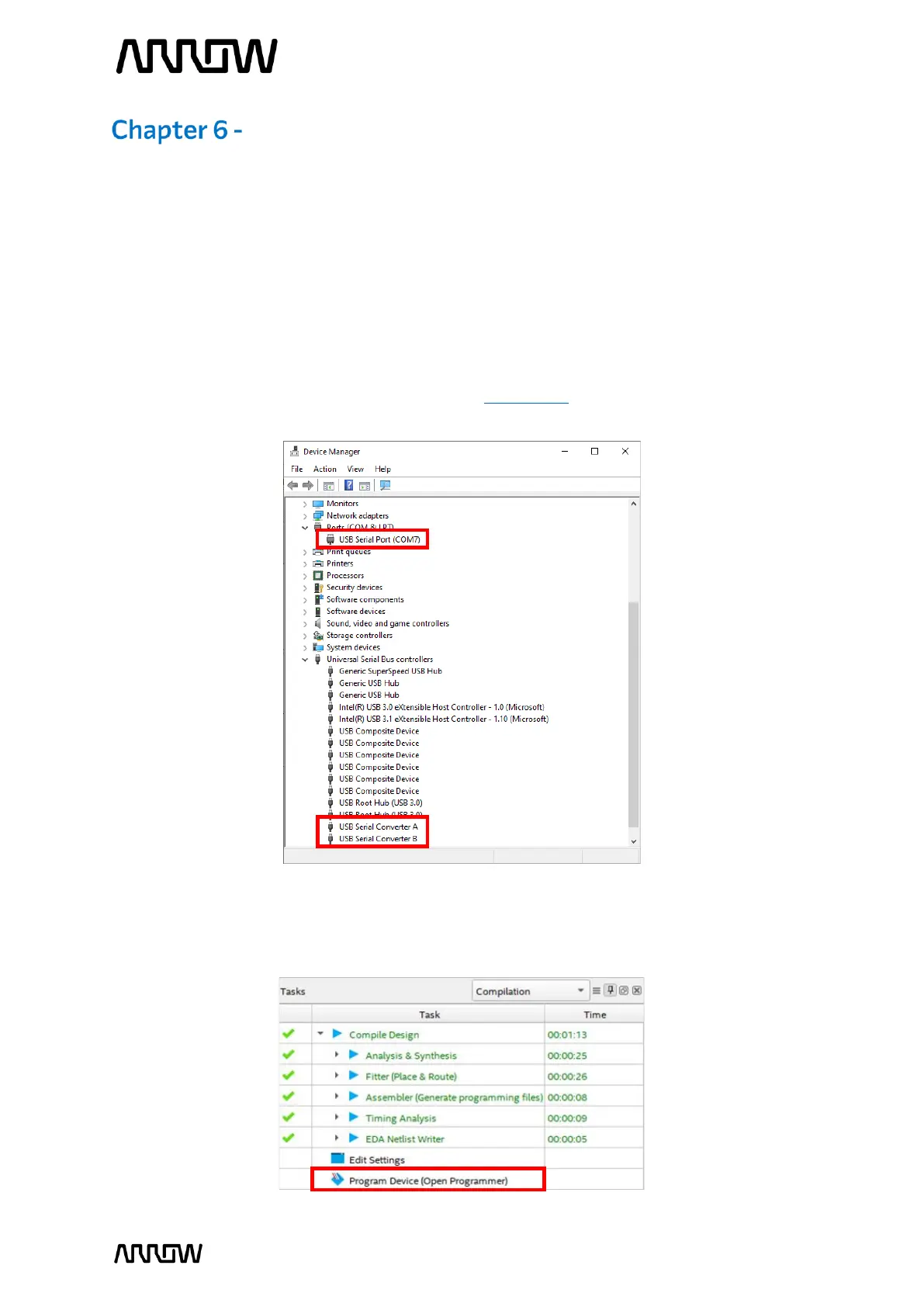
6.1.1 Connect your CYC5000 board to your PC using an USB cable. Since the Arrow USB Blaster
should be already installed, the Window’s Device Manager should display the following
entries are highlighted in red (port number may differ depending on your PC). If the Arrow
USB Blaster is not installed, please refer to Chapter 4.2 for installing the drivers.
6.1.2 Open the Quartus Prime Programmer from Tools → Programmer or double-click on
Program Device (Open Programmer) from the Tasks pane.



 To Next Page