CYC5000 User Guide www.arrow.com
Page | 58 March 2023
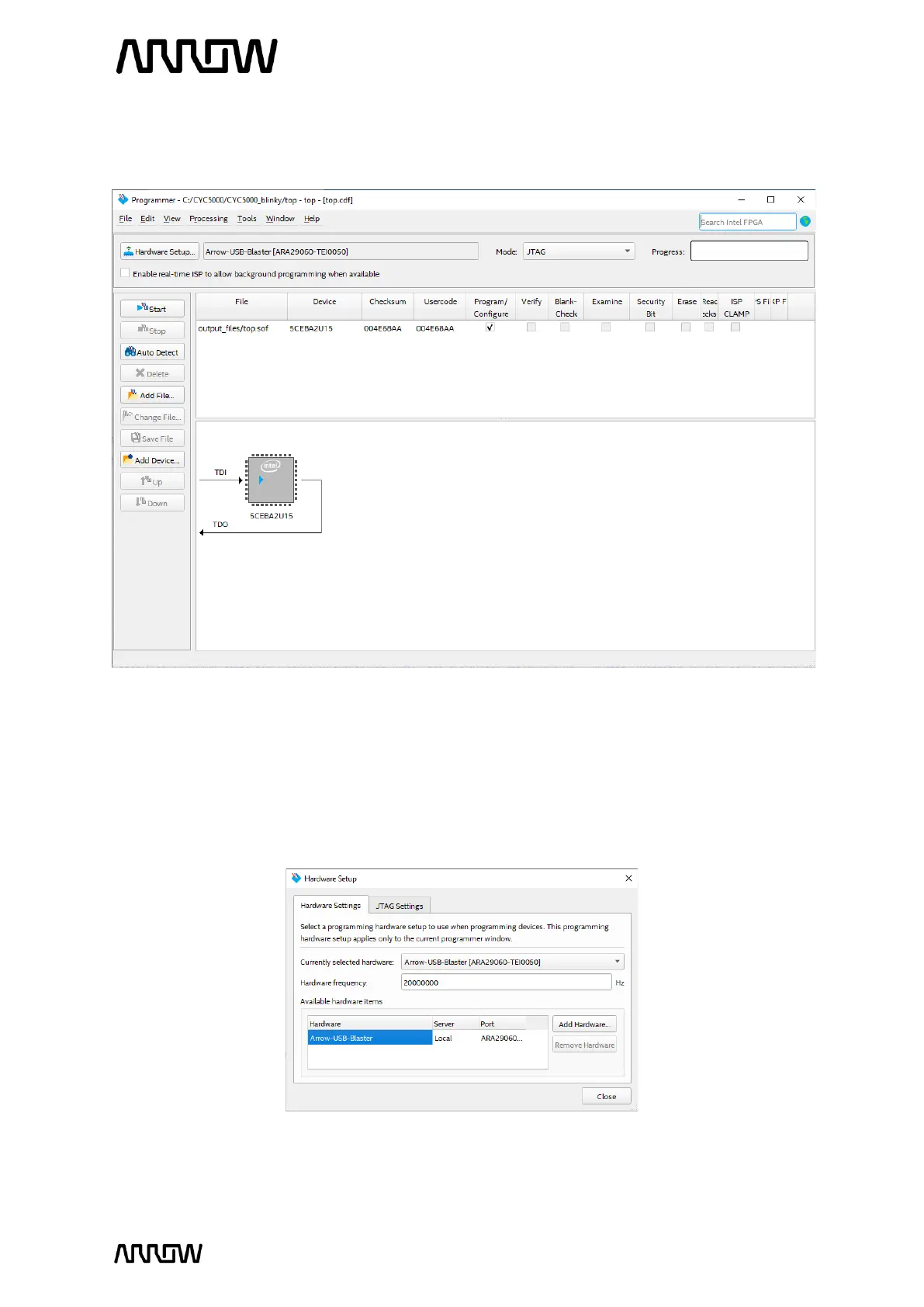
6.1.3 The programmer should add the programming file automatically. After opening the
program this should be the view of the new window:
6.1.4 If the hardware or programming file was not found automatically, continue with the steps
below to add the missing parts. Otherwise, continue from step 6.1.12.
6.1.5 To add hardware, click Hardware Setup… and double click Arrow-USB-Blaster entry in
the Hardware Setup tab. The Currently selected hardware should now show Arrow-USB-
Blaster [USB0] (depending on your PC, the USB port number may vary).
6.1.6 Click “Close”.



 To Next Page