CYC5000 User Guide www.arrow.com
Page | 60 March 2023
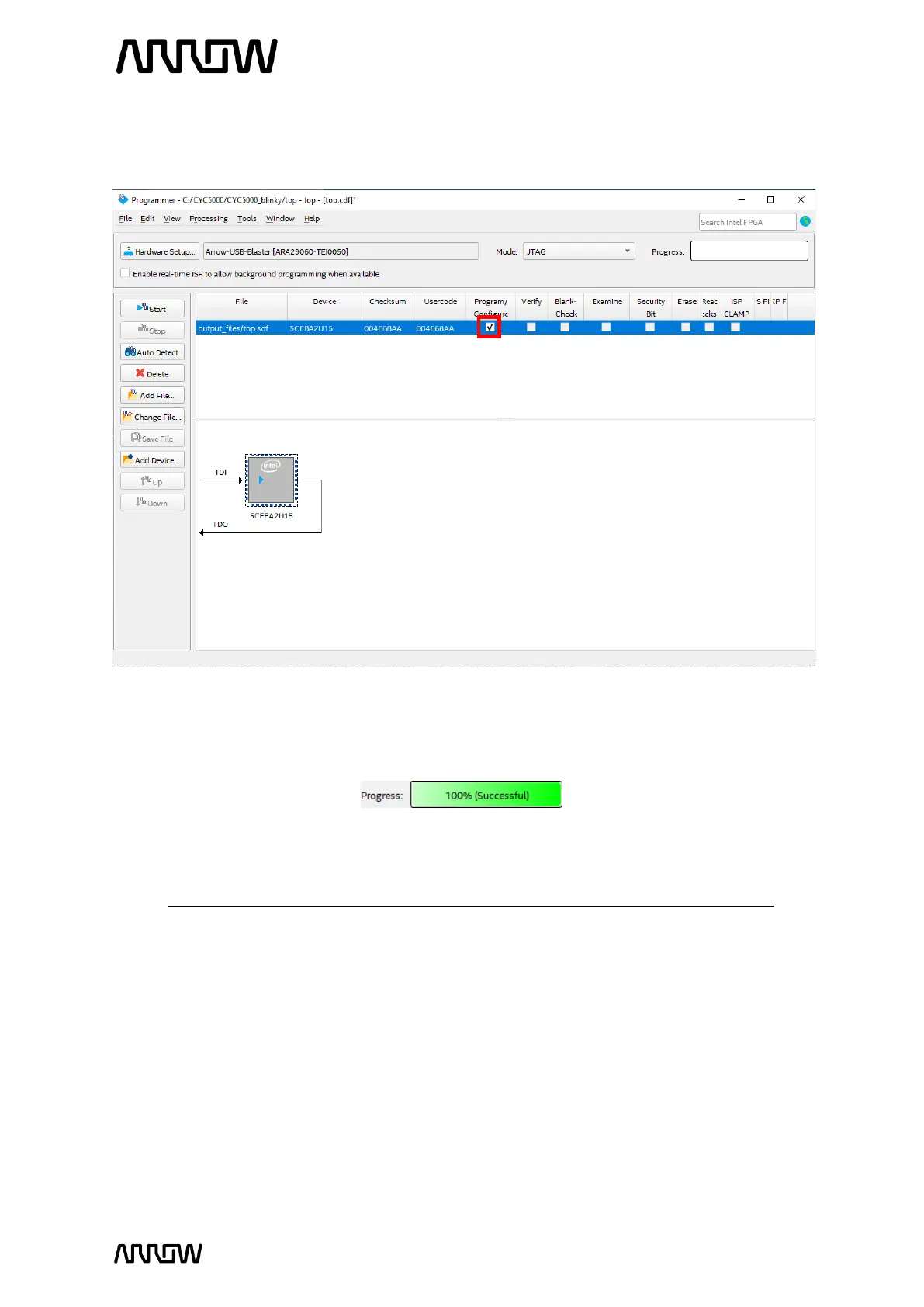
6.1.12 Make sure the Programmer shows the correct file and correct part in the JTAG chain and
check the Program/Configure checkbox.
6.1.13 Click Start to program the CYC5000. When the configuration is complete, the Progress
bar should reach 100% (Successful).
The design is now programmed to the FPGA.
Note that turning off and then on the FPGA will result into losing its configuration.



 To Next Page