2 of 2 P/N PM000157A • Rev. 1.00 • ISS 4/13/17
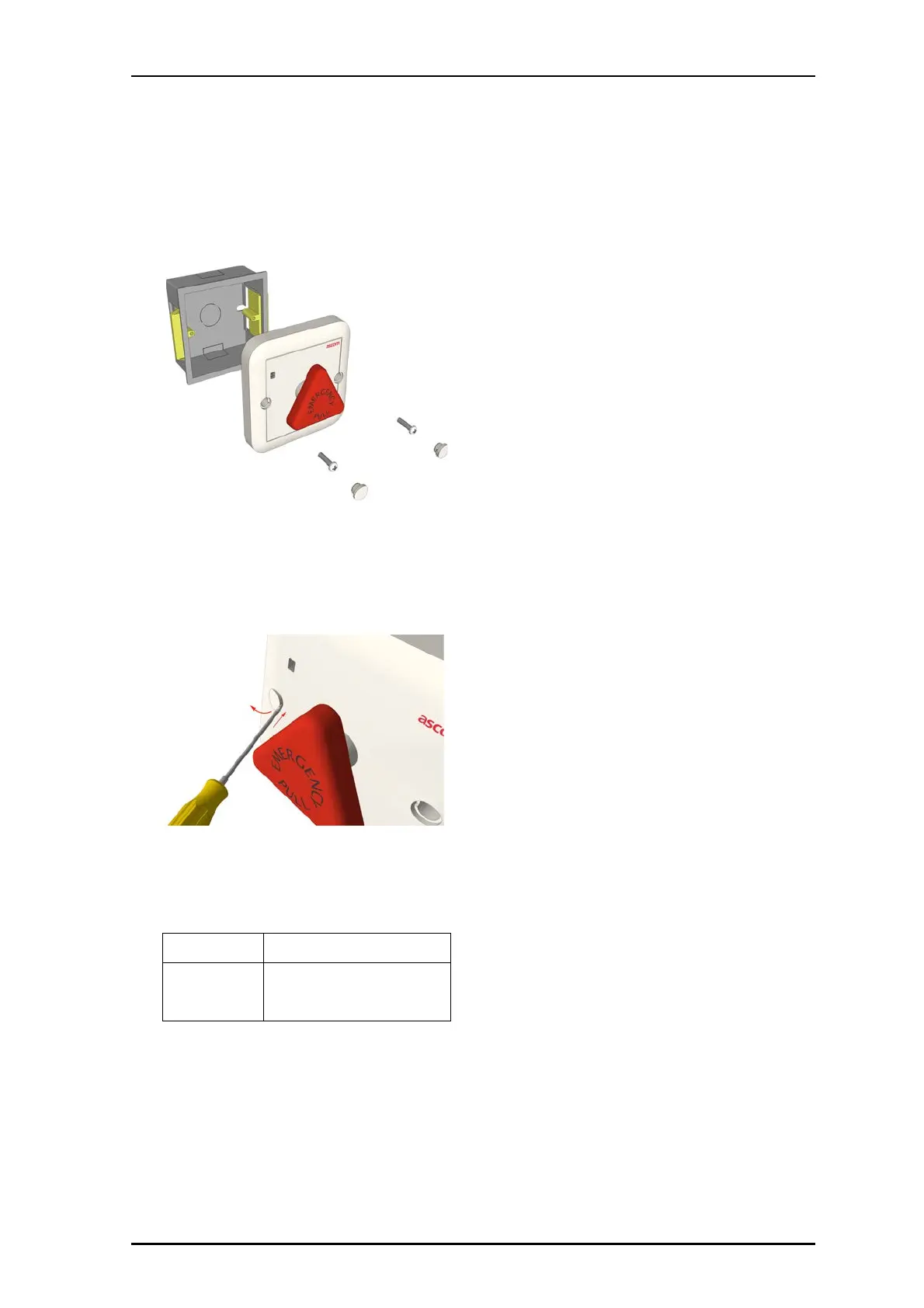
4. Align the pull switch over the backbox, and then insert the
screws though the holes on the pull switch and into the
backbox. Tighten the screws.
5. Insert the screw hole covers into the pull switch.
Removal
To remove module from the backbox:
With a small blade screwdriver (2mm), carefully remove the
screw hole covers.
6. Remove screws.
7. Remove module.
8. Disconnect RJ-45 Connectors.
Specifications
Wire/terminations
Cat 5/5e/6/7 U/UTP with RJ-45
connectors.
Compatible
electrical boxes
European Union, United Kingdom:
Standard plastic or metal back box
with mounting holes: 60mm
(2.36in.)



 To Next Page