3 Sterilizer Overview
Printer
The printer prints cycle reports and other information on a roll
of
thermal
paper. The printer features easy drop-in paper loading and requires no
ink
cartridges. When the sterilizer power
is
on, the printer interior is
illuminated with a blue light.
Push
to
open
the
printer
Paper
advance
button
Printed
report
Main
power
switch
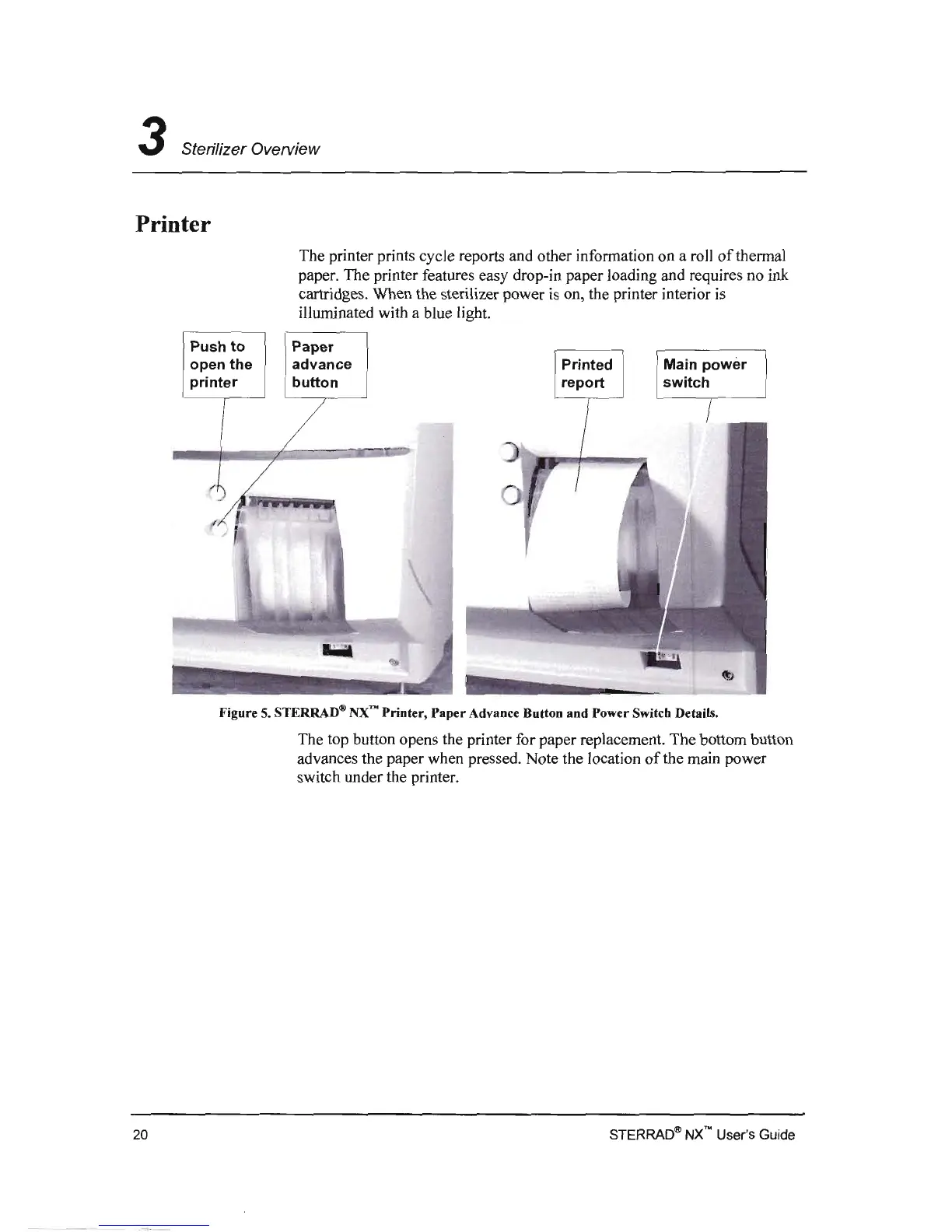
Figure 5. STERRAD® NX'"
Printer
,
Paper
Advance Button and Power Switcb Details.
The top button opens the printer for paper replacement. The bottom button
advances the paper when pressed. Note the location
of
the main power
switch under the printer.
STERRAD~
NX
no
User's Guide
20



 To Next Page