Operation 5
1.
Touch the
Enter
Notes for Cycle field. The cursor appears in the field.
2.
Use the on-screen keyboard to type your notes.
3.
When data entry
is
complete, touch the Done button.
4.
If
conditions exist which prevent a sterilization cycle from starting
(e.g.,
no
cassette, hydrogen peroxide monitor blocked), a message
is
displayed on the screen.
5.
The program displays the System Ready screen.
Loading
the
Chamber
1.
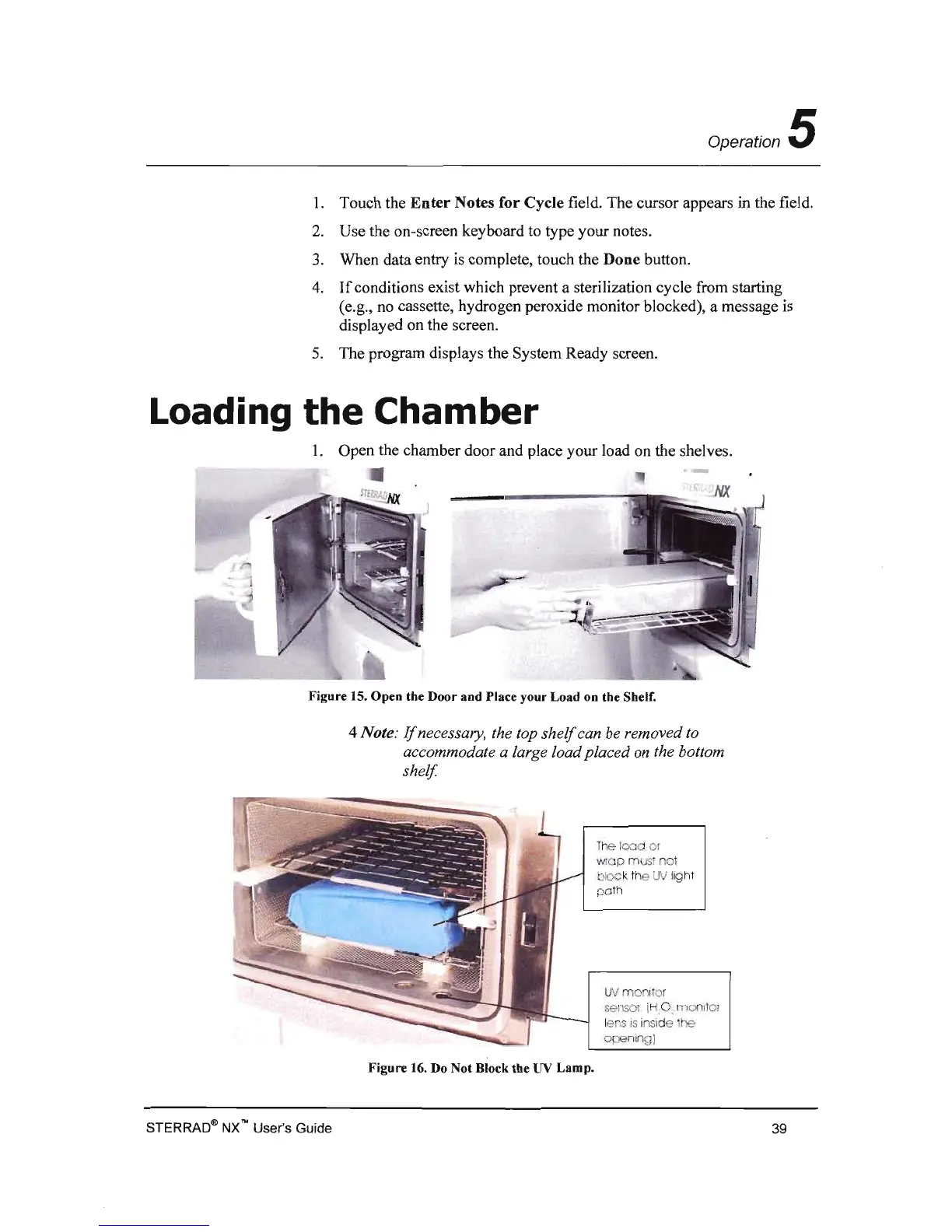
Open the chamber door and place your load on the shelves.
Figure 15. Open the Door and Place your Load on the Shelf.
4 Note:
If
necessary, the top
shelf
can be removed to
accommodate a large load placed on the bottom
shelf.
The
100
or
WI p ust
no
t
k
:x::
k the
UV
lig
ht
UV
monit
o r
sa
i IH 0 manltol
lens
is
inside
Figure 16. Do Not Block the
UV
Lamp.
STERRAD® NX"" User's Guide
39



 To Next Page