Access Levels
and
Supervisor Tasks
iagno ics
Touch the Diagnostics button to start automatic diagnostic testing
of
the
sterilizer. When the function prompts you to select one
of
two Temperature or Other Tests).
If
Other Tests is
selected, the sterilizer runs ten operator-assisted tests
of
the sterilizer
subsystems. You may skip one
or
more tests in the automatic
sequ~nce
by
touching the
Cancel
button when a test This causes the program to
advance to the next test in the sequence.
The
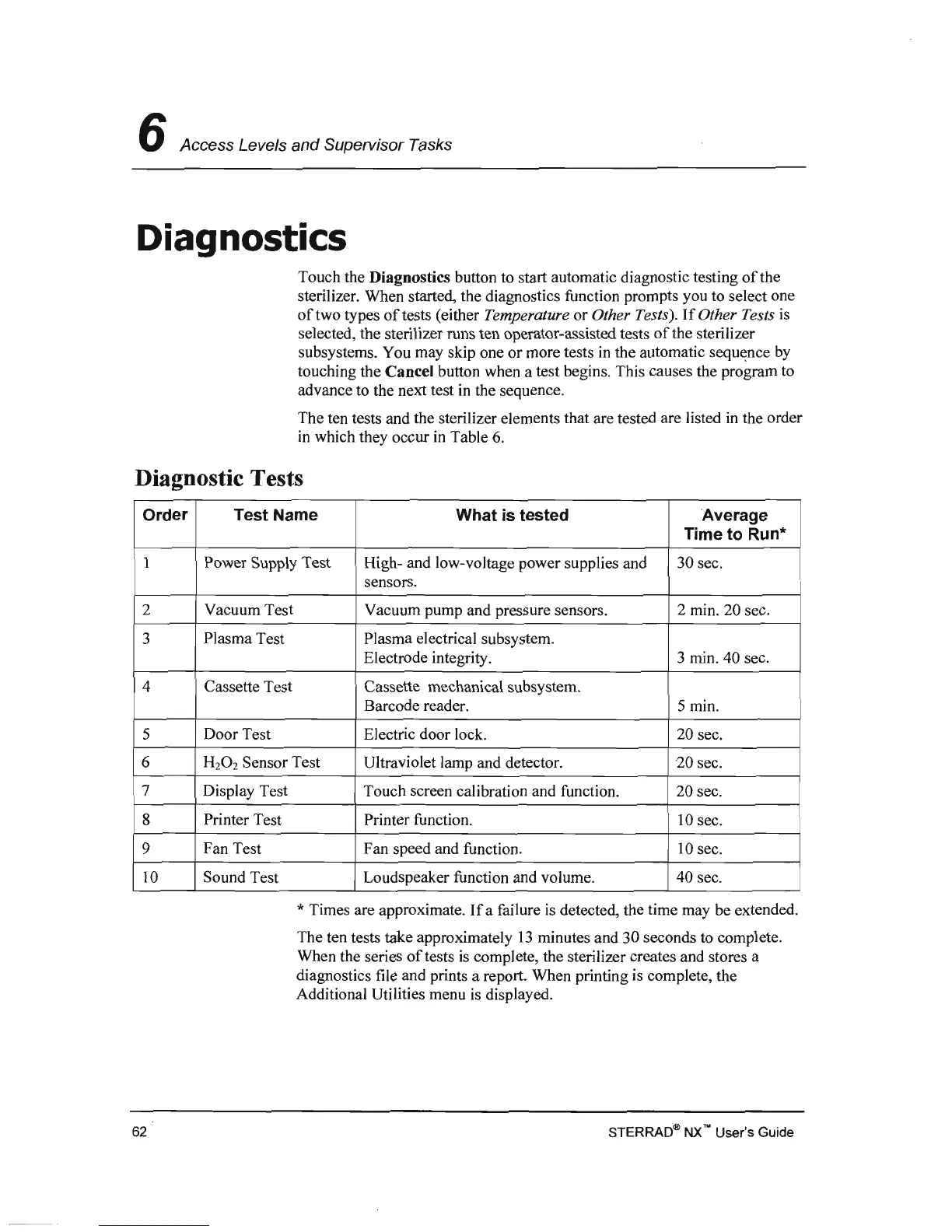
ten tests and the sterilizer elements that are tested are listed in the order
in which they occur in 6.
Diagnostic Tests
Order Test Name
What
is
tested
Average
Time
to
Run'"
Power Supply Test High- and low-voltage power supplies and 30 sec.
sensors.
2
Vacuum Test
Vacuum pump and pressure sensors.
2 min. 20 sec.
3
Plasma Test
Plasma electrical
p{'trtlt1lp
integrity.
3
40 sec.
4 Cassette Test
5
7
8 Printer Test
9 Fan Test
10 Sound Test
Loua1meal«~r
function volume .
.;,
Times are
If
a failure
is
the time may be extended.
The ten tests take approximately
13
minutes and
30
seconds to complete.
When the series
of
tests
is
complete, the sterilizer creates and stores a
U1<"!,;HU"l'''''''
file and a is complete,
Additional Utilities menu is
62
NX
no User's Guide



 To Next Page