Access Levels and Supervisor Tasks 6
System Configuration
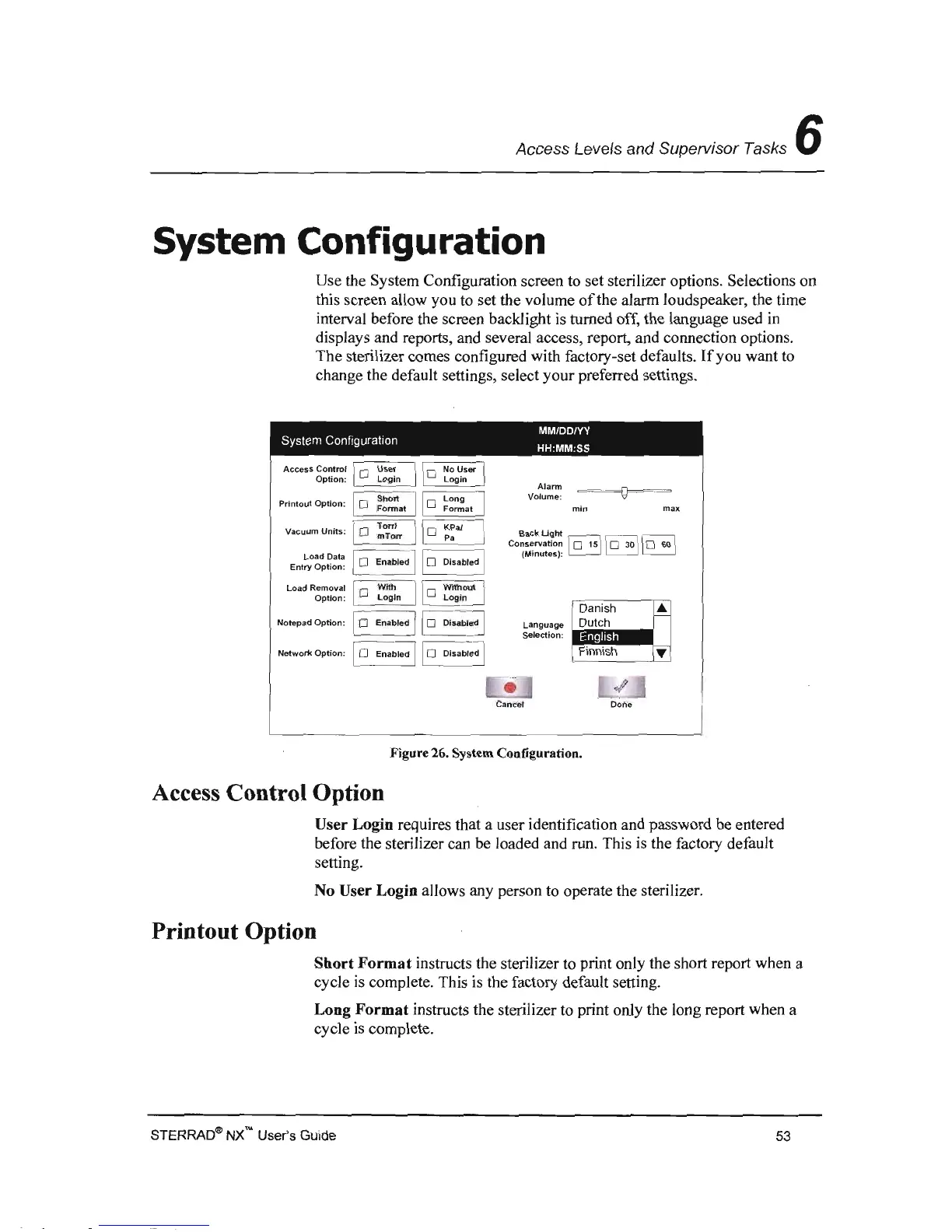
Use the System Configuration screen to set sterilizer options. Selections on
this screen allow you to set the volume
of
the alarm loudspeaker, the time
interval before the screen backlight is turned off, the language used
in
displays and reports, and several access, report, and connection options.
The sterilizer comes configured with factory-set defaults.
If
you want to
change the default settings, select
your
preferred settings.
MM/DD/YY
System
Configuration HH:MM:SS
Alarm
Volume:
Printout
Option:
min
max
1
0
TorrJ
Vacuum
Units:
KPaJ
Back
Uglrt
mTorr
Pa
Conservation
~
'I
0
30
II 0 60 I
Load Data
(Minutes):
~
Entry
Option:
1
0
Enabled
11
0
Disabled
I
Load Removal
1
0
Option:
Notepad
Option:
1
0
Enabled
11
0
Disabled I
Language
Selection:
Network Option:
0
Enabled
11
0
Disabled I
1
,,-
,
-il
Done
Figure
26.
System Configuration.
Access Control Option
User
Login
requires that a user identification and password be entered
before the sterilizer can be loaded and run. This is the factory default
setting.
No
User
Login
allows any person to operate the sterilizer.
Printout
Option
Sbort
Format
instructs the sterilizer to print only the short report when a
cycle is complete. This is the factory default setting.
Long
Format
instructs the sterilizer to print only the long report when a
cycle
is
complete.
STERRAD~
NX'" User's Guide
53



 To Next Page