3 Sterilizer Overview
Touch Screen Data Entry
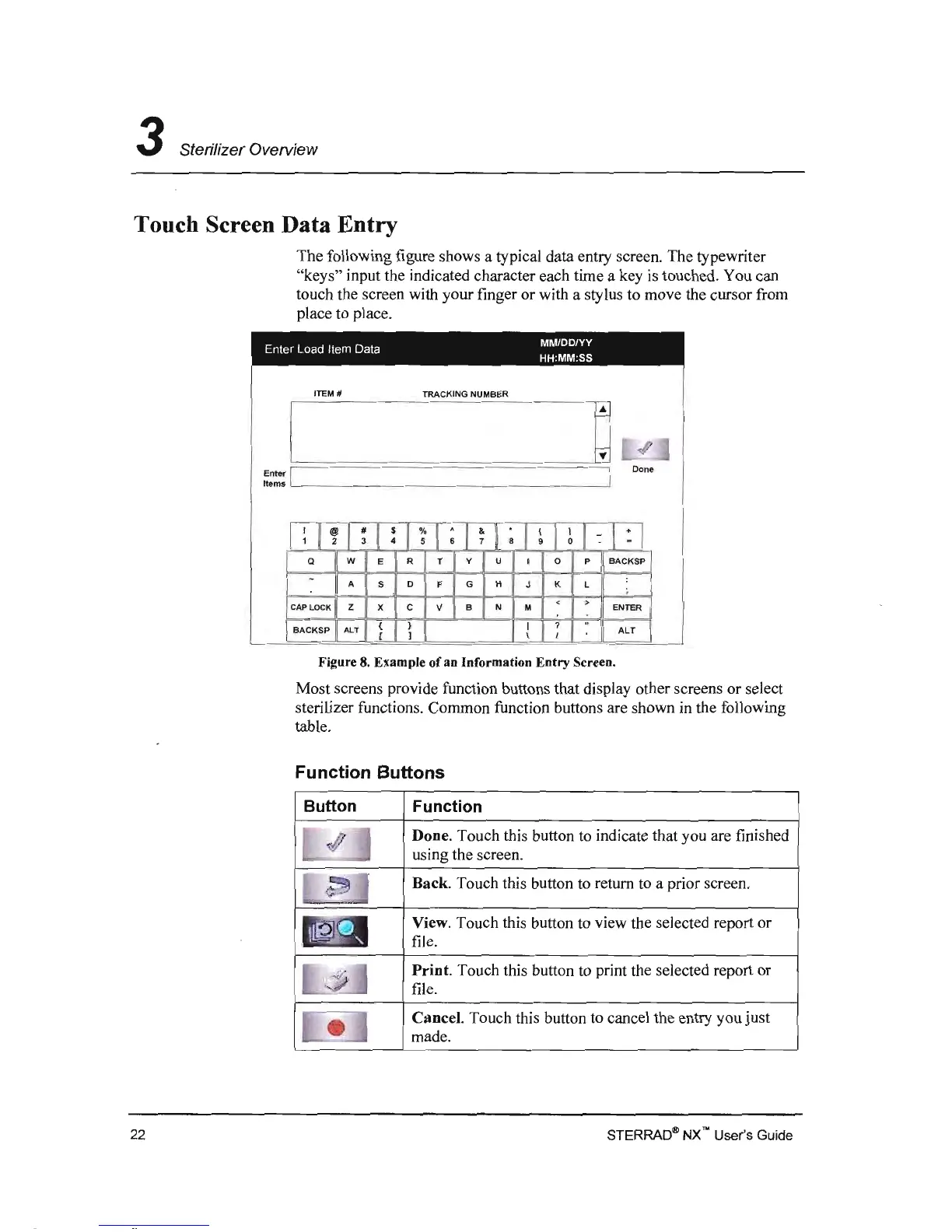
The following figure shows a typical data entry screen. The typewriter
"keys" input the indicated character each time a key
is
touched. You can
touch the screen with your finger or with a stylus to move the cursor from
place to place.
MM/DD/YY
Enter Load Item Data
HH:MM:SS
ITEM #
TRACKING NUMBER
I
.p
0
Enter I
Done
ltems
I
~
1
~
I
~
l
!
I
~
I; I *I
~
I
~
I
~
l : I: ,
y
Q
W
E R T U I 0 P
BACKSP
-
:
A
S
D
F G H J K L
< >
CAP
LOCK
Z X C V B N
M
ENTER
( )
I
?
..
BACKSP
ALT
,
ALT
[
1
/
Figure 8. Example of an Information Entry Screen.
Most screens provide function buttons that display other screens or select
sterilizer functions. Common function buttons are shown in the following
table.
Function Buttons
Button
Function
Done. Touch this button to indicate that you are finished
using the screen.
Back. Touch this button to return to a prior screen.
View. Touch this button to view the selected report or
file.
Print.
Touch this button to print the selected report or
file.
Cancel. Touch this button to cancel the entry you
just
made.
STERRAD~
NX'" User's Guide
22



 To Next Page