5 Operation
6.
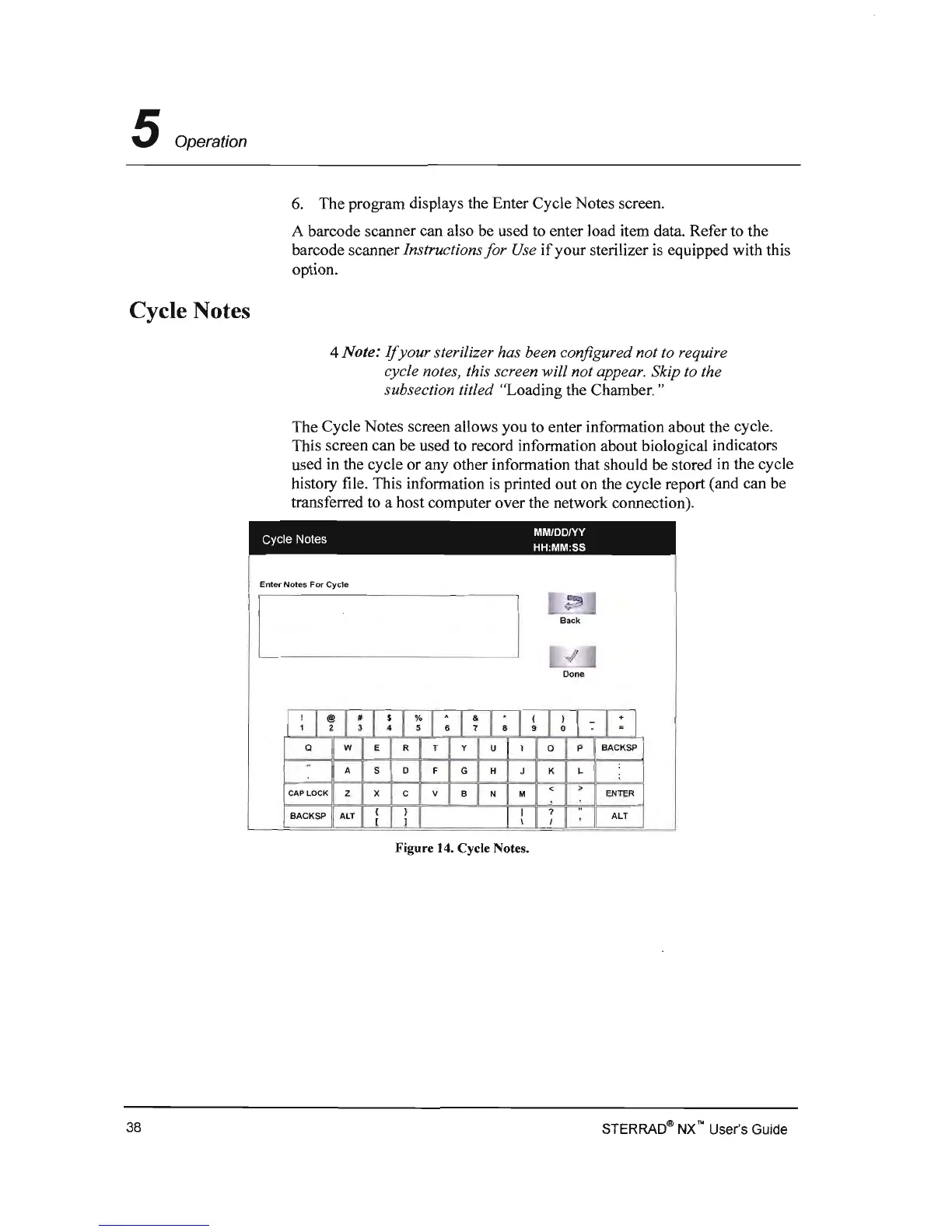
The program displays the Enter Cycle Notes screen.
A barcode scanner can also be used
to
enter load item data. Refer to the
barcode scanner
Instructions
for
Use
if
your sterilizer
is
equipped with this
option.
Cycle Notes
4 Note:
If
your sterilizer has been configured not to require
cycle notes, this screen
will not appear. Skip to the
subsection titled
"Loading the Chamber. "
The Cycle Notes screen allows you to enter information about the cycle.
This screen can be used to record information about biological indicators
used in the cycle or any other information that should
be
stored
in
the cycle
history file. This information
is
printed out on the cycle report (and can be
transferred to a host computer over the network connection).
MMIDD/YV
Cycle Notes
HH:MM:SS
Enter Notes
For
Cycle
[
,~
1
Back
,
I
<I'
Done
:
I
~
I
~
I
!
I
~
I
;
I
~
I
~
I
~
I
~
l
:
l:J
a
w E
R T
Y
U
I
0
P
BACKSP
:
-
A
5
D
F
G
H J K L
;
< >
CAP
LOCK
Z X C V
B N M
ENTER
..
BACKSP
ALT
ALT
\
I
l
~
I
7
Figure
14.
Cycle Notes.
STERRAD~
NX'" User's Guide
38



 To Next Page