Chap. II - Installation of a new hardware device (HW)
Gas-manual-en.docx — 37 —
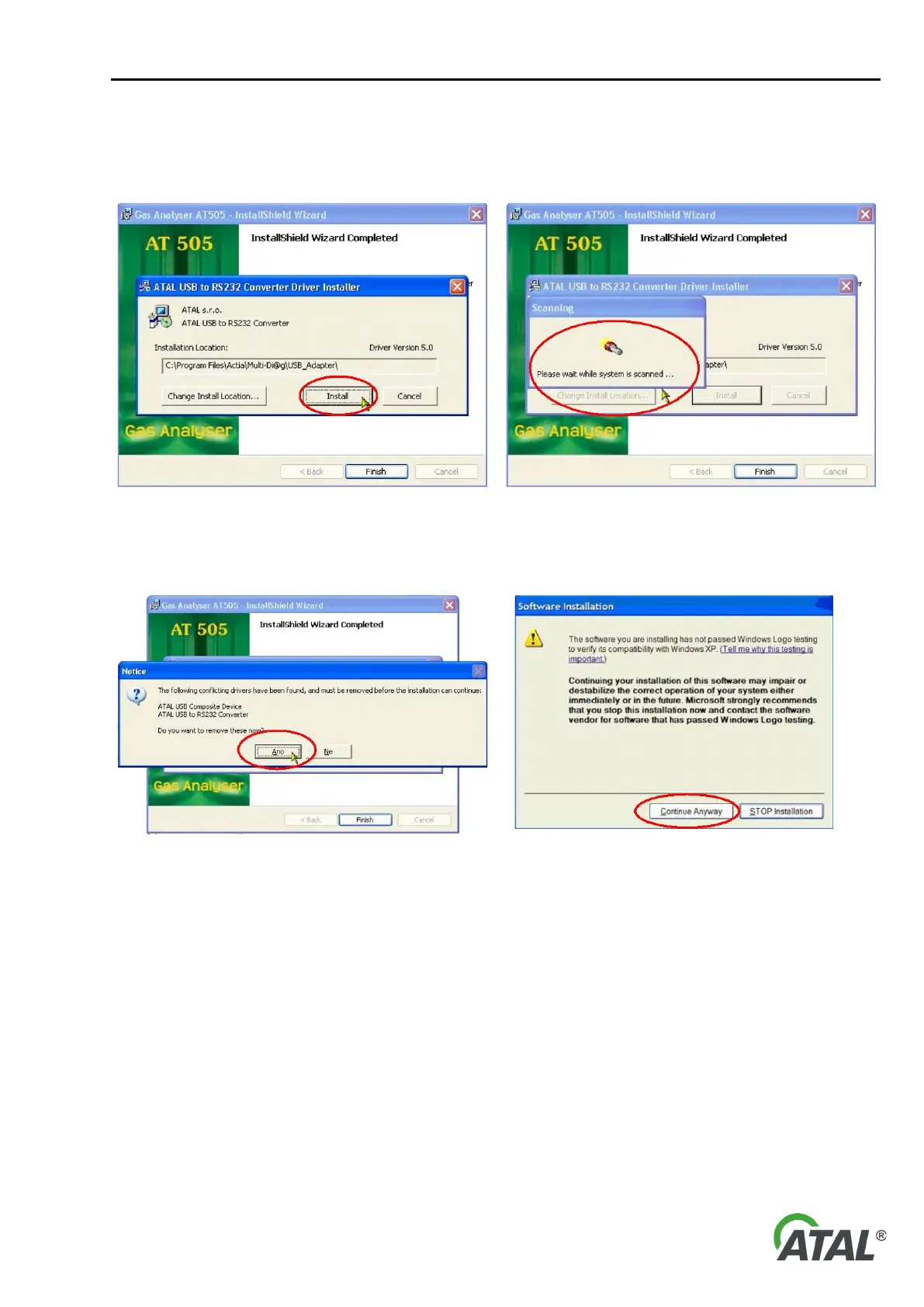
At the start of installation (see Fig. 62) a search for older (invalid) drivers takes place (see Fig. 63).
The following series of figures was taken from the installation wizard for the Windows XP operating system. The
wizard for Windows Vista is similar:
62 – Start of the installation of RS 232-USB converter drivers
63 – Search for older (invalid) drivers
a) If old drivers are detected, the information about their presence will be displayed (see Fig. 64)
together with a suggestion for their removal. It is recommended that you remove the old drivers.
64 – The result of a search for old drivers – it is recommended to
65 – A warning from Windows XP is displayed (for further details
The driver installation here ensures the RS232-USB converter will be detected correctly when it is connected to
the PC for the first time. This process ensures that the installation CD will not be required again.
Warning:
If the old drivers are not removed, the new drivers will not be installed and the correct operation of the RS232-
USB converter cannot be guaranteed.
Note to Fig. 65:
A warning from Windows XP informs that the installed driver is not certified by Microsoft. This notification can
be displayed in the process of installation several times and it is possible to ignore it without any concerns!
When installation of the new drivers is complete, a notification is displayed about restarting the system (see Fig.
67). It is recommended to perform this restart.


 To Next Page