ATEN Room Booking System User Manual
96
Demo Mode
Demo mode is an offline mode in which you can demo and try out different
settings on the RBS panel without having the configurations sent and saved to
the connected calendar server.
Enabling Demo Mode
Use one of the following methods to enable demo mode.
From the panel’s settings page ( ), enter the password and then tap
Demo Mode > Enable Demo Mode.
Disconnect the RBS panel from the network
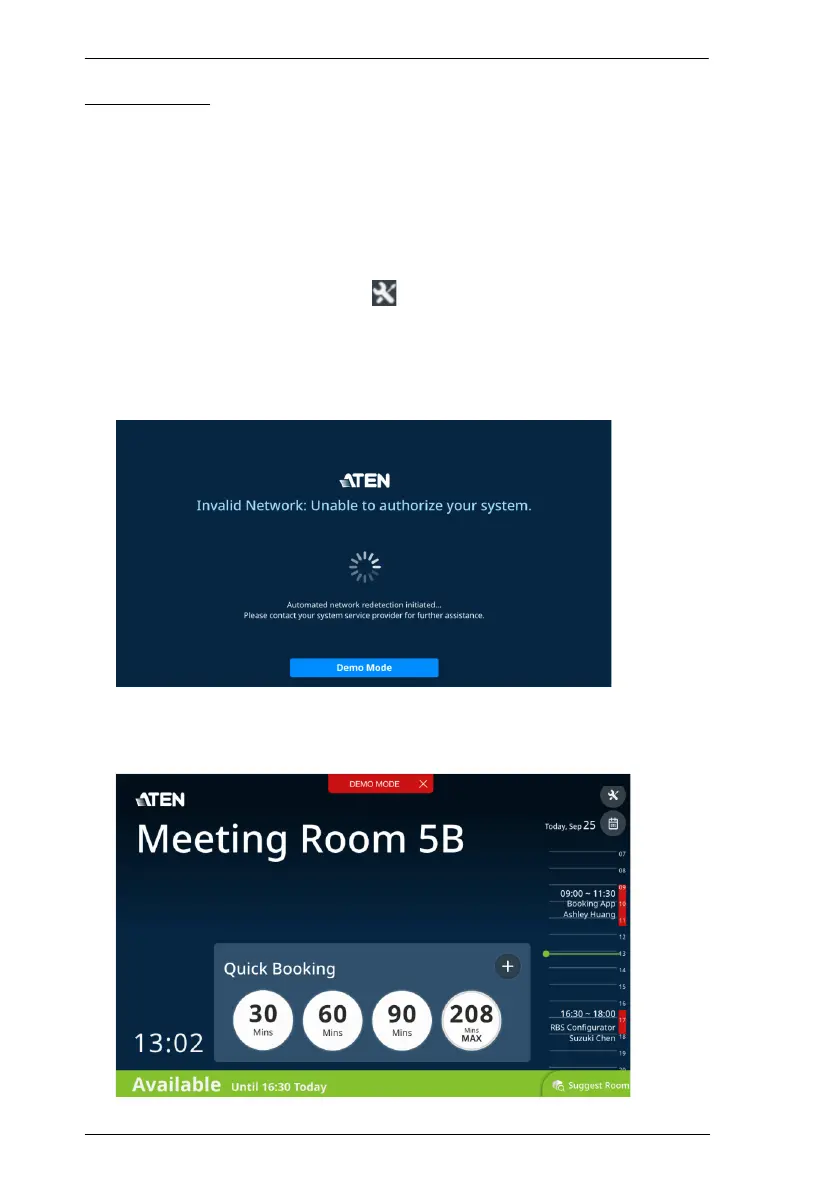
1. Power on the RBS panel and disconnect it from the network. This
screen appears.
2. Tap the Demo Mode button, and then tap Yes to enter demo mode.
When enabled, a red Demo Mode button appears on the top, as illustrated
below.



 To Next Page