ATEN Room Booking System User Manual
32
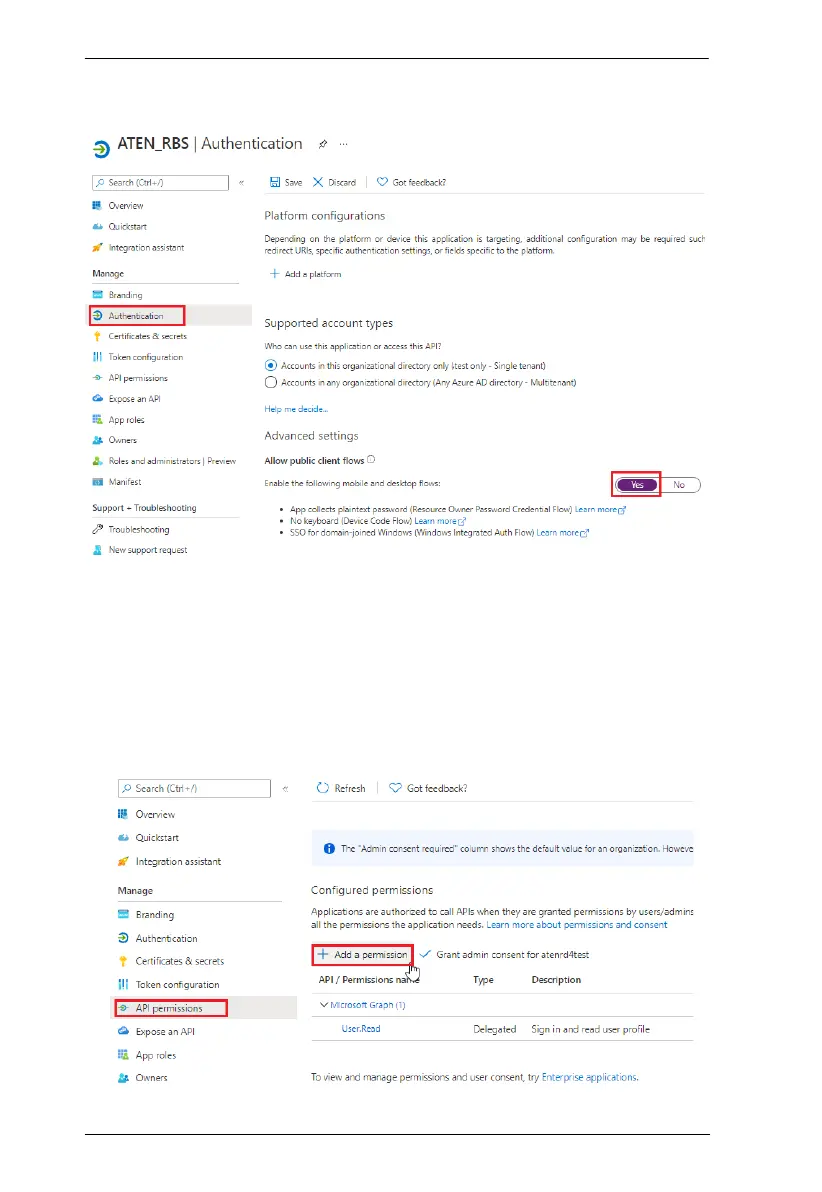
4. After registering, go to Authentication, enable Allow public client flows
by selecting Yes. Then click Save for the changes to take effect.
Adding API Permissions
After registering the application, also make sure the required API permissions
have been applied to it, by doing the following:
1. Click API permissions > Add a permission, and select Microsoft Graph
> Delegated permissions



 To Next Page