Chapter 6. Panel Management
77
Uploading Profiles and Setting Changes to
ATEN RBS Panels
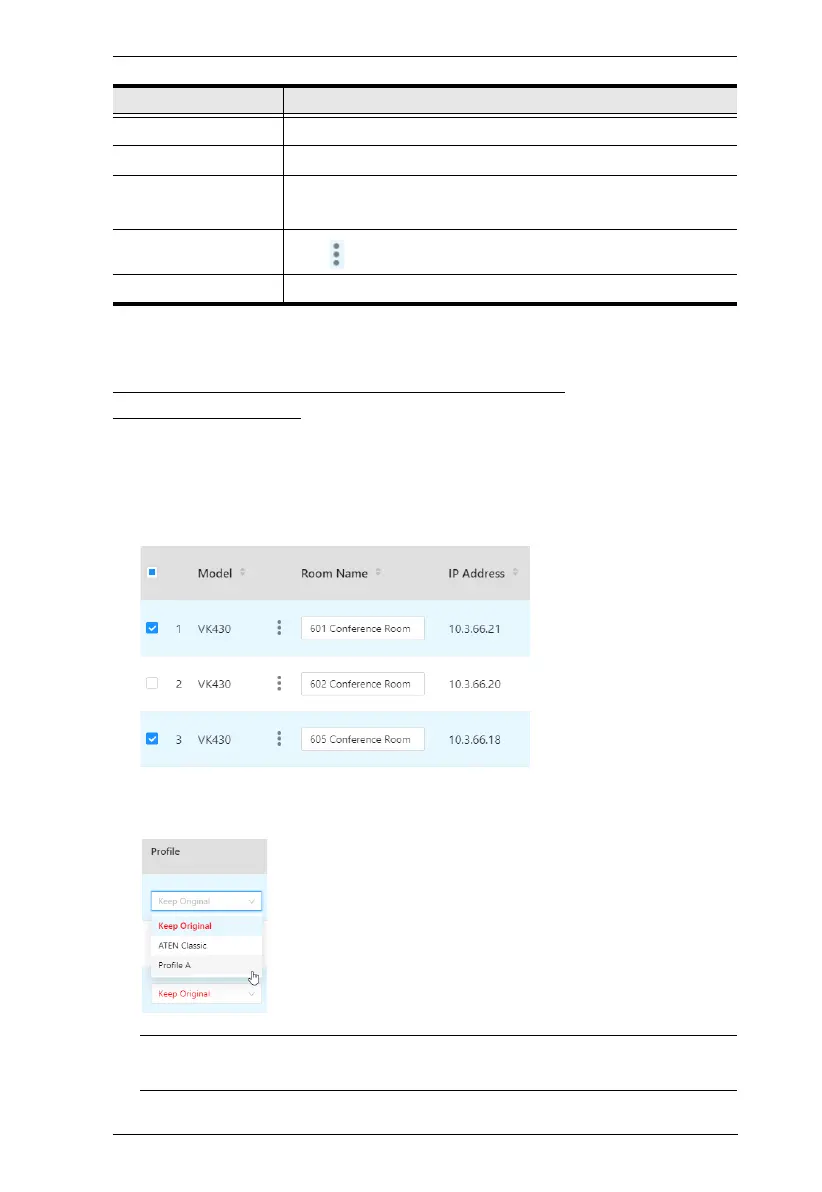
Users can upload profiles and/or setting changes to any RBS Panel managed
by doing the following:
1. First, check the RBS Panels to which you want to upload profiles and/or
setting changes.
2. To upload profiles, select the desired profile(s) from the drop-down list in
the Profile column, as illustrated below.
Note: Select Keep Original only when you don’t want to replace the RBS
Panel’s current profile with another.
Language Displays or adjusts the language setting of the RBS Panel.
Time Zone Displays or adjusts the time zone of the RBS Panel.
FW / APP
Version
Respectively displays the firmware and app version of the RBS
Panel.
Change Password
Click to change the password of the RBS Panel.
Last Update Displays the time at which the RBS Panel was last updated.
Item Description



 To Next Page