Chapter 3. RBS Configurator
19
The Interface
Launch the software to start configuring your ATEN Room Booking System.
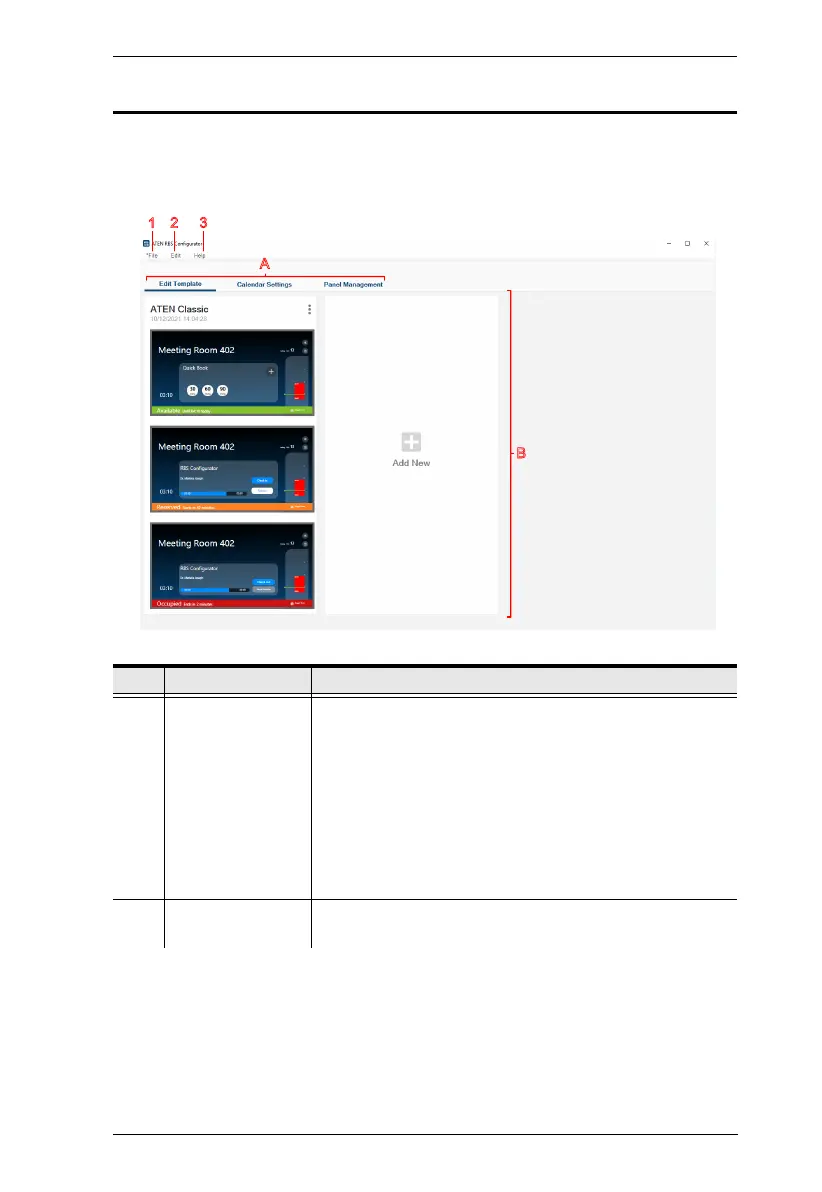
Below is the general interface of RBS Configurator and its components.
.
No. Item Description
A Tab Menu Use the main selection menu for switching views between
the following:
Edit Template: Defines layout designs to be applied to
the RBS panels managed.
Calendar Settings: Contains the required calendar
server settings for integration with ATEN Room Booking
System.
Panel Management: Upload and/or edit setting profiles
to ATEN RBS Panels via network.
B Interactive Display This section is your main work area, which reflects the tab
menu item selected.



 To Next Page