ATEN Room Booking System User Manual
70
d) Know where the key is saved in the computer, you will need to upload
the key to RBS Configurator later.
Authorizing Access from Third-party Applications
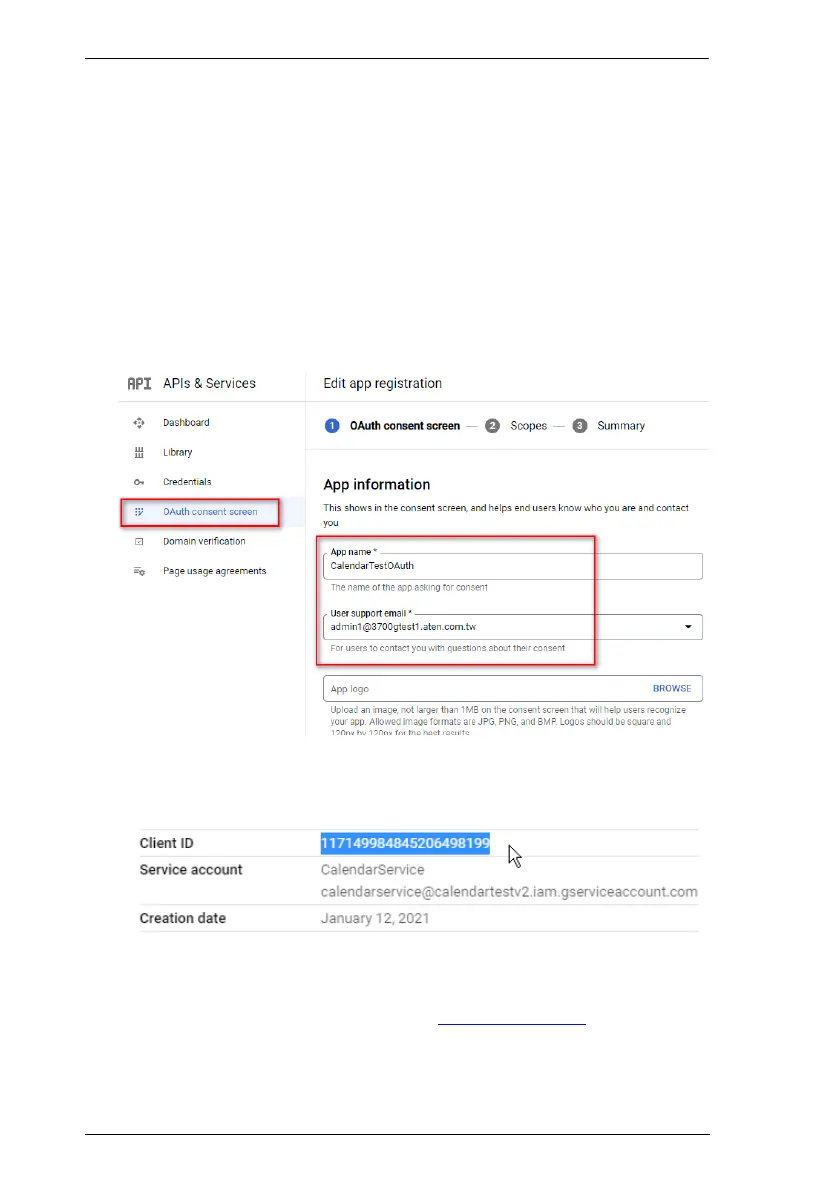
1. Set up Google Workspace Marketplace OAuth client.
a) Open the console left side menu and go to APIs & Services > OAuth
consent screen.
b) For user type, select Internal and click CREATE.
c) Configure the OAuth consent.
d) From the service accounts list, click View client ID.
e) Copy the client ID.
2. Enable third-party application access.
a) Sign in to Google Admin console via admin.google.com
b) Go to Security > Access and Data Control > API Controls >
MANAGE ACCESS TO THIRD-PARTY APPLICATIONS.



 To Next Page