ATEN Room Booking System User Manual
48
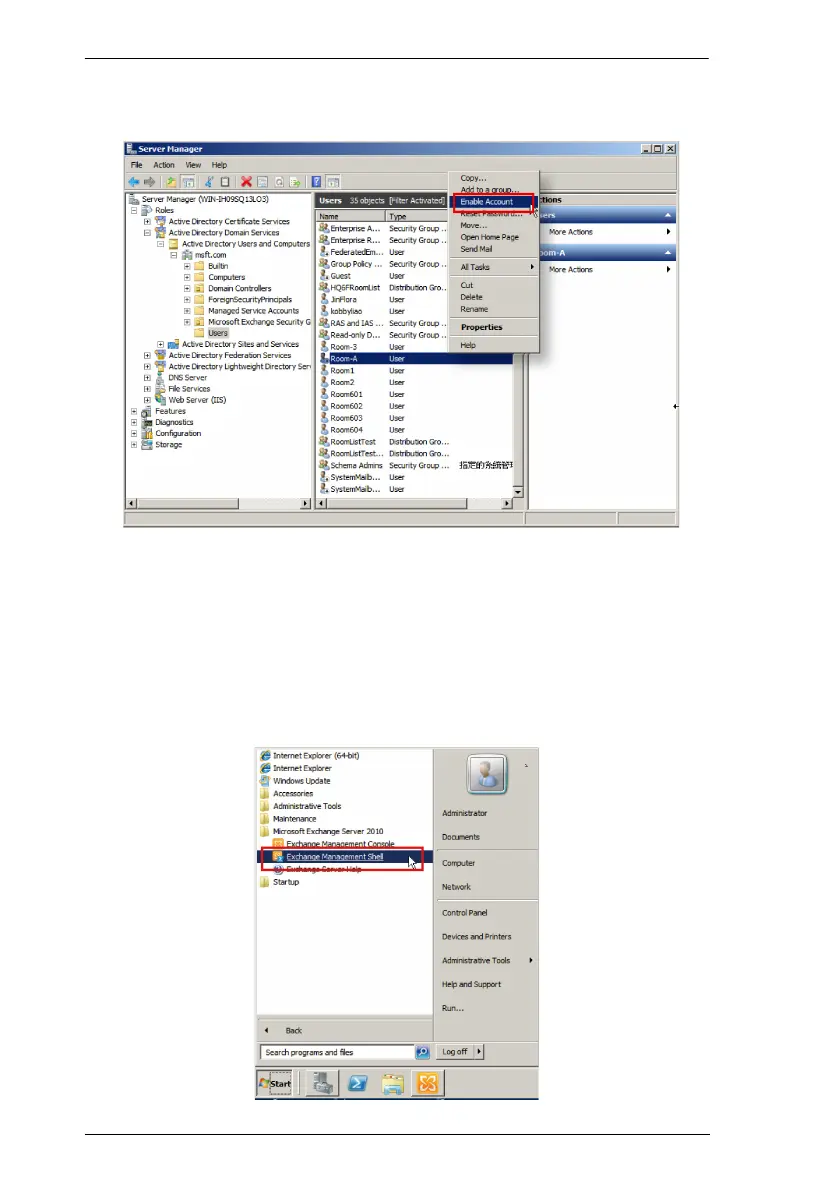
5. Open the context menu of this room mailbox again, and select Enable
Account.
Add the Room Mailbox to a Room List Distribution Group
After successfully creating and enabling the room mailbox, start to add this
room mailbox to a Room List Distribution Group through Exchange
Management Shell.
1. Launch Exchange Management Shell from the Start menu > All
Programs > Microsoft Exchange Server 2010.



 To Next Page