Chapter 5. Calendar Server
47
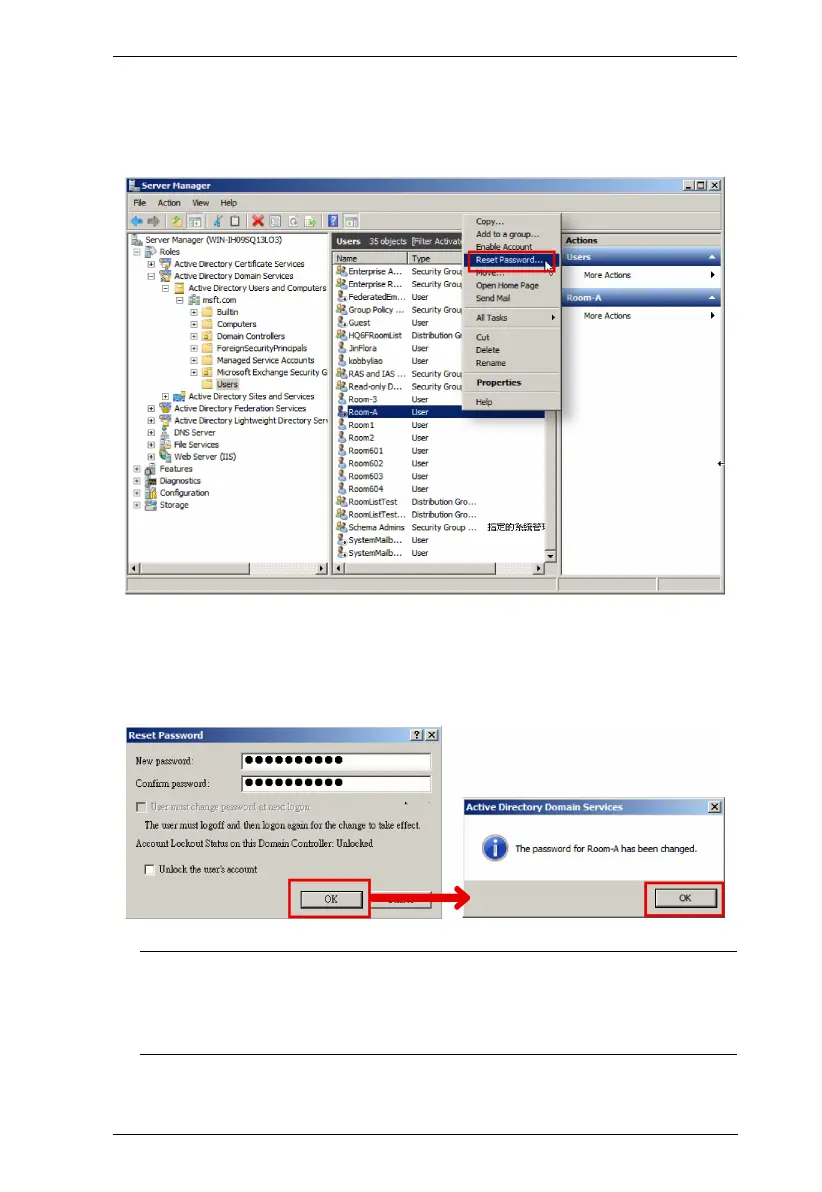
3. Scroll to find the room mailbox you just created, right-click on it to open
the context menu, and select the option "Reset Password".
4. Enter and confirm the new password, and then click OK to reset it.
Note: Note down the new password that will be used for setting your
ATEN RBS Configurator Panel Management. See the description
about Calendar Account, page 72 in the section Panel Management
Options, page 72.



 To Next Page