Chapter 6. Panel Management
81
Upgrading Firmware / APP
To upgrade the firmware and/or APP of the RBS Panels, follow the steps
below.
1. Download and unzip the firmware / APP upgrade file from the product
webpage.
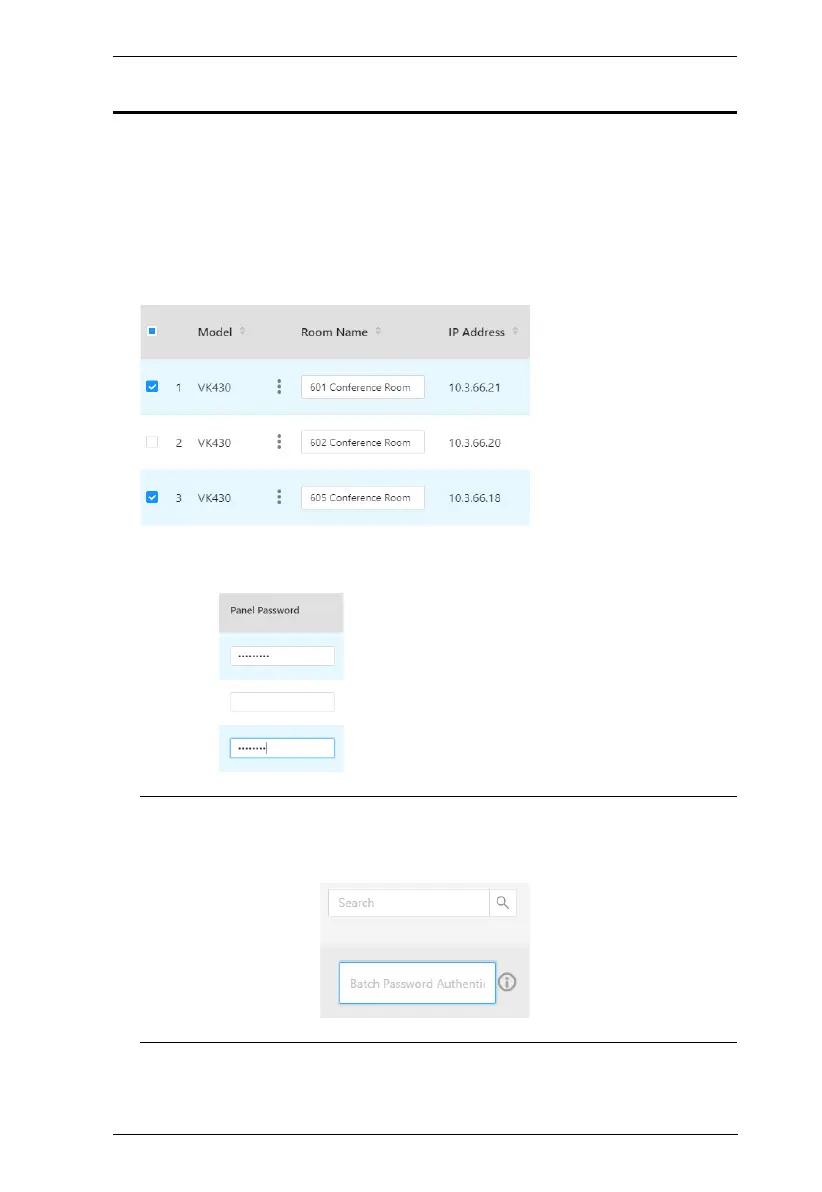
2. Check the RBS Panels for which you want to upgrade firmware and/or
APP.
3. Type the login passwords of the RBS Panels selected in the Panel
Password column, as illustrated below.
Note: If the RBS Panels share the same panel password, you can simply
type that common password in the Batch Password Authentication
field instead of having to type the same password repeatedly.



 To Next Page