ATEN Room Booking System User Manual
58
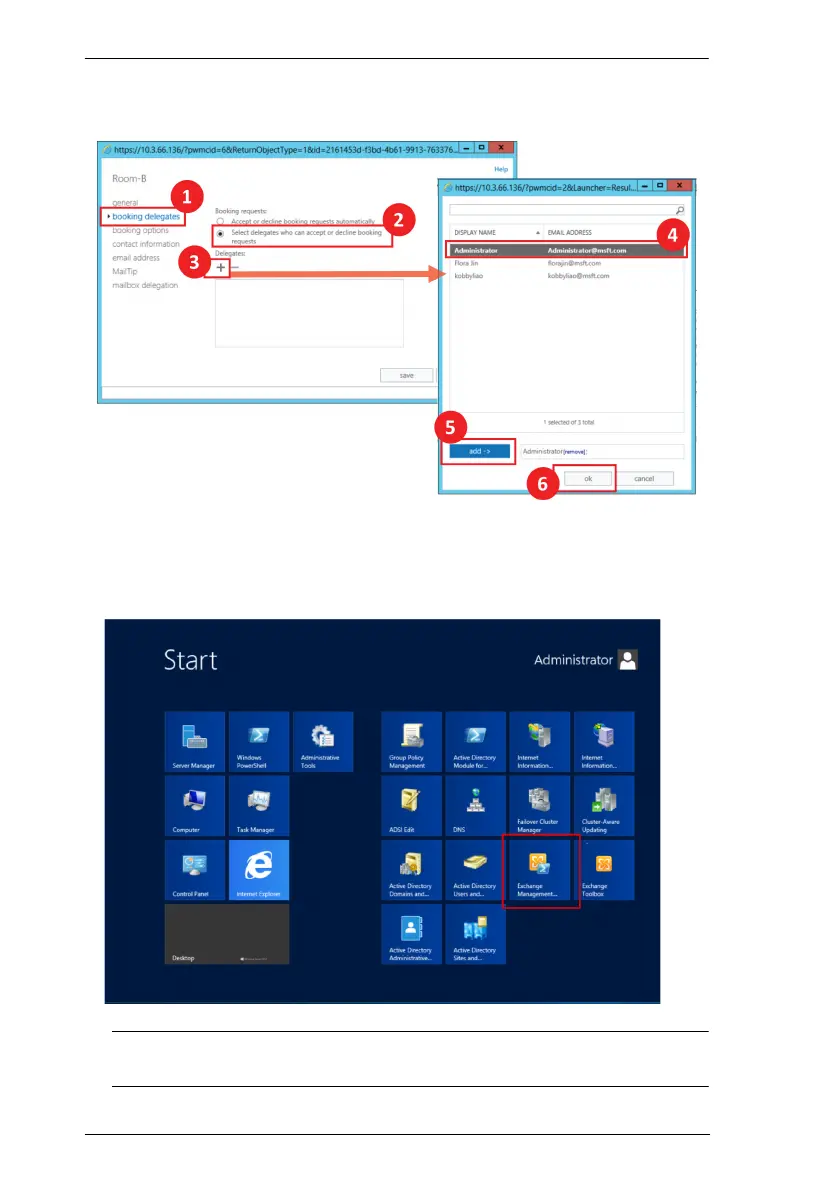
2. In the pop-up, click the delegate to be added and then click the add button.
Finish your configuration by clicking the ok button.
Add the Room Mailbox to a Room List Distribution Group
1. Launch the Exchange Management Shell from the Start menu.
Note: The appearance of the Start menu is different with each Windows
version.



 To Next Page