ATEN Room Booking System User Manual
76
Panel Management Options
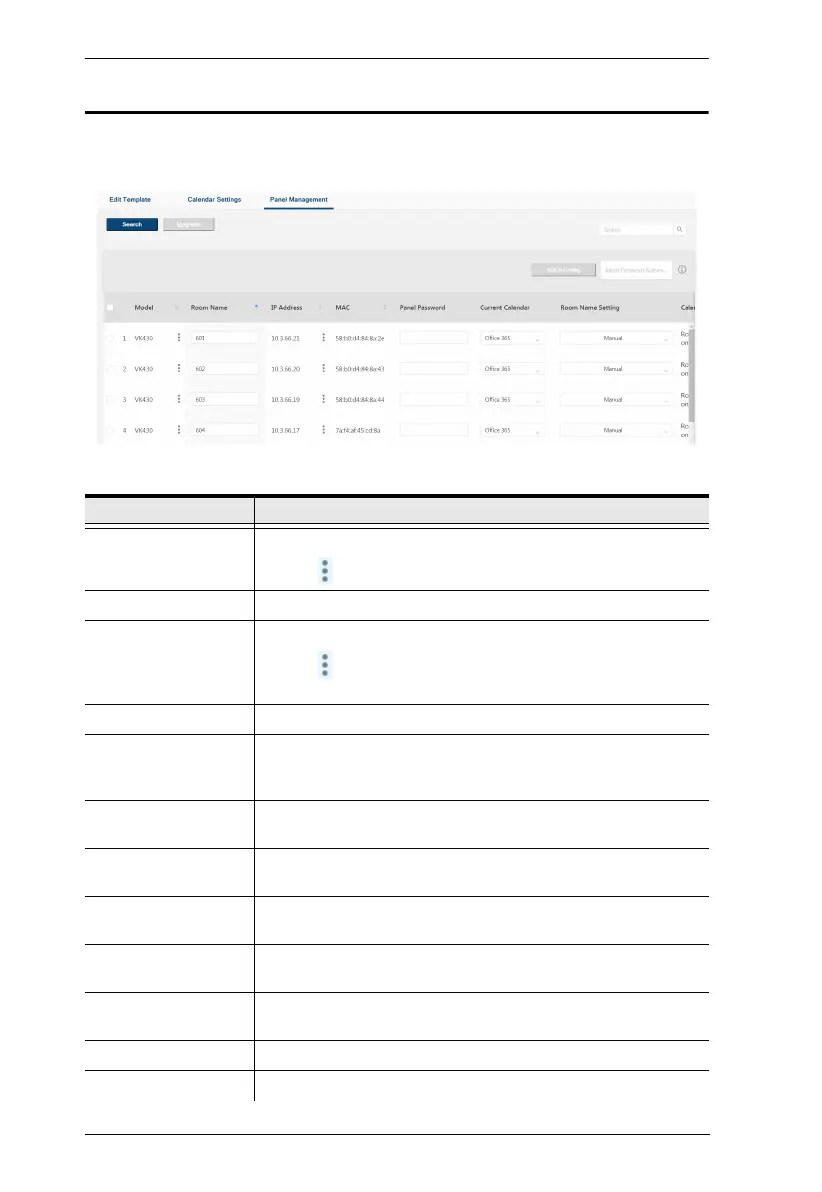
After at least 1 RBS Panel has been found by the RBS Configurator, its related
information and configuration options are displayed, as exemplified below.
Item Description
Model Displays the model of the RBS Panel.
Click to optionally reset the RBS app to default settings.
Room Name Displays and defines the name of the meeting room managed.
IP Address Displays the IP address of the RBS Panel.
Click to optionally adjust the network settings of the RBS
Panel.
MAC Displays the MAC address of the RBS Panel.
Panel Password Type the password of the RBS Panel for the required
authentication prior to uploading setting changes to the RBS
Panel. (default password: password)
Current Calendar Displays the calendar server currently used to manage the
RBS Panel.
Room Name Setting Selects how the RBS Panel is named, either manually or
synchronized from the calendar server.
Calendar Account Displays or assigns the calendar server resource account
used to manage the RBS Panel.
Calender Connection Displays the connection status of the panel to the selected
calendar server.
Profile Displays or uploads the setting profile used by or to the RBS
Panel.
Volume Displays or adjusts the volume setting of the RBS Panel.
Brightness Displays or adjusts the brightness of the RBS Panel.



 To Next Page