Chapter 5. Calendar Server
31
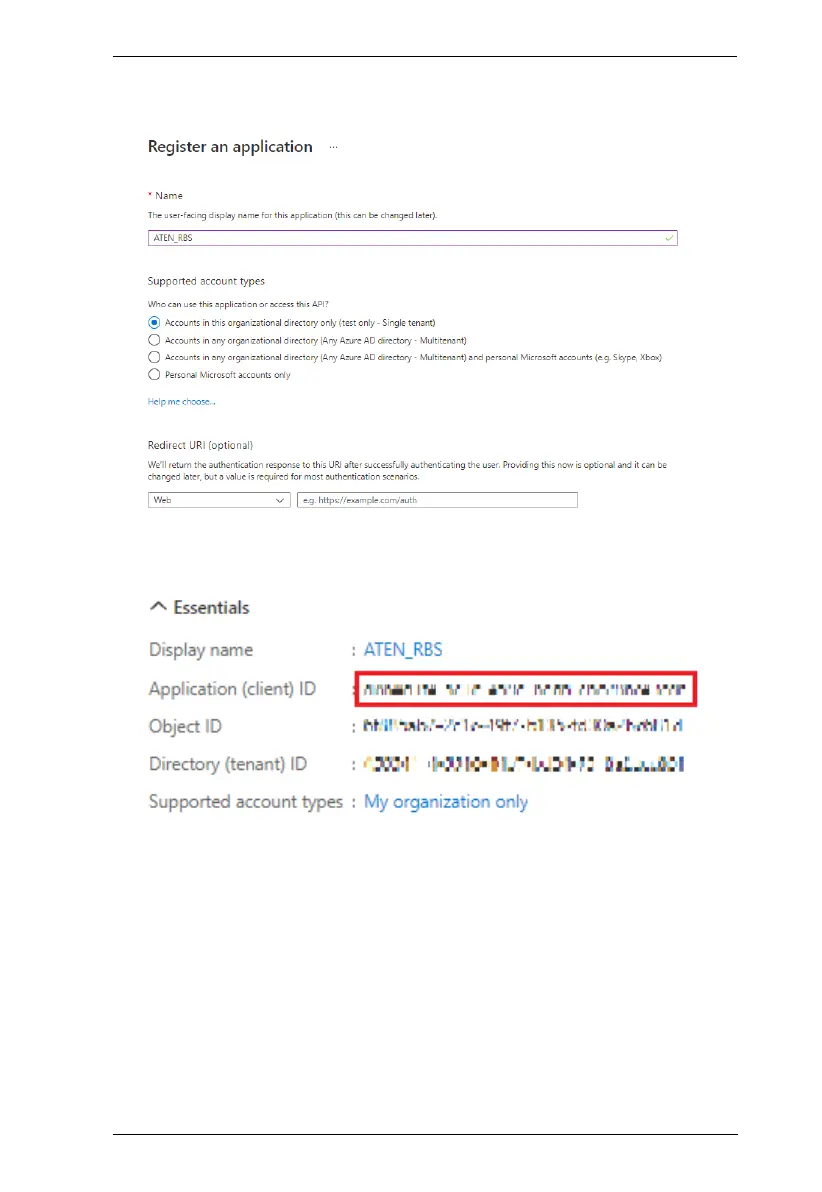
2. Enter a desired name, select Accounts in this organizational directory
only under Supported account types, and click Register.
3. Once registered successfully, the Application ID is displayed, which shall
later be entered on your ATEN RBS Configurator.



 To Next Page