Chapter 5. Calendar Server
27
Adding Room (Resource) Accounts
Add a room account, and set a required password, for every conference room
to be managed by ATEN RBS, by doing the following:
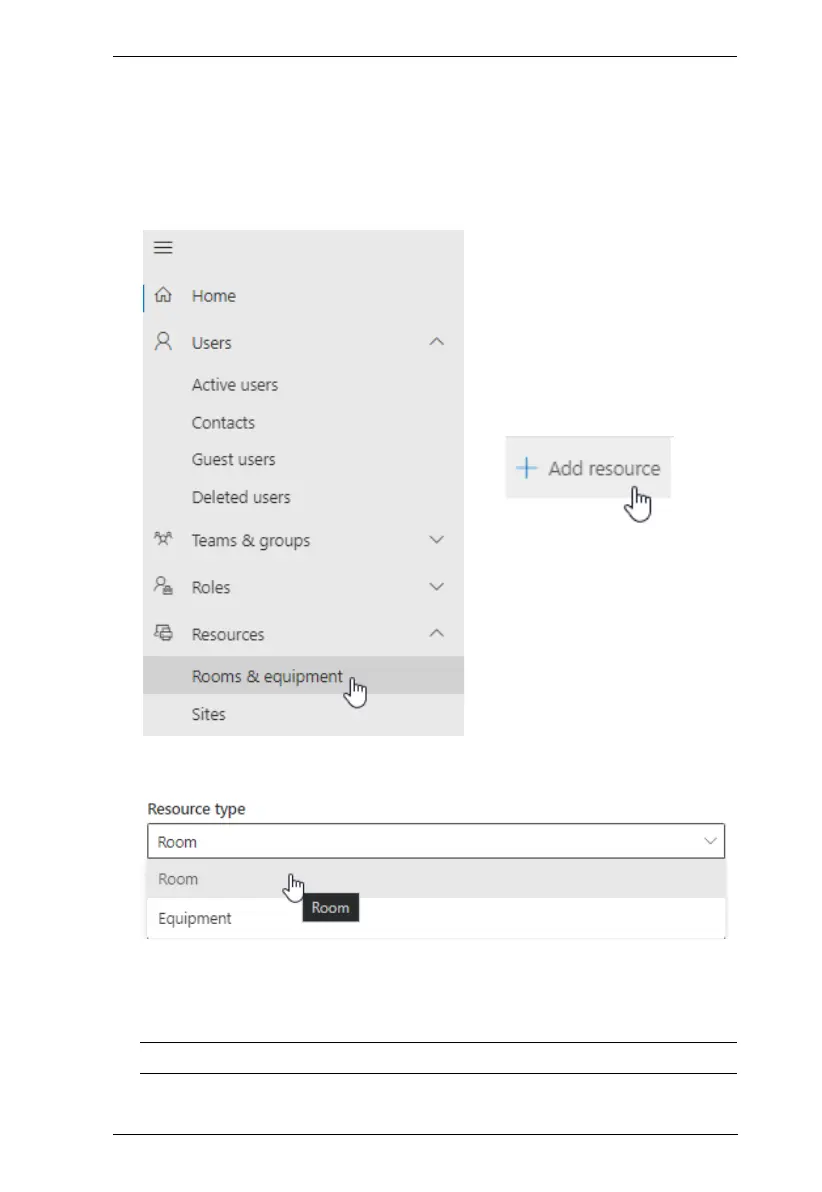
1. Go to Navigation Menu > Resources > Rooms & equipment and click
Add resource
2. Select Room from the Resource type drop-down list and then follow the
on-screen instructions to create the room account.
3. Go to Navigation Menu > Users > Active Users, click Reset a password
next to the room account created from step 2 and follow the on-screen
instructions to define its password.
Note: Make sure a password has been set for every room account created.



 To Next Page