Chapter 5. Calendar Server
37
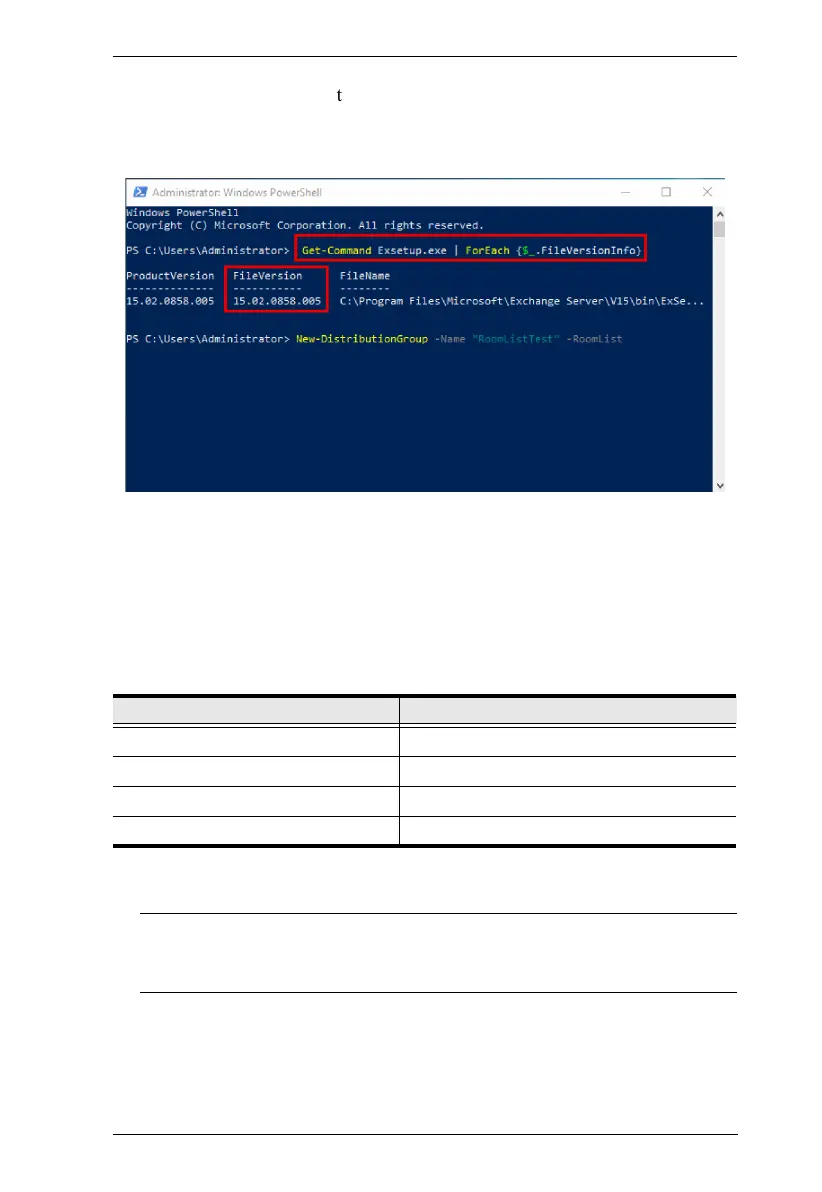
2. Input the cmdlet below
to check the returned FileVersion number:
Get-Command Exsetup.exe | ForEach {$_.FileVersionInfo}
The number associated with “FileVersion” from the output (e.g.
“15.02.0805.005” in the figure) is the build version of your Microsoft
Exchange server. Determine which Microsoft Exchange version is installed on
your computer from the table below.
Note: For the setup procedures of Microsoft Exchange 2010, refer to
Microsoft Exchange 2010, page 38; for Microsoft Exchange 2013 /
2016 / 2019, please refer to Microsoft 2013 / 2016 / 2019, page 52.
Microsoft Exchange Version Build Number
2010 14.03.xxxx.xxx
2013 15.00.xxxx.xxx
2016 15.01.xxxx.xxx
2019 15.02.xxxx.xxx



 To Next Page