Chapter 5. Calendar Server
39
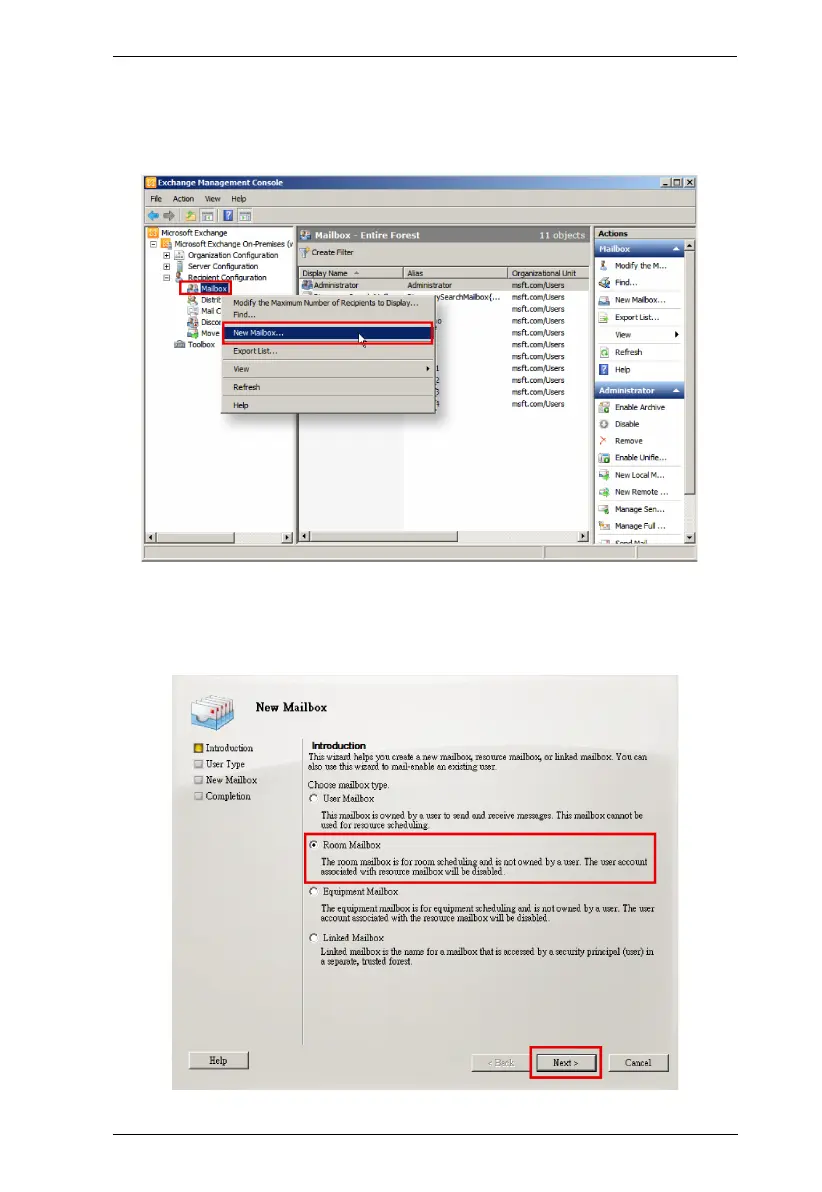
2. Navigate to Recipient Configuration > Mailboxes, right-click on
“Mailboxes” to open the context menu, and select the option “New
Mailbox...”.
3. The "New Mailbox" wizard appears, and on the Introduction page, select
"Room Mailbox" as the mailbox type to be created. Click Next to proceed
to the User Type page.



 To Next Page