33
Connector Panels
1
5
3
2
6
4
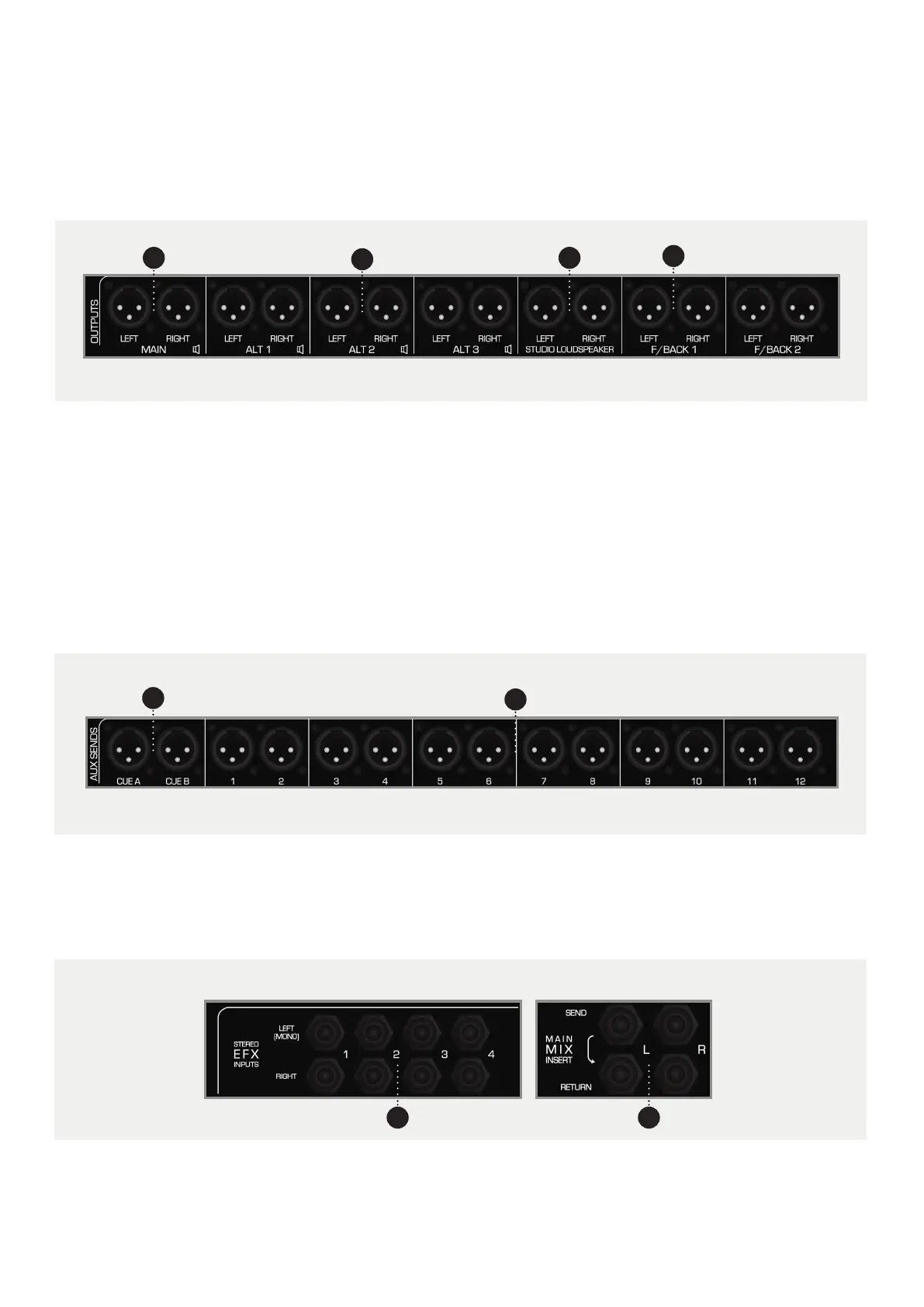
1 MAIN. Connect your main monitors here. This output
is at line level so you will need an amplifier for passive
monitors.
2 ALT 1,2,3. Allows you to connect up to three alternate
pairs of monitors. These can be accessed through
the ALT 1, ALT 2 or ALT 3 button in the control room
section of the Master Section.
5 CUE A,B. Sends the Cue Mix to outboard gear, usually
the Cue Mixes are used for foldback but can be used
for processing if required.
7 STEREO EFX INPUTS 1-4. Gives you four stereo inputs
for the returns from stereo outboard equipment such
as reverbs, compressors or delays.
3 STUDIO LOUDSPEAKERS. Here you can connect a
pair of loudspeakers which can be used to address
artists in the live room. Again this is line level and an
amplifier will be needed for passive loudspeakers.
4 FOLDBACK 1,2. These two stereo sends that are
used for artist foldback. They can be connected to a
headphone amplifier with multiple outputs if more
than two artists require foldback.
6 AUX SEND 1-12. Sends the signal from the 12 Aux
Mixes to either outboard, foldback or whatever else
you would like the Aux Sends to go to.
8 MAIN MIX INSERT. The Main Mix Insert allows you
to insert outboard gear into the Main Mix between
the Heritage Card and the VCA Bus Compressor.
87



 To Next Page