AVerTV 6
7
3.2.2 Scanning for Digital Programs
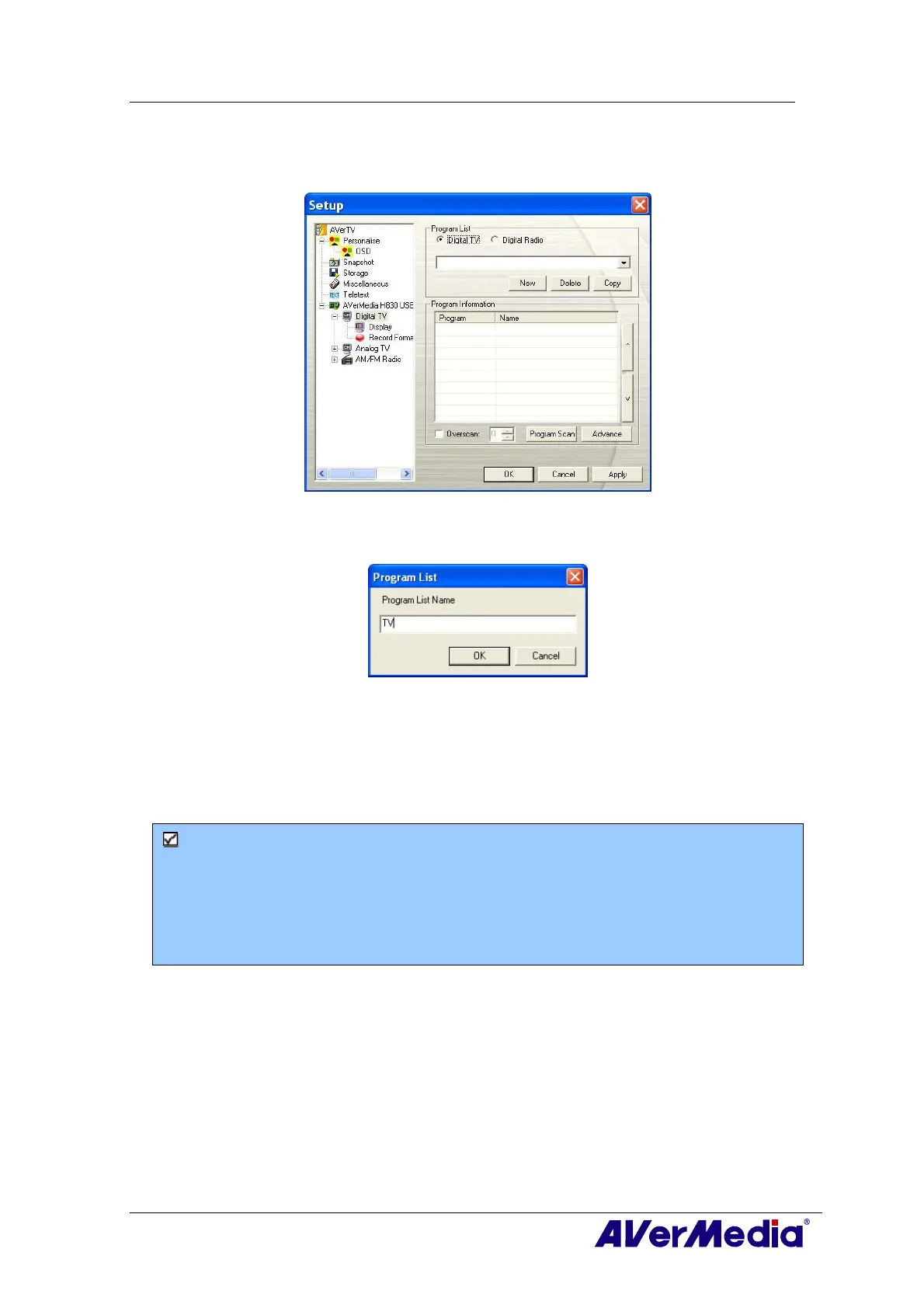
1. Select Digital TV (or Programs) on the left pane of the Setup dialog box.
2. Click New and the Program List dialog box will appear. Type in the desirable name
and click OK.
3. Click Program Scan for searching for available channels/programs in your area.
4. After scanning, the active TV channels will be listed inside the box. Click Apply to
save the scanned channels.
5. To exit the current dialog box, click OK.
Note:
1. This can only supports DVB-T Radio Broadcasts, not the Digital Audio Broadcast
system.
2. When scanning digital signals and if your country broadcasts logical channel data, the
scanned channel will be allocated based on the assigned logical channel number.











 To Next Page