AVerTV 6
80
Chapter 10 Scheduler
The Scheduler allows you to create a list of preset schedules for watching and recording
your favorite TV/Radio programs. You can set the day and time to record the TV/Radio
program and specify the length of recording.
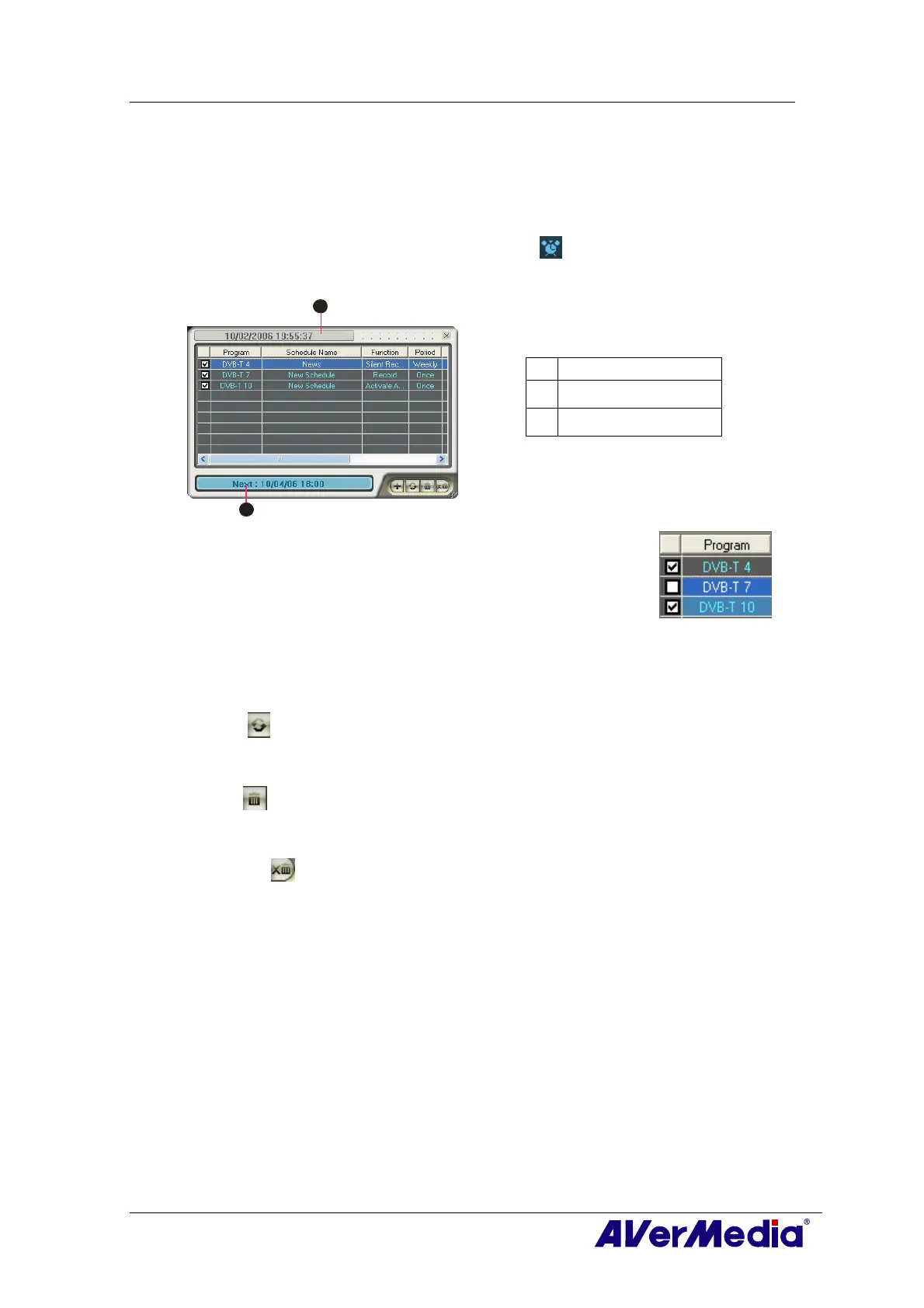
To run this application, click the Schedule button
on the Control Panel. Then the
Scheduler dialog box will appear.
1
2
BUTTON
1 Current Time
2 Selected Schedule
The check box next to the Program column (as shown at right)
indicates the schedule will be executed at a preset time. Once the
application starts to execute a scheduled task, the system will clear
the check mark automatically. If you want to skip the schedule
temporarily, just clear the check box.
10.1 Schedule Management
This displays a list of preset schedules you have created.
Modify
Select a preset schedule and click this button to make changes.
Delete
Click this to delete the selected schedules.
Delete All
Click this to delete all schedules.











 To Next Page