AVerTV 6
13
3.5 Remote Control (Optional)
After installing drivers and applications, you can use remote control to turn on/off the
programs, select channels, adjust volume and so on.
(The remote control can only be used on AVerMedia AVerTV 6 application.)
Note: To control two or more than two cards/devices with a remote control, it is
recommended to enable the multiple infrared receiver function first. To do this,
right click AVerQuick icon at the lower right corner of the screen, choose
“Setting”, “Remote control” tab and select check boxes next to the device
name. Please check your supported remote control model before activating this
function.
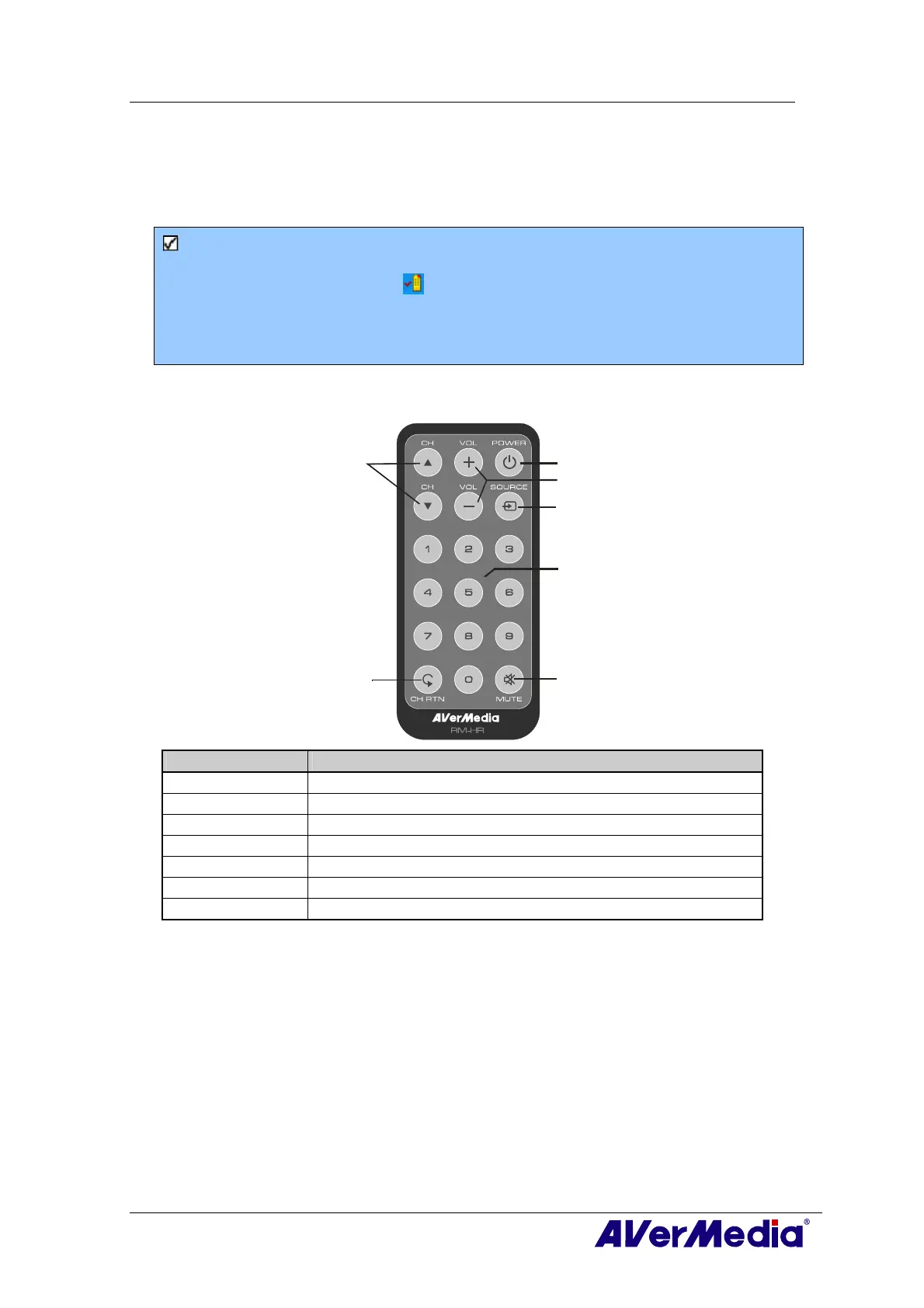
3.5.1 Remote Control Buttons (Model 1) (RM-HR)
1
2
3
4
5
6
7
Button Description
1. Power Turn on/off the application
2. VOL +/- Volume up/down.
3. Source Switch between available signal sources.
4. Numeric Buttons Select a TV channel.
5. MUTE Turn on/off the sound.
6. CH ▲/▼ Go up or down to the next active channel.
7. CH RTN Go to the previously selected channel.











 To Next Page