AVerTV 6
26
3.12 Minimize the Application
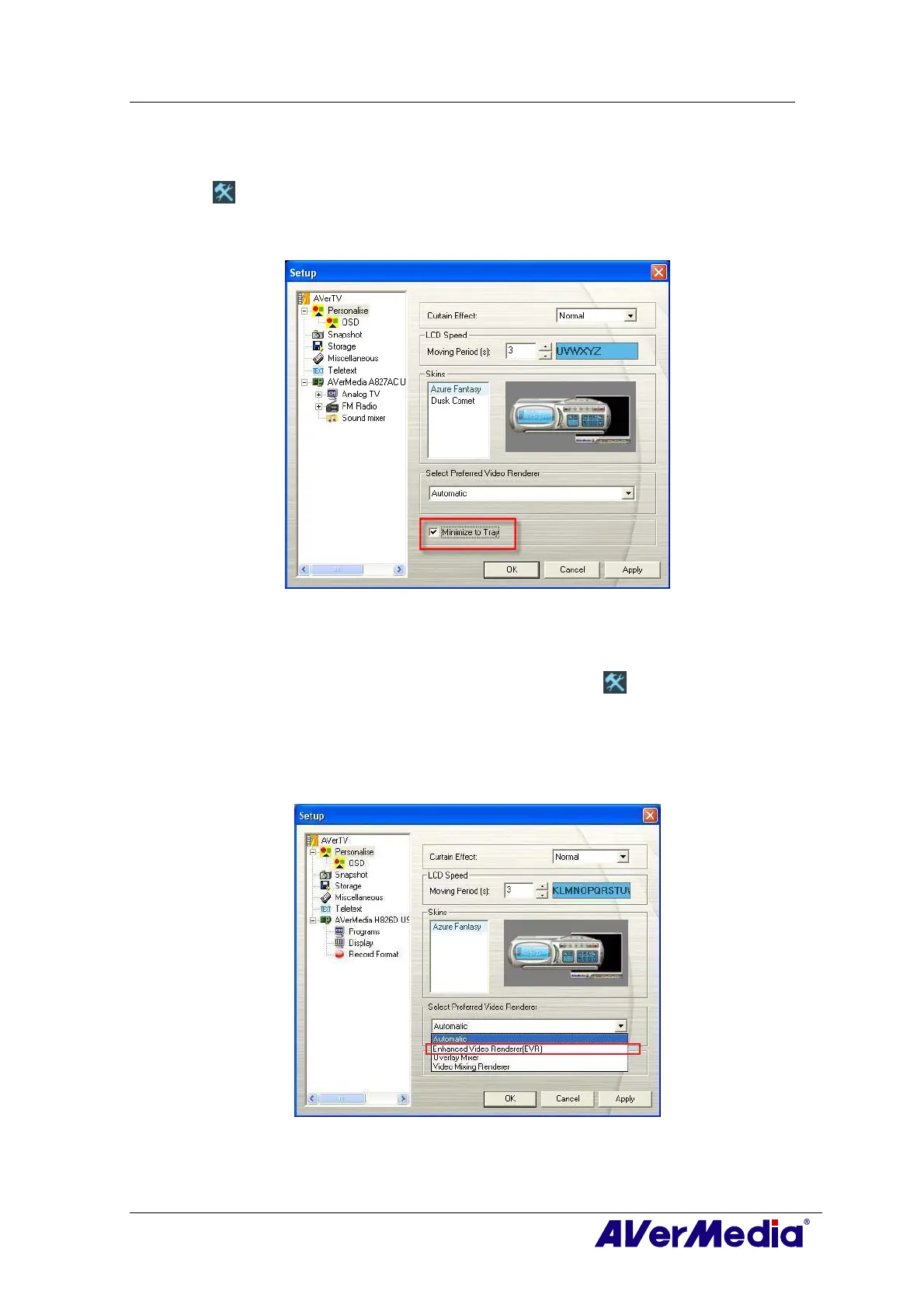
To minimize AVerTV 6 application to the system tray (notification area), click the Setup
button
and in the Setup dialog box, click Personalise icon on the left pane. Then
Select the Minimize to Tray check box. Otherwise clear the check box to minimize the
application to a taskbar button.
(This picture is only for reference.)
3.13 Changing Video Renderer
To select the video renderer you prefer, click the Setup button and in the Setup dialog
box, click Personalise icon on the left pane. Then select the preferred video renderer
from the drop-down list.
By default, the renderer is set to Automatic (Overlay Mixer is chosen in Windows XP
system and Enhanced Video Renderer (EVR) in Windows Vista system.)
(This picture is only for reference.)











 To Next Page