AVerTV 6
18
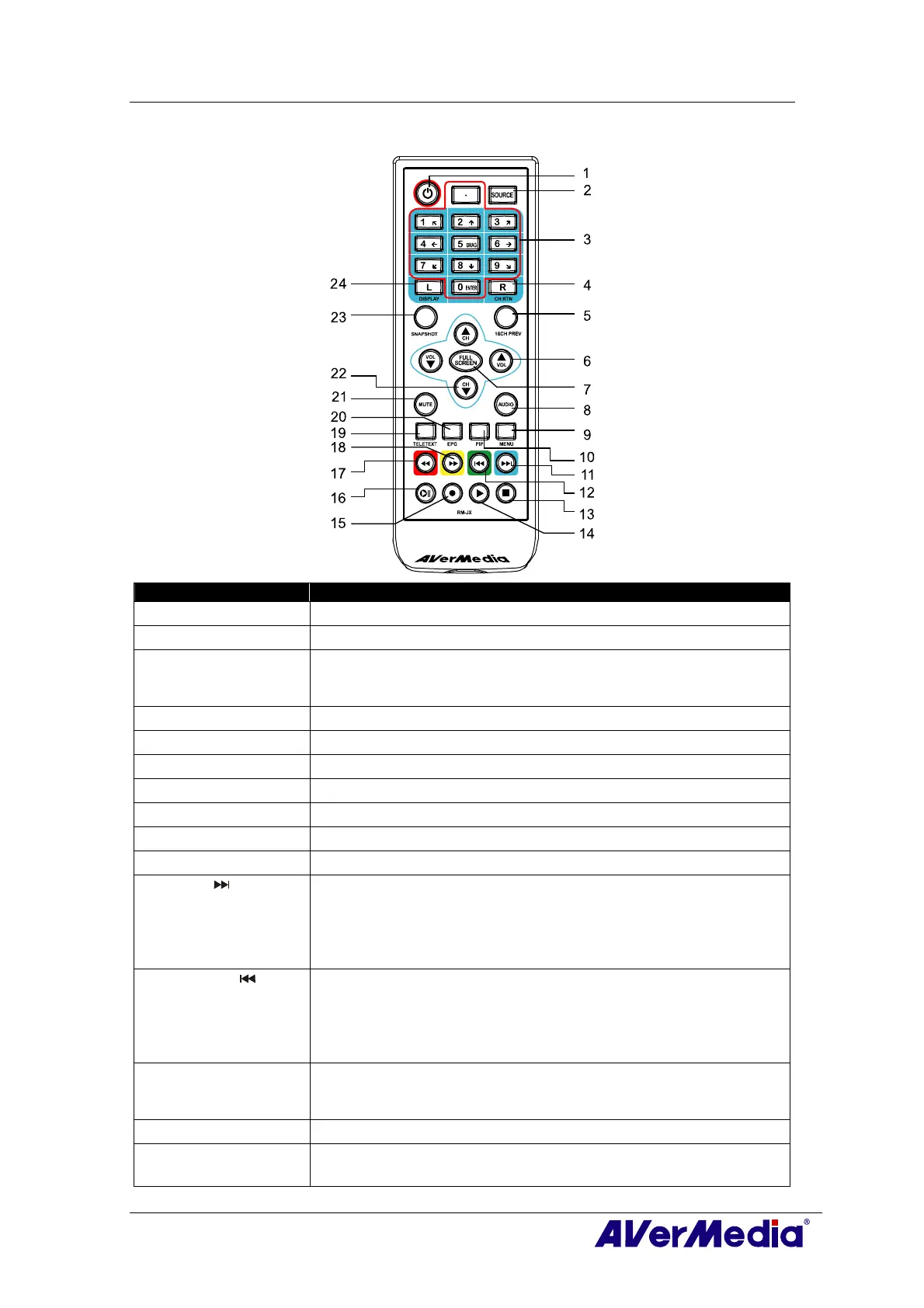
3.5.4 Remote Control Buttons (Model 4) (RM-JX)
Button Description
1. POWER
Turn on/off the application
2. SOURCE
Switch between available signal sources.
3. Numeric Buttons - Select a TV channel.
- Under the 16-Channel preview mode, use↑↓← → to highlight the
intended channel.
4. CH RTN
Go to the previously selected channel.
5. 16-CH PREV
16-Channel Preview.
6. VOL▲/▼
Volume up/down.
7. FULL SCREEN
Display TV in full screen.
8. AUDIO
Switch between available audio modes.
9. MENU
Display or hide the Control Panel.
10. PIP
Display or hide the PIP window.
11. SLEEP - Go to the next file in the playlist.
- Set the time to put your computer in Stand By or Hibernate
mode.
- Jump to the Teletext page of the corresponding color according
to this button.
12. WAKE UP - Go to the previous file in the playlist.
- Set the time to bring your computer out of Stand By or Hibernate
mode.
- Jump to the Teletext page of the corresponding color according
to this button.
13. ■ (Stop) - End the Playback or recording.
- End the TimeShift mode and return to real-time TV or Radio
mode.
14. ► (Play)
Play the last recorded or played file.
15. ● (Record)
Switch to PVR mode and record the current program or video into
your hard drive.











 To Next Page