AVerTV 6
28
Chapter 4 TV
In this chapter, we will introduce methods to scan programs, select a TV/Radio program,
create a group and so on.
4.1 Analog TV
4.1.1 Scanning Channels
If you haven’t done channel scanning when you first run the application, please follow
the steps to complete this procedure.
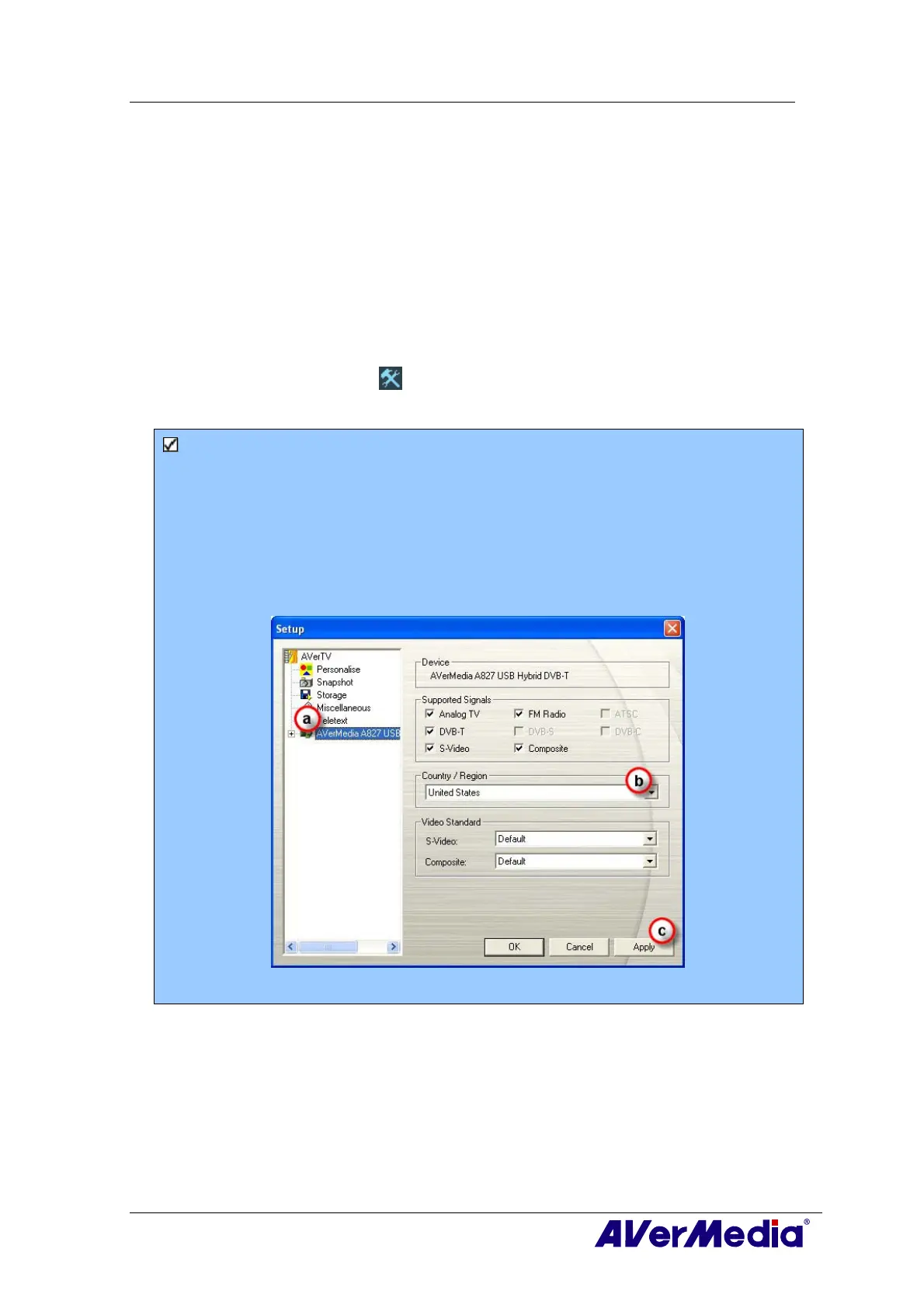
1. Click the Setup button
and in the Setup dialog box, select an available
AVerMedia device in the left pane.
Note:
Make sure that your Country/Region is correct.
a. First, select an available Avermedia device in the left pane.
b. From the Region/Country drop-down list, select your country or region.
c. Click Apply to save the settings.
(This picture is only for reference.)
2. Then select Analog TV (or Programs). On this page, choose the TV option to search
only for air channels or select CATV to scan for cable channels.











 To Next Page