AVerTV 6
29
(This picture is only for reference.)
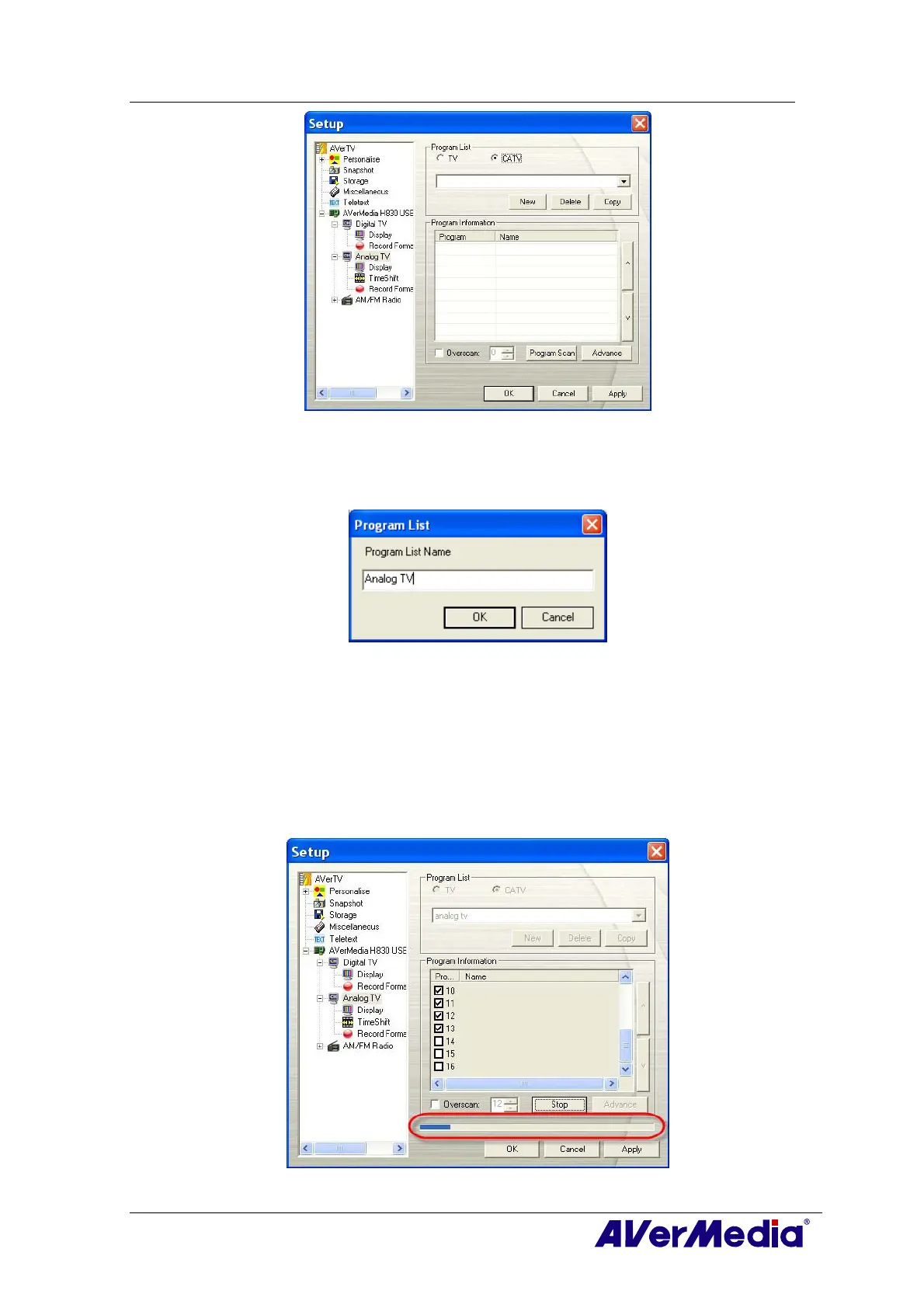
3. Click New and the Program List dialog box will appear. Type in the desirable name
and click OK.
4. Then Click Program Scan to start the searching process.
The application comes with a default frequency table therefore the application will
use this table to search for active channels/programs. If you want to terminate the
searching process, just click Stop.
5. You can check the scanning progress from the progress bar. After scanning, the active
TV/Radio channels will be listed inside the box. Click Apply to save the scanned
channels.
(This picture is only for reference.)











 To Next Page