72
4OPERATION
4.4 SETTINGS IN THE EXTENDED MENU
ALS
350
450
4.4.7 Label distance (LPIT)
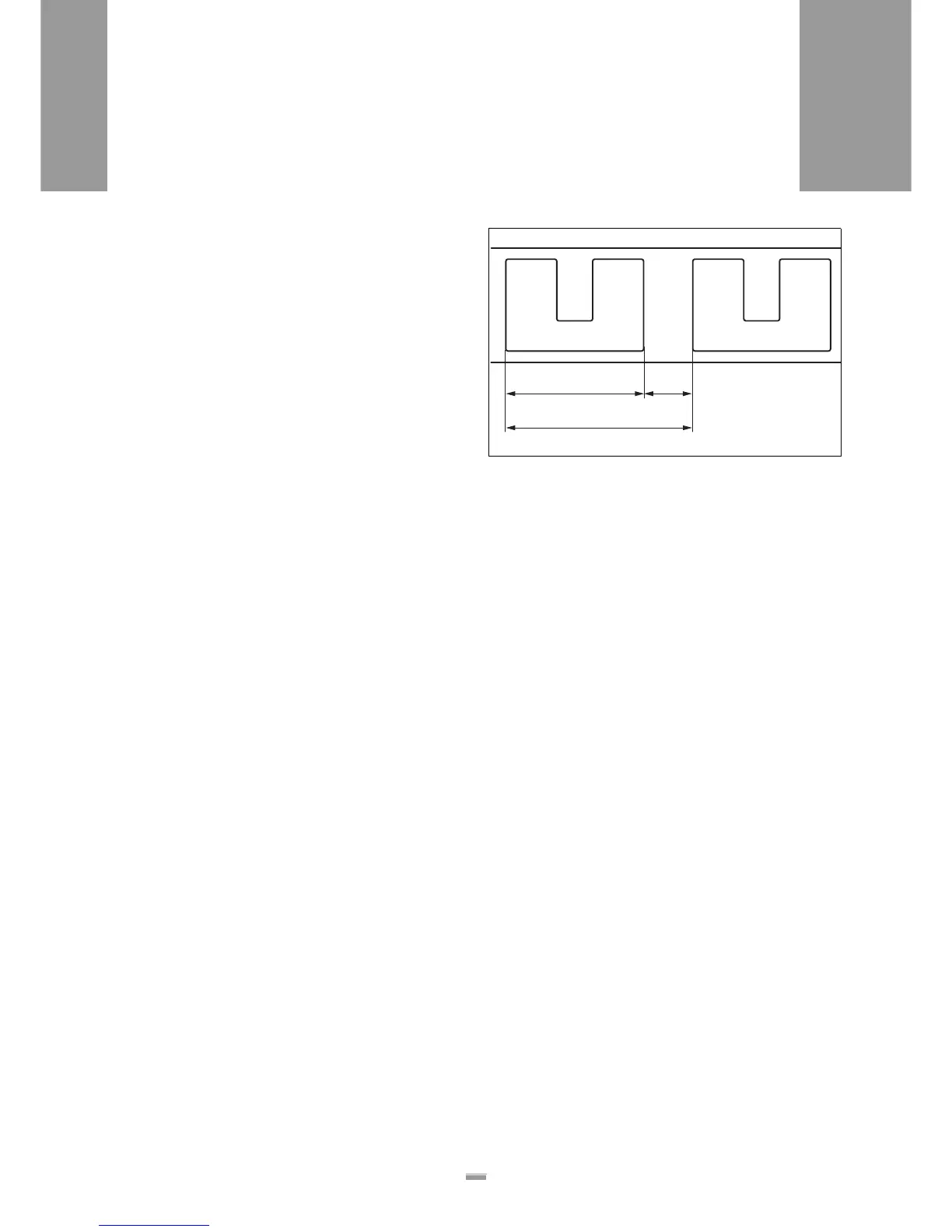
The label distance is defined as [76]:
Label distance = label length + gap
The shape of the labels or reflective surfaces can
cause a false signal to be sent from the label stop sen-
sor. In such a case, the label distance must be manual-
ly set.
Set distance
In the extended menu:
£ Call up the LPIT function.
£ Set the desired distance.
– Settings are possible in 0.1 mm steps:
Minimum: 5 mm
Maximum: 350 mm
1)
£ Confirm the value using the ENTER key and exit the
function.
£ Check setting.
Check setting
£ Press the FEED key.
If the setting is correct:
– A single label is dispensed at a constant dispensing
speed. The label completely separates from the
backing material and no wrinkling occurs.
If the setting value for LPIT is too large:
– 2 labels are dispensed.
If the setting value for LPIT is too small:
– A single label is dispensed.
– Because the value for LPIT is too small, the control
unit prematurely anticipates a signal from the label
stop sensor. The missing signal triggers automatic
label compensation. This error is indicated if:
– The dispensing speed is excessively fast at
the trailing edge of the label.
– If a printer is connected, the device will print
more than once.
1) Possible at reduced dispensing speeds (up to 999 mm); Refer to the serv-
ice guide.
[76] A Label distance
B Label length
C Gap
A
BC







 To Next Page