76
4OPERATION
4.4 SETTINGS IN THE EXTENDED MENU
ALS
350
450
4.4.10 Polarity of the product sensor
(P_S_)
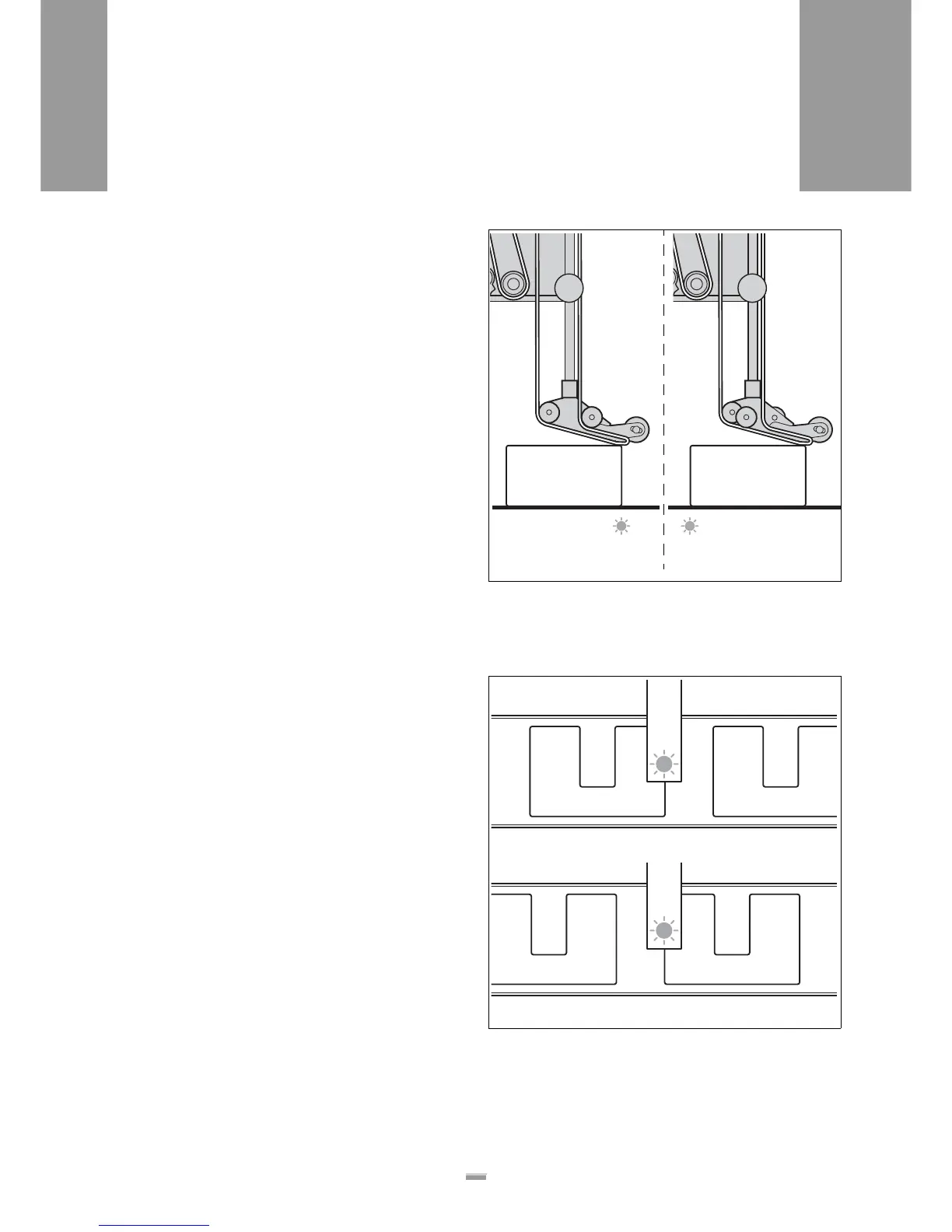
The product sensor can optionally send the start signal,
if
– the leading edge of the product passes the
sensor [82A].
– the trailing edge of the product passes the
sensor [82B].
In the extended menu:
£ Call up the P_S_ function.
£ Set the desired polarity.
– Set the LEDG: Triggered by leading edge
– Set the TEDG: Triggered by the trailing edge
£ Confirm the setting using the ENTER key and exit
the function.
4.4.11 Polarity of the label stop
sensor (S_S_)
The label stop sensor can optionally send the signal, if
– the leading edge of the label passes the
sensor [82A] (standard setting, with automatic label
compensation).
– the trailing edge of the label passes the
sensor [82B] (without automatic label compensa-
tion).
The function also allows the use of photoelectric sen-
sors with different polarities.
In the extended menu:
£ Call up the S_S_ function.
£ Set the desired polarity.
– Set the LEDG: Triggered by leading edge
– Set the TEDG: Triggered by the trailing edge
£ Confirm the setting using the ENTER key and exit
the function.
[82] Examples for different polarities of the product sensor:
A The sensor sends a signal at the product’s leading edge
(LEDG)
B The sensor sends a signal at the product’s trailing edge
(TEDG)
A B
[83] Examples for different polarities of the label stop sensor:
A The sensor sends a signal at the label’s leading edge (LEDG)
B The sensor sends a signal at the label’s trailing edge (TEDG)
A
B







 To Next Page