OmniCare EVC System
Installation & Commissioning Manual
8 OmniCare issue 1
C
O
M
M
U
N
I
C
A
T
I
O
N
S
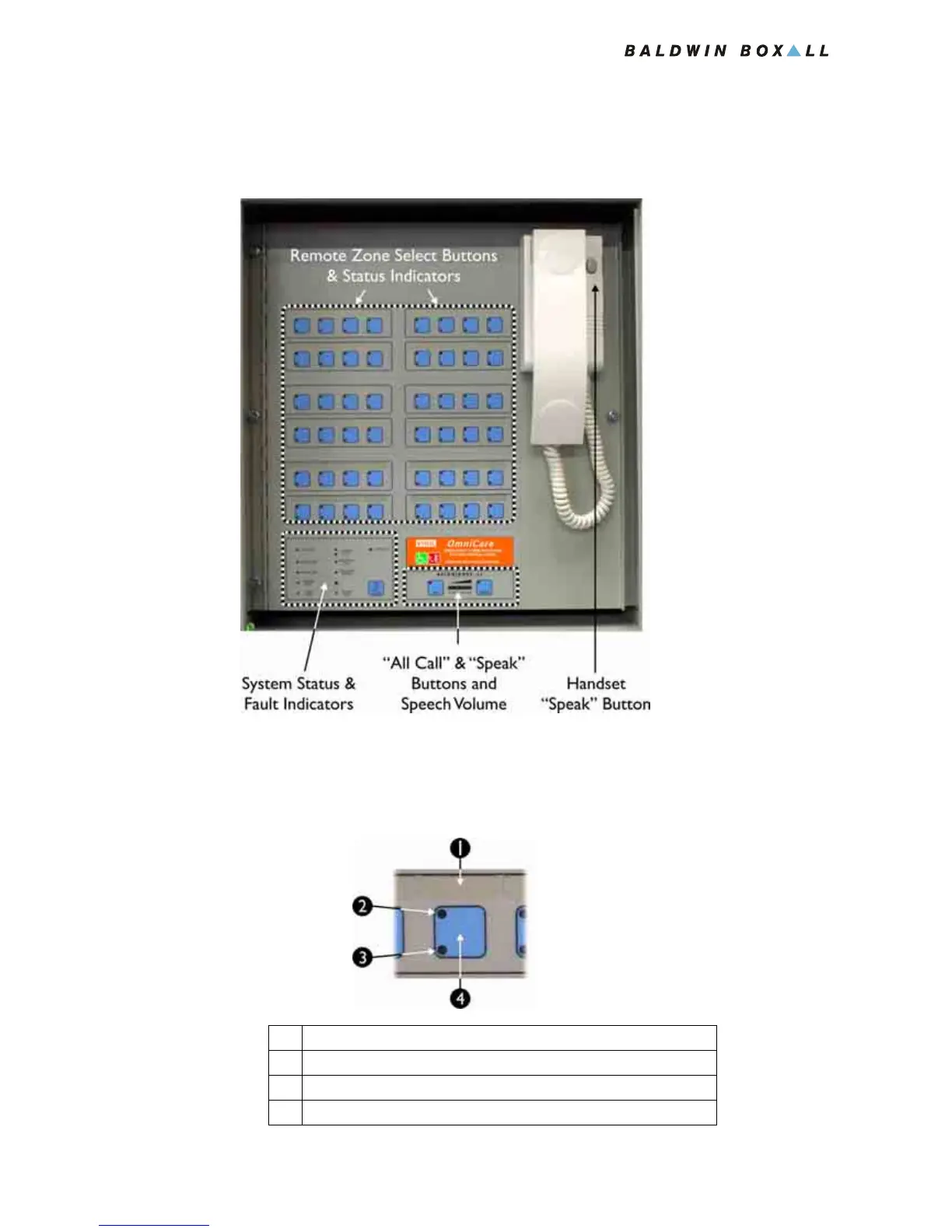
1.3 CONTROL PANEL LEDS & SWITCHES
Figure 1.7 — Control Panel Main Regions
1.3.1 Zone Select Button & Status LEDs
Figure 1.8 — Zone Select Button & Status LEDs
1 Space for Zone Ident Label
2 Refuge Area Occupied / Call Status LED (RED)
3 Fault detected on Remote Unit (YELLOW)
4 Press button to control relevant Zone



 To Next Page