OmniCare EVC System
Installation & Commissioning Manual
50 OmniCare issue 1
C
O
M
M
U
N
I
C
A
T
I
O
N
S
4.4.2 Testing Loop Integrity (Data Cables)
1. Ensure Power Loop Integrity (section 4.4.1) has been
checked before attempting the Commissioning Procedure.
2. Ensure one end of the Loop is connected to the “A”
Terminals.
3. Connect the Mains Power, but do not connect the batteries.
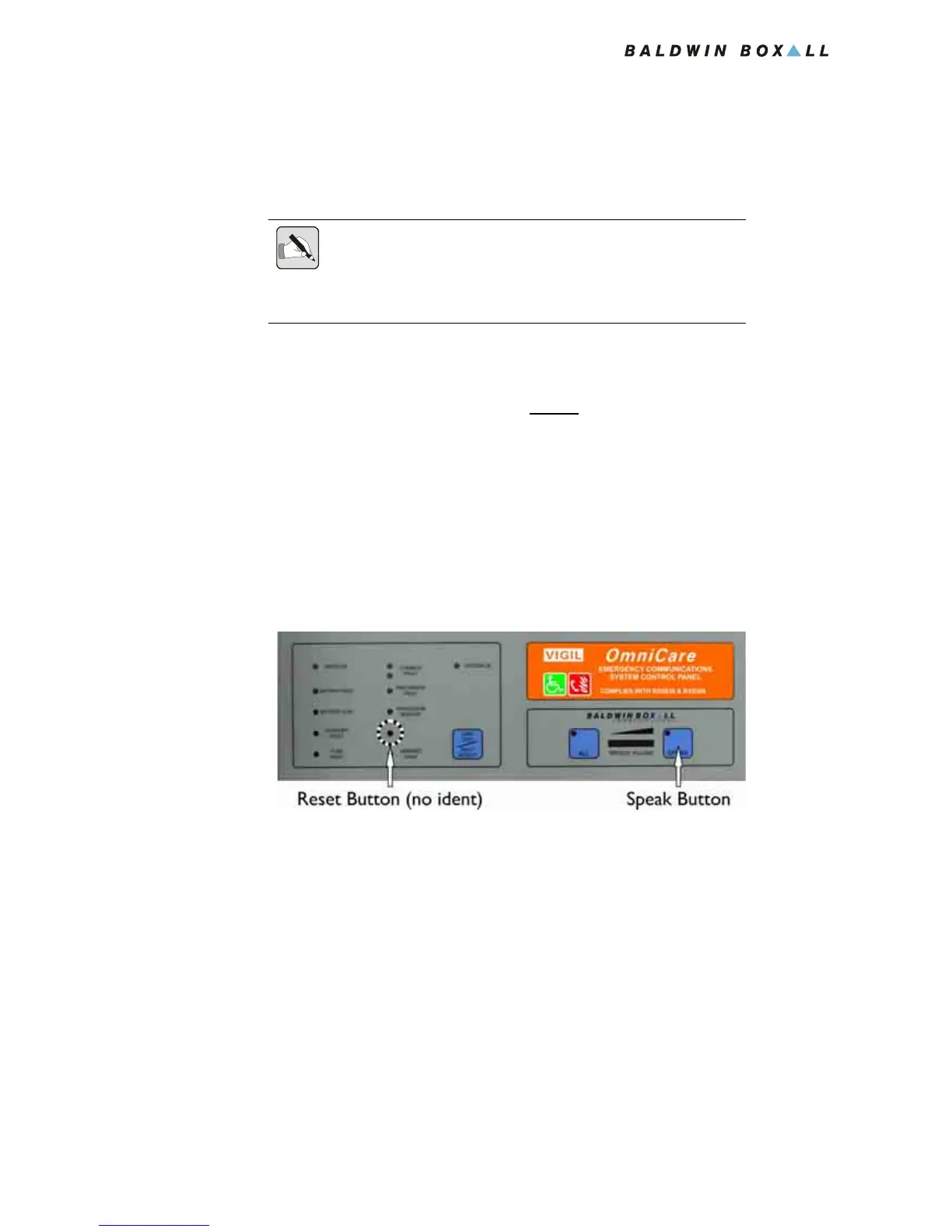
4. At the Control Panel, press and hold the “SPEAK” button,
then press and release the “RESET” button (located between
the “Processor Restart” and the “Handset Fault” LEDs as
shown in
Figure 4.1).
Continue to push the “SPEAK” Button until the yellow
indicator by button 1 begins to flash.
Figure 4.1 — “Reset” and “Speak” Buttons
Releasing the “RESET” button while the “SPEAK” button is
still pressed initiates the Commissioning Process. The Master
Panel sends a special “Commissioning” code along the ring to
communicate with the Remote Units.
The Panel indicates it has started Commissioning by flashing
the yellow LED in button 1.
Press and release the “FAULT ACCEPT” button to silence the
buzzer.
5. The Panel will flash the yellow indicator for approximately
40 seconds. When the Commissioning code is sent the
yellow LED stops flashing.
NOTE: If the ring circuit has greater then 16 Remote Units connected to
it then it is necessary to connect together the "CAN H" and "CAN L"
connections on Terminals B and C within the Control Panel. This will
allow connection of up to 32 Remote Units.



 To Next Page