OmniCare EVC System
Installation & Commissioning Manual
60 OmniCare issue 1
C
O
M
M
U
N
I
C
A
T
I
O
N
S
These jumpers set the Base Address of the first Zone Switch of
each Switch Panel.
JP1, JP2 and JP3 settings determine if the first switch on the
relevant panel is Zone 1, Zone 17, Zone 33, Zone 49 etc.
Table 4.1 — JP1, JP2 & JP3 Zone Address Settings
4.6.3 Setting the Offset and Range & defining the
“Master” Switch Panel
The “Offset” is the number of positions above the Base Address
that the relevant Switch Panel will use as zone 1.
The Range is the number of zones that the relevant Switch Panel
will enable for use.
Every Control Panel has to have a “Master” Switch Panel defined,
this is normally set to the panel that has the lowest Base Address.
The “Master” Switch Panel is defined as part of the process to set
the Offset and Range on each panel.
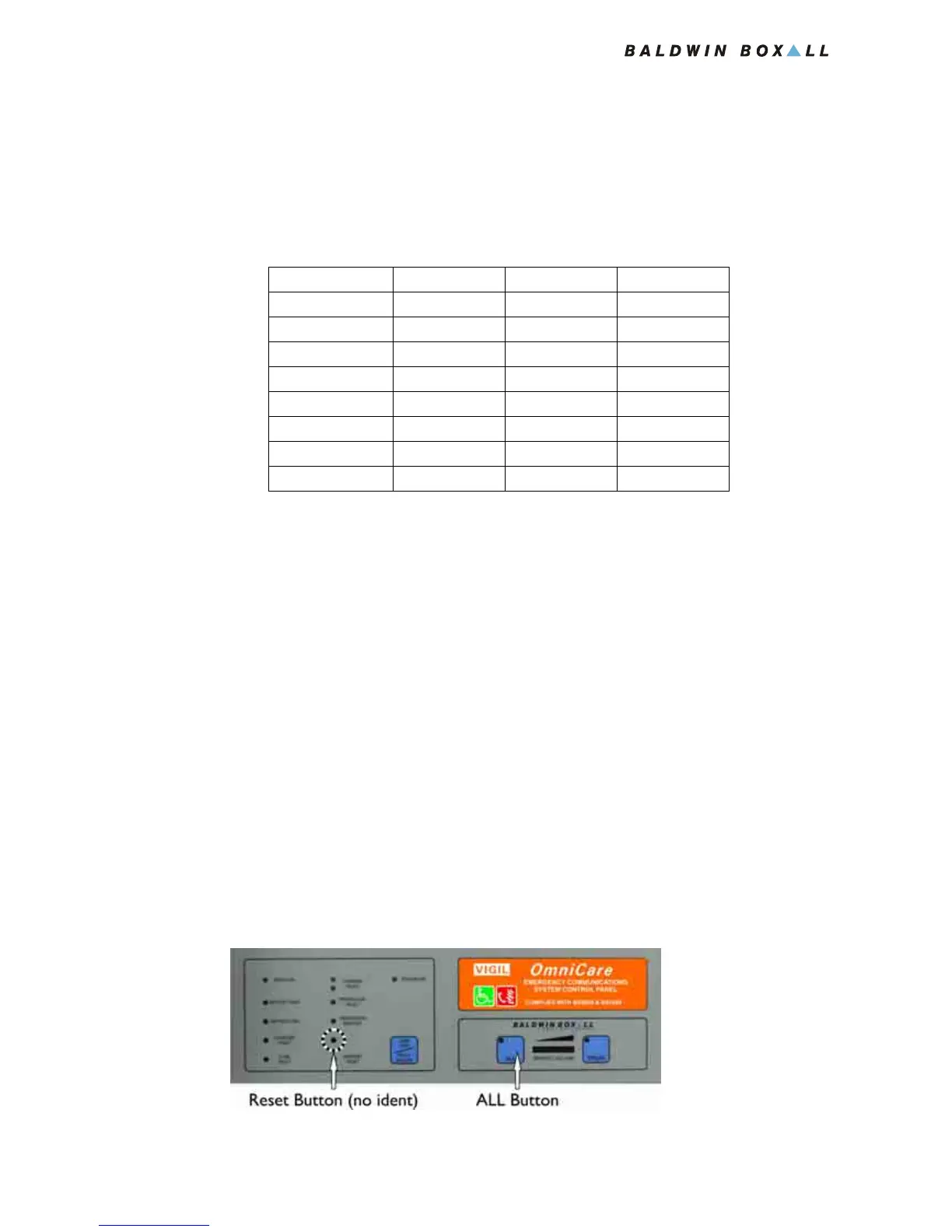
1. To enter the panel set-up mode, press and hold the “ALL”
button then press and release “Reset” as shown in
Figure 4.6.
Figure 4.6 — Reset and ALL Buttons
Remote Units JP1 JP2 JP3
1-16 2-3 2-3 2-3
17-32 1-2 2-3 2-3
33-48 2-3 1-2 2-3
49-64 1-2 1-2 2-3
65-80 2-3 2-3 1-2
81-96 1-2 2-3 1-2
97-112 2-3 1-2 1-2
113-128 1-2 1-2 1-2



 To Next Page