OmniCare EVC System
Installation & Commissioning Manual
66 OmniCare issue 1
C
O
M
M
U
N
I
C
A
T
I
O
N
S
5.2 OVERVIEW OF THE TONE GENERATION
S
OFTWARE
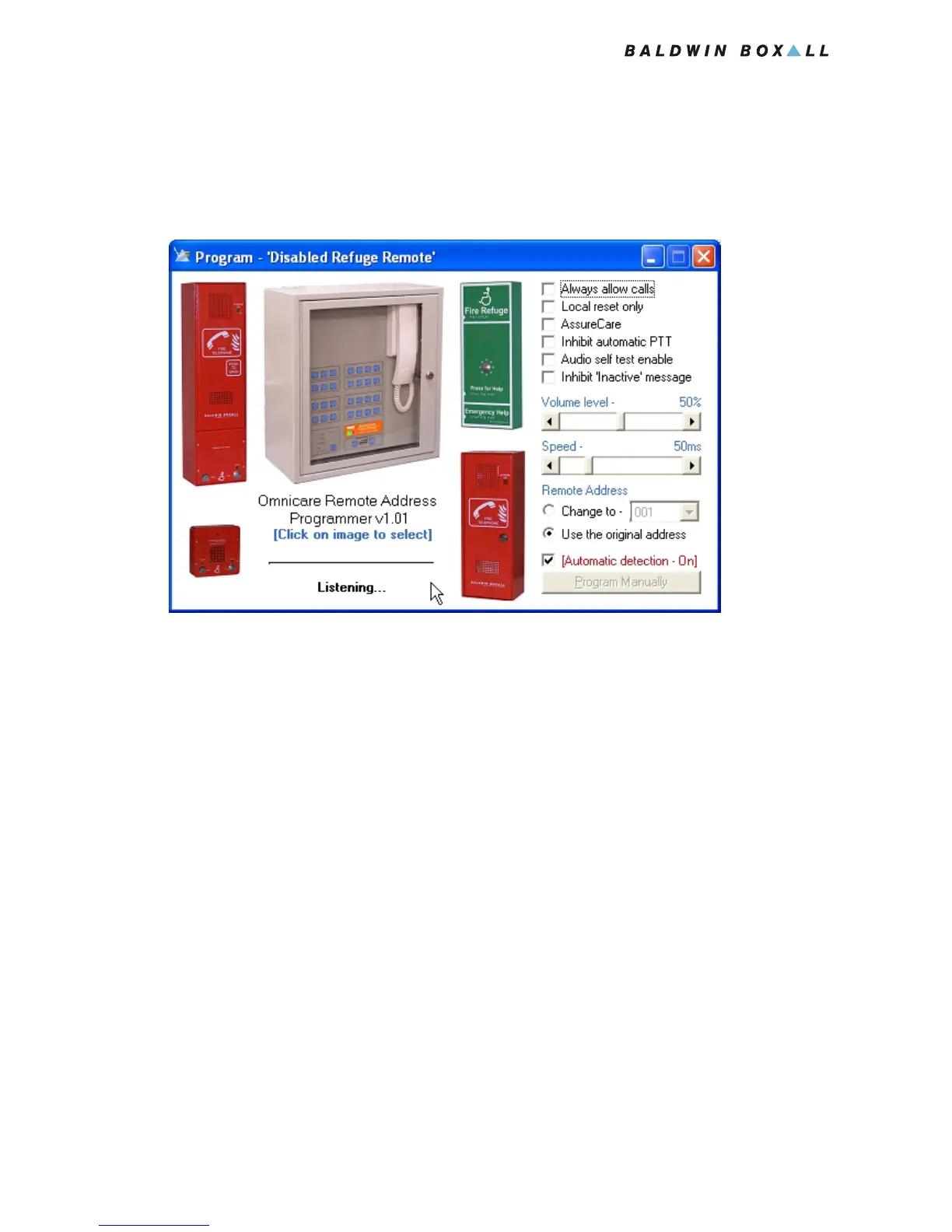
Figure 5.1 — Tone Generation Software
The Tone Generation Software can be used to configure the
Remote Units illustrated.
To select the type of Remote Unit click on the illustration and the
available options will be displayed.
The options are explained as follows:
• Always Allow Calls - allow the Remote Unit to make calls
regardless of the state of the Fire Alarm Input.
• Local Reset Only - inhibit the Control Panel from resetting
(or de-occupying) the Remote Unit.
• AssureCare - enable the Remote Unit to emulate the
AssureCare product.
• Inhibit Automatic PTT - disables the voice switching function
of the Remote Unit.
• Audio Self Test Enable - enables the self test function.
• Inhibit Inactive Message - prevent the Remote Unit from
playing a message if the system is inactive.



 To Next Page