EasyManua.ls Logo

Banner EZ-SCREEN - User Manual

Banner EZ-SCREEN
100 pages
Print Icon
To Next Page IconTo Next Page
Loading...
EZ-SCREEN
®
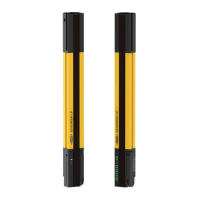
14/30 mm Safety Light
Screen
Instruction Manual
Original Instructions
112852 Rev. J
8 May 2019
©
Banner Engineering Corp. All rights reserved
112852

Table of Contents

Other manuals for Banner EZ-SCREEN

Questions and Answers

  • H
    hmurraySep 23, 2025
    Why does Banner EZ-SCREEN Safety Equipment show excessive noise error on reset interface?
    • M
      Mr. Devin HallSep 23, 2025
      The Excessive Noise Error on the Reset Interface of Banner Safety Equipment is due to excessive levels of electrical noise. To address this, perform a reset. If the error clears, perform a Daily Checkout procedure, and if OK, resume operation. If the System fails the Daily Checkout procedure, replace the receiver. If the error continues, check the ground connection (pin 7). If the sensor has a good earth ground connection to pin 7, perform the Initial Checkout procedure. If the error clears, check for sources of electrical noise. If the error continues, replace the receiver.
  • K
    Kimberly EllisAug 25, 2025
    How to fix an Emitter Error on Banner Security Sensors?
    • A
      Amanda EdwardsAug 25, 2025
      If your Banner Security Sensors are showing an Emitter Error, it might be due to excessive electrical noise or an internal failure. Try resetting the emitter by cycling the power. If the error clears, proceed with the daily checkout procedure. If the system passes the checkout, resume normal operation. If it fails, replace the emitter. If the error remains, inspect the ground connection. If a good earth ground connection is confirmed and electrical noise is present, address the noise issue. If the problem continues after these steps, replace the emitter.
  • S
    Sarah McclainAug 25, 2025
    Why do Banner Security Sensors display an Excessive Noise Error?
    • A
      Anthony MiddletonAug 26, 2025
      An Excessive Noise Error on Banner Security Sensors usually indicates excessive electrical noise. To resolve this, first, reset the emitter by cycling the power. If the error clears, perform the daily checkout procedure. If the system checks out, you can resume operation; otherwise, replace the emitter. If the error persists, check the ground connection. If the sensor has a good earth ground connection, check for electrical noise. If the error continues, replace the emitter.
  • C
    christinethomasAug 26, 2025
    What to do if Banner Industrial Equipment shows an Output Error?
    • K
      Karen JohnsonAug 26, 2025
      An Output Error in Banner Industrial Equipment can occur if one or both outputs are shorted to a power supply (high or low), by shorting OSSD 1 to OSSD 2, or by an overload (greater than 0.5A). To resolve this, disconnect the OSSD loads and reset the receiver. If the error clears, the problem lies in the OSSD load(s) or load wiring. If the error persists without any load connected, consider replacing the receiver.
  • K
    Karen JohnsonSep 23, 2025
    What causes cascade input simultaneity operation error on Banner Safety Equipment?
    • J
      James MitchellSep 23, 2025
      The Cascade Input Simultaneity Operation Error in Banner Safety Equipment occurs when the operation of channels A and B mismatch by more than 3 seconds. To fix this, check the operation of Channel A and Channel B of the cascade input. Cycle power or cycle the input.
  • K
    Kristy HenryNov 27, 2025
    What to do if my Banner Industrial Equipment shows an EDM Input Error?
    • D
      Diana CooperNov 27, 2025
      An EDM Input Error on your Banner Industrial Equipment can occur due to several reasons: * EDM wiring configuration does not match the EDM switch configuration. * No connection to EDM terminals. * Both EDM inputs failing to respond within 200 ms of the OSSDs changing state (ON or OFF). * Excessive noise on EDM inputs. To address this, verify that the EDM configuration switches are set correctly and that the wiring is correct for the EDM type configured. Reset the receiver. If the error continues, remove power to the guarded machine, disconnect the OSSD loads, disconnect the EDM input signals, configure EDM for No Monitoring and conduct the Initial Checkout procedure. If the error clears, the issue is in the external device contacts or wiring, or a response-time problem of the ext...
  • J
    Julie HartSep 12, 2025
    What causes an emitter error in Banner EZ-SCREEN Safety Equipment?
    • D
      david56Sep 12, 2025
      The Emitter Error in Banner Safety Equipment is caused by excessive electrical noise or an internal failure. To solve this, reset the emitter. If the error clears, perform the daily checkout procedure and resume operation if the system checks out. If the system fails, replace the emitter. If the error continues, check the ground connection. If the sensor has a good earth ground connection, check for electrical noise. If the error persists, replace the emitter.
  • G
    Guy DeckerSep 12, 2025
    Why am I getting an EDM input error on my Banner EZ-SCREEN Safety Equipment?
    • E
      Emily WilliamsSep 12, 2025
      An EDM input error on Banner Safety Equipment can occur due to incorrect EDM wiring, no connection to EDM connections, both EDM inputs failing to respond within 250 ms of each other, excessive noise on EDM inputs, or loose QD connections. Verify that the EDM wiring is correct for the configured EDM type. If the error continues, remove power, disconnect OSSD loads and EDM input signals, configure EDM for No Monitoring, and conduct the Initial Checkout procedure. If the error clears, the problem is in the external device contacts/wiring or a response-time issue. Verify the EDM wiring and that the external devices meet the requirements. If the error continues, check for noise on the EDM inputs. If the error persists, replace the receiver.
  • R
    Ryan WallSep 4, 2025
    What causes Excessive Noise Error on Banner Industrial Equipment?
    • J
      Julia RuizSep 5, 2025
      If your Banner Industrial Equipment is showing an Excessive Noise Error, it means there are high levels of electrical noise interfering with the system. Try resetting the emitter by disconnecting and then reconnecting the power. If the error disappears, run a Daily Checkout procedure and, if it passes, you can resume normal operation. However, if the system fails the Daily Checkout, you'll need to replace the emitter. If the error persists, check the ground connection at terminal 1. If the sensor has a good earth ground connection, then check for sources of electrical noise. If the error continues even after performing the Initial Checkout procedure, replace the emitter.
  • D
    Dominique OconnellSep 2, 2025
    Why am I getting a Test Input Error on my Banner Industrial Equipment?
    • J
      Joan CampbellSep 3, 2025
      If your Banner Industrial Equipment shows a Test Input Error, it might be due to excessive noise on the test input. To resolve this, reset the emitter by disconnecting and reapplying power. If the error clears, perform a Daily Checkout procedure and resume operation if it passes. If the system fails the Daily Checkout procedure, replace the emitter. If the error continues, check the ground connection (terminal 1). If the sensor has a good earth ground connection, check for noise on the test input wiring.

Summary

About This Document

Important... Read This Before Proceeding!

Crucial safety and installation prerequisites for proper system function.

Use of Warnings and Cautions

Explains symbols and signal words used for safety alerts.

Standards and Regulations

Applicable U.S. Standards

Lists relevant U.S. safety standards for machinery.

International;European Standards

Lists relevant international and European safety standards.

Introduction

Features

Highlights key capabilities and specifications of the EZ-SCREEN system.

System Description

Explains how the EZ-SCREEN system operates.

Appropriate Applications and Limitations

Defines suitable applications and restrictions for safe operation.

Components

System Components

Details the main parts included in an EZ-SCREEN system.

Standard Emitter and Receiver Models (Non-Cascadeable) with 14 mm Resolution

Lists specific non-cascadeable models with 14 mm resolution.

Standard Emitter and Receiver Models (Non-Cascadeable) with 30 mm Resolution

Lists specific non-cascadeable models with 30 mm resolution.

Installation Instructions

Installation and Alignment

Covers the essential steps for system mounting and optical alignment.

Mechanical Installation Considerations

Discusses critical factors for physical setup like safety distance.

Mounting the Emitter and Receiver

Provides guidance on physically attaching sensors and brackets.

Initial Electrical Connections

Details the process for making initial power and ground connections.

Initial Checkout Procedure

Outlines the critical steps to verify system function before operation.

Optical Alignment

Explains how to achieve optimal optical alignment for reliable detection.

Reduced Resolution;Floating Blanking

Describes how to configure features for ignoring specific objects.

Fixed Blanking

Details how to program the system to ignore stationary objects.

Trip Test

Describes the essential test to verify system detection and response.

Electrical Connections to the Guarded Machine

OSSD Output Connections

Explains how to connect the safety outputs to the machine control.

FSD Interfacing Connections

Details how to interface Final Switching Devices for machine control.

Machine Primary Control Elements and EDM Input

Covers connecting primary control elements and EDM.

Auxiliary (Aux.) Output

Describes the optional auxiliary output for signaling system status.

Remote Test Input

Explains the function of the remote test input for emitter setup.

Preparing for System Operation

Outlines the final steps before putting the system into service.

Sensor Swapability

Describes wiring for interchangeable emitter/receiver positions.

Wiring Diagrams

Provides visual references for electrical connections.

Operating Instructions

Security Protocol

Defines roles for system operation and maintenance personnel.

System Configuration Settings

Explains how to set system parameters via DIP switches.

Reset Procedures

Details how to reset the system after a lockout or latch condition.

Status Indicators

Explains the meaning of emitter and receiver status indicators.

Normal Operation

Describes system behavior during power-up and run modes.

Checkout Procedures

Schedule of Checkouts

Lists the required checkout procedures and their frequency.

Commissioning Checkout

Details the initial system verification after installation.

Shift;Daily Checkout

Outlines routine checks performed regularly.

Cascadeable EZ-SCREEN Safety Light Screen

Overview of Cascading

Introduces the concept and benefits of cascading multiple light screens.

System Components and Specifications

Lists components and specifications for cascaded systems.

Response Time for Cascaded Light Screens

Explains how response time affects safety distance in cascades.

Cascaded Sensor Configuration Settings

Details how to configure settings for cascaded sensor pairs.

Emergency Stop Buttons and Rope;Cable Pulls

Covers connecting external emergency stop devices.

Interlock Switches in Cascaded Systems

Discusses monitoring interlock gates or guards in cascaded systems.

Troubleshooting

Troubleshooting and Lockout Conditions

Guides on identifying and understanding lockouts and errors.

Recovery Procedures

Provides steps to recover from system lockouts and errors.

Receiver Error Codes

Lists specific error codes for the receiver and their causes/actions.

Emitter Error Codes

Lists specific error codes for the emitter and their causes/actions.

Electrical and Optical Noise

Addresses common issues caused by electrical and optical interference.

Product Support and Maintenance

Cleaning

Provides instructions for cleaning the EZ-SCREEN components.

Warranty Service

Outlines the procedure for obtaining warranty service.

Contact Us

Provides contact information for Banner Engineering.

Specifications

General Specifications

Lists general technical data for the EZ-SCREEN system.

Emitter Specifications

Details technical specifications for the emitter.

Receiver Specifications

Details technical specifications for the receiver.

Emitter and Receiver Mounting Dimensions and Location of Defined Area

Provides critical physical dimensions for mounting and defined area.

Accessories

Interface Modules

Lists available interface modules for system expansion.

Remote Reset Switch

Details the optional remote reset switch accessory.

Alignment Aids

Lists tools and aids for system alignment.

Glossary

ANSI (American National Standards Institute)

Defines the American National Standards Institute.

Auto Power-Up

Explains a system feature for automatic power-up.

Blocked Condition

Defines a condition where beams are obstructed.

Banner EZ-SCREEN Specifications

General IconGeneral
Operating Voltage24 V DC ±20%
TypeSafety Light Screen
Number of Beams2 to 40
Safety RatingType 4, PL e
Enclosure RatingIP65, IP67
StandardsIEC/EN 61496-1
Outputs2 OSSD outputs

Related product manuals