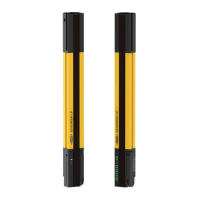
QDE2R4-8..D Cable Pinout
17
Pin Color Description
3 blue (bu) Ch 2b
4 no connection
5 no connection
6 no connection
7 no connection
8 white (wh) Ch 2a
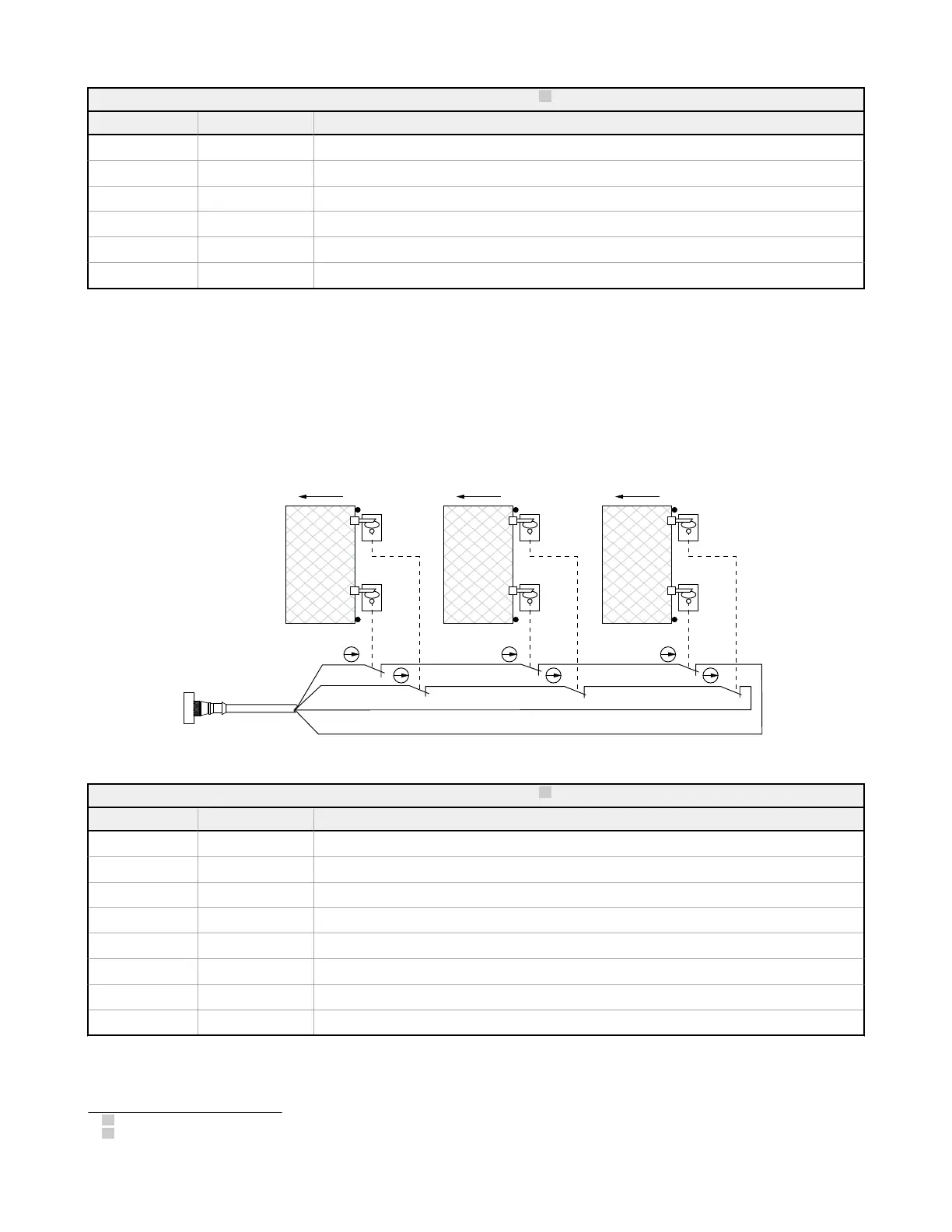
8.8.3 Monitoring Series-Connected Positive-Opening Safety
Switches
When monitoring two individually mounted safety switches (as shown in
Figure 30
on page 74), a faulty switch will be
detected if it fails to switch as the guard opens. In this case, the EZ-SCREEN de-energizes its OSSD output and disables its
reset function until the input requirements are met (i.e., the faulty switch is replaced). However, when a series of interlocking
safety switches is monitored by the EZ-SCREEN, the failure of one switch in the system may be masked or not detected at
all .
bn
wh
bu
bk
22 awg
Open Open Open
Figure 31. Monitoring positive-opening safety switches on multiple gates.
QDE2R4-8..D Cable Pinout
18
Pin Color Description
1 brown (bn) Ch 1a
2 black (bk) Ch 1b
3 blue (bu) Ch 2b
4 no connection
5 no connection
6 no connection
7 no connection
8 white (wh) Ch 2a
17
Standard 8-pin M12/Euro-style QD cordsets can also be used, although the pin numbers and wire colors must be verified.
18
Standard 8-pin M12/Euro-style QD cordsets can also be used, although the pin numbers and wire colors must be verified.
EZ-SCREEN
®
14/30 mm Safety Light Screen
www.bannerengineering.com - Tel: + 1 888 373 6767 75



 To Next Page