97
BARRETT PRC-4090 TACTICAL HF SDR TRANSCEIVER - ADVANCED OPERATION
Scan Settings
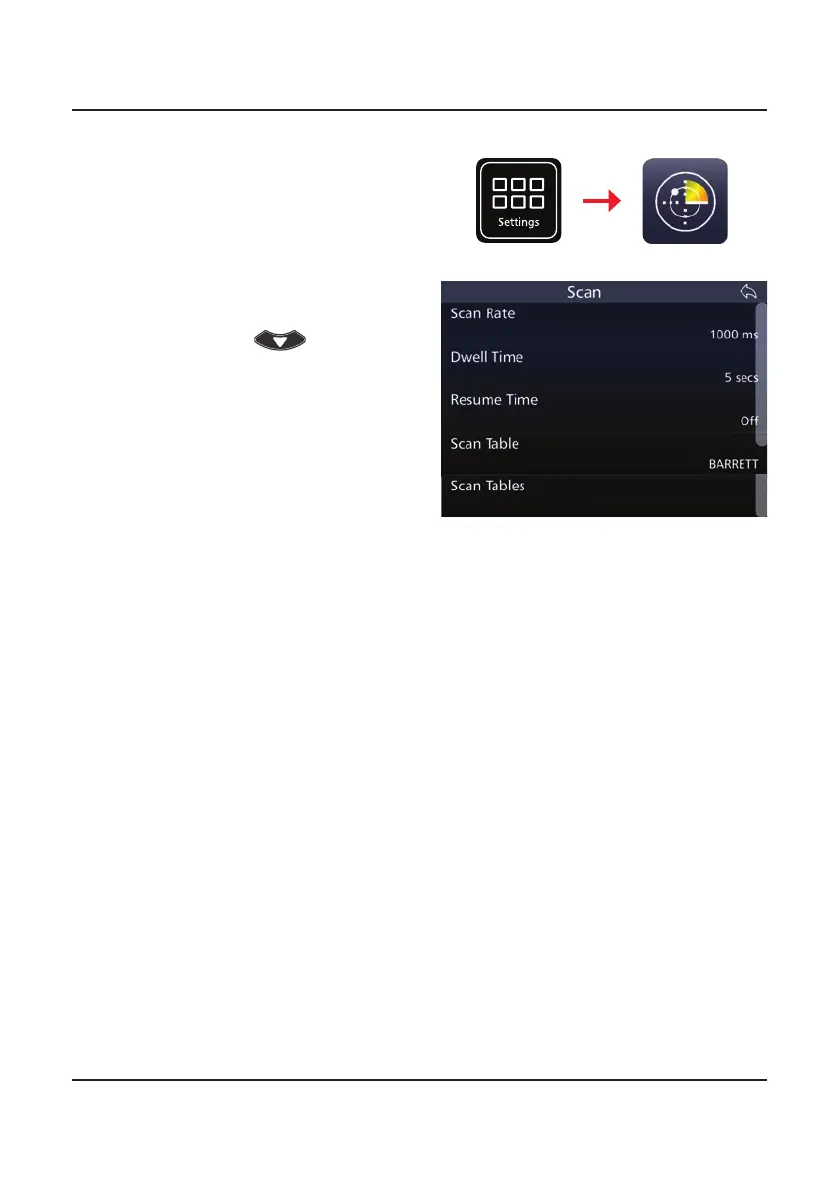
To display the Scan Settings, select
Scan from the Settings Menu.
Tap Scan from the Settings screen
to display the Scan screen.
A list of items that may be cong-
ured is displayed. To reveal more
items, either swipe up on the touch
screen or press
.
Scan Rate
This denes the rate of which the scanning should be performed.
Select the scan rate applicable to non-Selcall scan channels, either: 300, 500,
700, 1000, 1500, 2000, or 5000 ms.
Dwell Time
Select the length of time the transceiver dwells (waits) on a channel after scan
has been stopped by signal strength level (if signal strength level mute is set) or
voice activity (if audio mute is set).
Select between 1 and 10 seconds.
Resume Time
Set the time period after which the transceiver will automatically resume scan-
ning from the last operation eg. after a key press or PTT.
Select either: Off, 1, 2, 3, 5, 10, 15, 20, or 30 minutes.
Settings
Scan
Scan Table
Select the Scan Table to be used when the transceiver is put into scan mode, or
if enabled, when scan resume occurs.
There can be up to eight Scan Tables with 30 channels in each.
Note: When scrolling through the Scan Tables to make a selection, only Scan Tables
with channels entered will display. If none of the Scan tables have any channel
entries, the message “All Scan Tables Empty“ displays.



 To Next Page